Spring Launch Playbook for Subscription Boxes
Spring is the peak moment for curated boxes to capture fresh‑looking consumers. This guide breaks down the exact assets, automation, and retention loops you need to dominate the season.


1. Spring Visual Asset Production
AI‑Generated Spring Unboxing Teaser

Prompt DesignLumo with a concise spring brief (e.g., "soft pastel beauty box unboxing, 4‑second loop, editable text layers"). In seconds you receive a fully layered PSD that you can tweak in Photoshop or directly in DesignLumo’s editor. Export PNGs for Instagram Stories and a 1080×1080 square for feed. Track CTR by adding UTM parameters to the swipe‑up link; aim for a 2.5% click‑through rate. Compare against a Canva template run to validate the AI‑generated asset’s superior engagement.
Dynamic Product Reveal Carousel
Use Adobe Express to assemble a 5‑slide carousel. Pull layered assets from DesignLumo (product mockup, brand colors, typography) and drop them into Express’s animation presets. Set each slide’s duration to 3 seconds and add a spring‑styled call‑to‑action. Publish to Facebook and Instagram, then monitor carousel swipe‑through rates; target a 30% completion metric. If performance lags, replace the middle slide with a Midjourney‑generated lifestyle image for higher visual appeal.
Partner Announcement Kit
When announcing a new spring partnership (e.g., a boutique tea brand), generate a brand‑aligned press graphic in DesignLumo using the partner’s logo and your brand kit. Export a layered PDF for PR outreach and a 1200×628 ad for LinkedIn. Automate distribution with Zapier: new PDF in Google Drive triggers a Mailchimp campaign to media contacts. Measure open rates; a 45% open benchmark indicates the visual hit the mark.
2. High‑Converting Spring Campaign Automation
Automated Email Sequence with Seasonal Hooks
Build a 4‑email flow in Klaviyo: (1) Spring teaser, (2) Box reveal, (3) Early‑bird discount, (4) Renewal reminder. Pull AI‑crafted copy from ChatGPT and embed DesignLumo graphics for each email. Set trigger on sign‑up date plus 3‑day intervals. Track revenue per email; aim for $0.75 average order value per send. If the second email dips below 2% conversion, swap its hero image with a Midjourney‑styled product flat‑lay.
Social Media Scheduler with UTM Tracking
Load all spring assets into Buffer’s calendar. Attach UTM parameters (utm_source=instagram, utm_medium=post, utm_campaign=spring_launch) using Buffer’s built‑in URL builder. Schedule at optimal times (weekday 11 am & 7 pm). After two weeks, pull Google Analytics data; a 3.5% traffic lift from social indicates the visual‑first approach is working. Adjust posting frequency based on the top‑performing asset identified via Buffer’s engagement heatmap.
Paid Ad Creative Split‑Test Framework
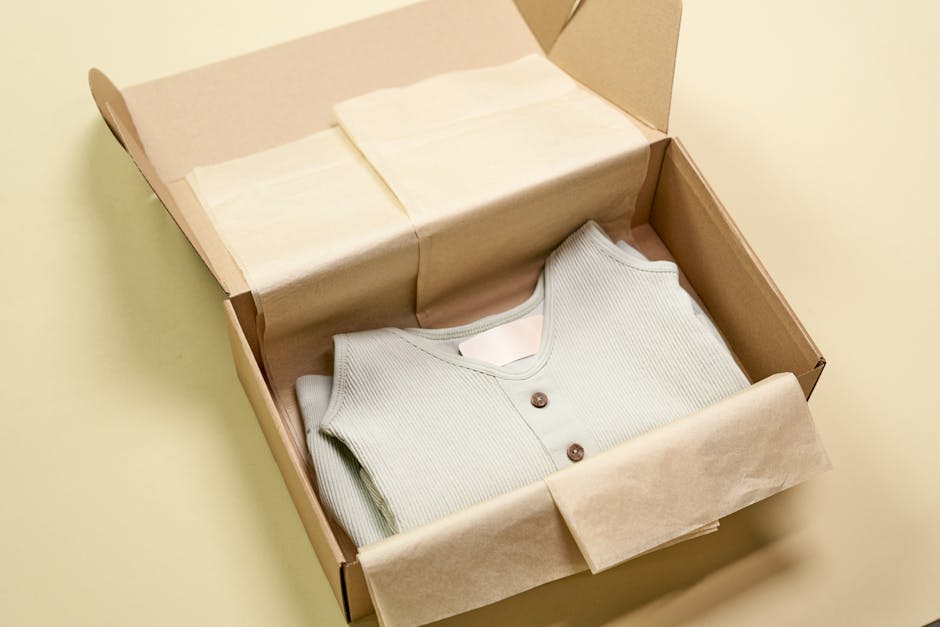
Create three ad variants in Meta Ads Manager: (A) DesignLumo static hero, (B) Midjourney lifestyle scene, (C) Canva template with animated text. Set equal budget ($500) and run a 7‑day test targeting women 25‑45 interested in beauty boxes. Use CBO and track CPA; aim for <$12 per acquisition. Pause the losing creative after Day 4 and scale the winner to $1,500 for the remaining launch window.
3. Subscriber Retention & Referral Boosters
Renewal Countdown Dashboard
In Google Data Studio, connect your subscription platform (Recharge, Bold) and build a live renewal countdown widget. Overlay DesignLumo’s spring-themed progress bar graphic for visual urgency. Email the dashboard link to subscribers two weeks before renewal, highlighting a 10% “stay‑fresh” discount. Monitor renewal lift; a 5% increase validates the visual cue’s effectiveness.
Referral Program Visual Builder
Design a shareable referral card in DesignLumo: include a QR code, spring color palette, and a clear CTA (“Give $10, Get $10”). Export PNGs for Instagram Stories and an HTML snippet for website pop‑ups. Integrate with ReferralCandy via Zapier to auto‑populate the QR code per user. Track referral conversions; a 3% referral rate signals a successful visual incentive.
Add‑On Upsell Flash Sale Template
Create a 24‑hour flash‑sale banner in Canva using DesignLumo’s layered product mockups as background. Add a bold spring‑colored countdown timer (e.g., 12 hr 34 min). Insert the banner into your Shopify store’s cart page via a Liquid snippet. Measure add‑on AOV uplift; target a $3 increase per order during the flash window. Iterate the timer color based on heat‑map click data from Hotjar.
Before you go
- Batch‑generate all spring visuals in DesignLumo before the first week of March to avoid last‑minute scrambles.
- Use UTM parameters consistently across email, social, and paid ads to attribute revenue to each channel accurately.
- Leverage Zapier to sync DesignLumo assets directly to your content calendar, cutting manual upload time by up to 70%.















Ready to create your first design?
Join thousands creating professional designs in seconds.
Create with DesignLumo
Related Resources
Instagram Essentials for Subscription Box Brands
Tactical tool guide to dominate Instagram for subscription boxes.
Black Friday Cyber Monday Box Marketing Playbook
Tactical guide for subscription boxes to dominate Black Friday & Cyber Monday sales.
Back to School Box Marketing Playbook
Tactical guide for subscription boxes to dominate back‑to‑school sales.
Essential Digital Tools for Subscription Box Growth
Powerful tools & workflows to boost visuals, sales, and retention for subscription box brands.
TikTok Content Playbook for Subscription Boxes
Actionable TikTok ideas to boost box sales and engagement.
Pinterest Content Ideas for Subscription Box Brands
Tactical Pinterest strategies to boost unboxing, referrals, and sales for subscription boxes.