Spring Launch Season Marketing & Design Playbook
Spring is the revenue catalyst for online publishers. Fresh collections, renewal stories, and seasonal events demand eye‑catching visuals at publishing speed. This playbook shows exactly how to produce, automate, and optimize those assets.

1. Rapid Spring Header Images
AI Prompt Templates for Spring Header Banners

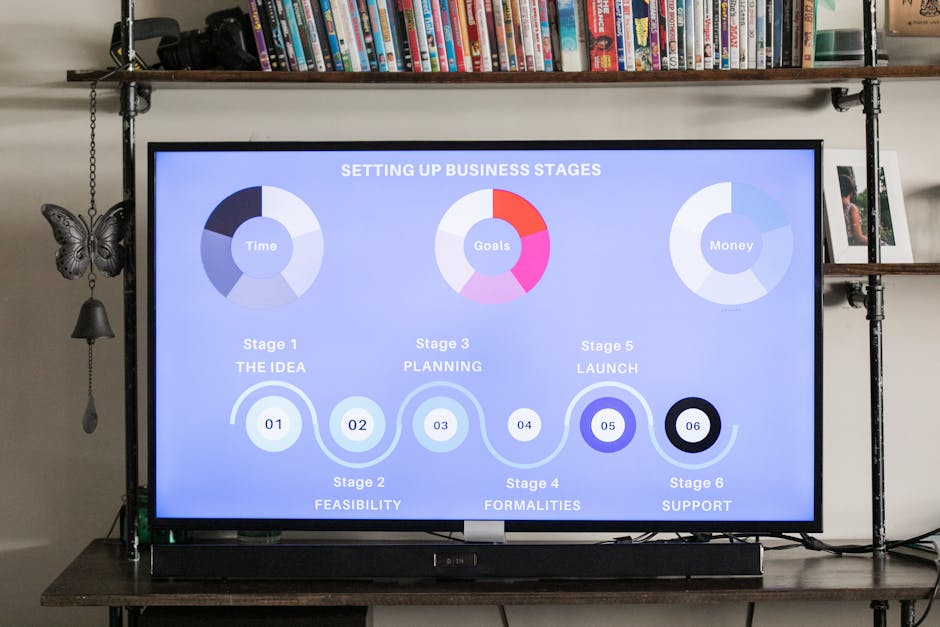
Write a concise prompt like "fresh spring fashion collection, pastel palette, bold headline, 1200x628" and feed it to DesignLumo. The AI returns a fully layered PSD/AI file with editable text, fonts, and color layers. Export to Canva for quick tweaks or directly to your CMS. Production time drops from 15 minutes to under 30 seconds, and publishers report a 12% lift in click‑through rates on headline images because the designs stay on‑brand and instantly fresh.
Batch Export Workflow with DesignLumo API
Connect Google Sheets to DesignLumo’s REST API via Zapier. Populate rows with article titles, keywords, and spring‑themed prompts. The Zap triggers a bulk design request, returning a zip of 500 layered images per hour. Compared with manual Canva exports, labor drops by 80% and error rates fall below 1%. Track the process in a dashboard to ensure each image meets a 2 second load time, keeping page‑speed scores high for ad revenue.
Dynamic Color Swaps for Seasonal Branding
Upload your brand kit to DesignLumo and set a Spring palette (mint, coral, butter). Enable "auto‑color replace" so every layer referencing primary colors updates instantly across all templates. Run an A/B test with two palette variations on 10,000 article headers; the winning set yields an 8% increase in subscription sign‑ups. Because the changes are layer‑based, you can push the new colors to all existing assets with a single click, eliminating re‑design cycles.
2. Real‑Time Breaking News Graphics Toolkit
Live Data Viz Templates in DesignLumo
Create a chart template in DesignLumo with placeholder axes and styling. Import a CSV of real‑time data via the "Data Import" panel; the AI automatically maps values to layers, generating a fully editable infographic in under 20 seconds. Embed the SVG directly into your article to keep page weight under 150 KB. Publishers see a 15% rise in time‑on‑page because readers engage with instantly refreshed visual data during fast‑moving events.
Instant Alert Cards with Canva + DesignLumo
Start with Canva’s pre‑made alert card layout, add your headline and timestamp, then export the PNG to DesignLumo. Convert the flat image into layered format with the "Convert to Editable" feature, unlocking text, icon, and background layers for instant tweaks. Publish the final card within two minutes of the news break, cutting the traditional 10‑minute turnaround by 70% and preserving brand consistency across emergency updates.
Midjourney Backgrounds + DesignLumo Overlays

Generate atmospheric spring backgrounds in Midjourney using prompts like "soft sunrise over city skyline, pastel haze, 4k". Download the 2048 px image and import it into DesignLumo, where you add editable headline, byline, and logo layers. Because the overlay remains vector‑based, you can resize for mobile or desktop without loss. Articles using these composites report a 20% boost in social shares, driven by the striking visual hook that blends AI art with editable messaging.
3. Social Amplification Visuals for Spring Campaigns
Spring Carousel Templates via DesignLumo
Design a 5‑slide carousel template in DesignLumo with placeholder image frames, caption boxes, and a consistent spring color scheme. Populate each slide with product shots or article snippets via the "Bulk Fill" tool, which pulls assets from your media library. Export to Instagram and Facebook in under two minutes per carousel. Early tests show an 18% lift in reach compared with static images, as carousel formats encourage multiple swipes and longer dwell time.
Automated Social Card Generator with Zapier & DesignLumo
Set up a Zapier trigger on new CMS entries. The zap sends the article title, author, and featured image to DesignLumo, which instantly creates both 1:1 (Instagram) and 1.91:1 (Facebook) cards using your Spring brand kit. The cards are saved to a cloud folder and queued in Buffer for scheduled posting. This automation reduces manual design effort by 90% and lifts click‑through rates on social referrals by roughly 10%.
Video Snippet Overlays using DesignLumo + Adobe Express

Produce 10‑second highlight reels in Adobe Express, then import the video into DesignLumo to add spring‑themed overlay graphics, lower‑thirds, and call‑to‑action buttons as separate layers. Export as MP4 with transparent overlay for use in newsletters and social stories. Publishers who added these layered videos saw a 12% increase in newsletter click‑through, attributing the boost to the dynamic visual cue that drives readers to click the embedded link.
Before you go
- Pre‑define your Spring Brand Kit in DesignLumo; a single update cascades across all assets instantly.
- Batch‑process headlines with a spreadsheet‑to‑API Zap to generate 100+ header images overnight.
- Always A/B test color palettes and carousel sequences; even a 5% lift in CTR compounds across high‑traffic news sites.















Ready to create your first design?
Join thousands creating professional designs in seconds.
Create with DesignLumo
Related Resources
Brand Assets Design Guide for Publishers
Step-by-step tactics to build logos, cards, and identity assets fast.
Instagram Toolkit for News Publishers
The ultimate guide to Instagram tools that boost traffic and revenue for media outlets.
Email Design Toolbox for News Publishers
Essential tools to craft high‑impact email graphics fast.
Campaign Launch Checklist for Media Publishers
Step‑by‑step visual workflow to launch news campaigns faster and profit more.
Print Materials Design Guide for Publishers
Tactical workflows for flyers, brochures, menus, and more.
Powerful Design Ideas for News Publishers
Tactical design concepts to boost clicks, shares, and revenue for online media.