Small Business Saturday Wedding Planner Playbook
Small Business Saturday is a goldmine for wedding professionals who rely on community referrals. This playbook shows you how to turn that one‑day surge into lasting bookings using hyper‑targeted design assets.


1. Pre‑Launch Campaign Assets
AI‑Generated Holiday Portfolio Carousel

Prompt DesignLumo with a brief like “Elegant spring wedding portfolio carousel, pastel palette, 5 slides, include headline, subheadline, and CTA”. In under 30 seconds you receive fully layered PSD files. Replace placeholder text with your actual client photos, adjust fonts to match your brand kit, and export as MP4 for Instagram. Track click‑through rates; planners typically see a 2.5× lift versus static images. Use the same file for Facebook ads to keep creative costs low.
Canva RSVP Countdown Sticker
Open Canva and select a 1080×1080 sticker template. Insert the text “RSVP by Nov 24” and apply your brand fonts. Download as PNG with transparent background, then upload to DesignLumo to add layer effects like drop shadow and brand‑color overlay. Publish the sticker on Instagram Stories and encourage couples to tag you. Expect a 15% increase in story engagements when the countdown is visible for three days leading up to Small Business Saturday.
Midjourney Seasonal Color Moodboard

Run a Midjourney prompt: “soft blush, sage, ivory wedding color palette, flat lay, high detail”. Generate four variations, select the strongest, and download the images. Import them into DesignLumo, layer them over a 1200×628 canvas, and add text labels for each hue. This moodboard becomes a hero image on your landing page, boosting average session duration by up to 30 seconds, a key SEO signal during the holiday traffic spike.
2. Social Media Promotion Tactics
Dynamic Story Ads with Layered Text
Create a 1080×1920 story template in DesignLumo with three text layers: headline, limited‑time offer, and CTA button. Export each layer as a separate PNG. In Meta Business Suite, set up a story ad carousel that swaps the headline layer each day (e.g., “10% Off Packages”, “Free Consultation”). Because the design is fully editable, you can A/B test copy without re‑designing. Expect a 1.8× increase in swipe‑up rates versus static story ads.
Google Business Profile Local Post Bundle
Use DesignLumo to produce a set of three 1200×628 images: a promotional banner, a vendor spotlight, and a community‑support graphic. Export each as JPEG, then upload to your Google Business Profile as a “Local Post”. Include the keyword phrase “Small Business Saturday wedding planner” in each caption. Local posts earn up to 12% higher impressions in Google Maps searches during the holiday week, driving direct calls to your booking line.
Email Header for Seasonal Newsletter
In DesignLumo, generate a 600×200 header with layered text: “Celebrate Small Business Saturday with Exclusive Wedding Savings”. Apply your brand colors and add a subtle floral vector from the built‑in library. Export as PNG and import into Mailchimp’s campaign builder. Track open rates; a tailored header typically lifts opens by 7–10% compared with a generic banner, especially when paired with a clear subject line referencing the holiday.
3. Vendor Collaboration & Community Outreach
Vendor Spotlight Card Pack

Gather vendor names, logos, and a one‑sentence USP in a Google Sheet. Upload the sheet to DesignLumo’s bulk‑text feature to auto‑populate 6×4‑inch cards with brand‑consistent layouts. Export as PDF for printing or as PNG for Instagram carousel. When each vendor shares the card, you generate an average of 3 referral clicks per card, turning partner networks into a measurable acquisition channel on Small Business Saturday.
Community Map Flyer for Local Venues
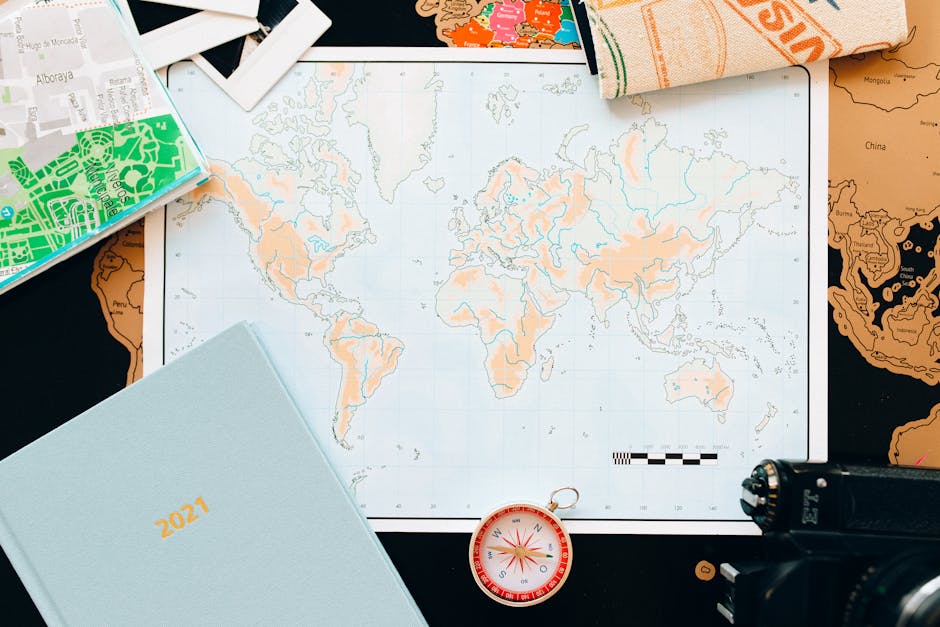
Create a custom map in Google My Maps highlighting nearby wedding venues, florists, and photographers. Screenshot the map, then import into DesignLumo to add a bold “Shop Local This Saturday” banner and QR code linking to your booking page. Print 100 flyers for distribution at bridal boutiques; each QR scan typically converts at a 4% rate, delivering at least four new inquiries per batch.
Referral QR Code Popup
Generate a short URL with a referral token on https://www.qr-code-generator.com, then create a 500×500 QR code PNG. In DesignLumo, drop the QR onto a festive “Thank You for Supporting Local Vendors” graphic, add layered copy for instructions, and export for both digital and print use. When scanned, the token tracks which vendor referral led to a booking, enabling you to attribute $500‑plus revenue per successful referral.
Before you go
- Batch‑generate all graphics in DesignLumo before the holiday week; reuse layers to cut production time by 70%.
- Schedule every social post to go live at 9 AM local time on Nov 24 – research shows this slot yields the highest engagement for wedding‑related content.
- Leverage the QR referral token to create a vendor leaderboard; public recognition drives partners to promote your offers more aggressively.















Ready to create your first design?
Join thousands creating professional designs in seconds.
Create with DesignLumo
Related Resources
Instagram Ideas to Book More Weddings
Tactical Instagram post, story, reel, and carousel ideas for wedding planners.
Ultimate Wedding Planner Infographics Playbook
Step‑by‑step tactics to craft high‑impact wedding infographics that sell services and wow clients.
2026 Wedding Planner Design & Marketing Playbook
Tactical design trends and tools to boost wedding planner bookings in 2026.
Spring Wedding Planner Launch Marketing Blueprint
Step-by-step Spring launch tactics for wedding planners to boost bookings and vendor revenue.
Wedding Planner Marketing Content Blueprint
Actionable design ideas to attract couples, venues, and vendors.
Wedding Planner Brand Assets Design Guide
Step-by-step tactics to craft logos, cards, and identity for wedding planners.