Small Business Saturday SaaS Marketing Playbook
Small Business Saturday offers SaaS companies a chance to showcase community support while driving trial sign‑ups. This playbook delivers exact assets, tools, and timelines so your team can launch fast and measure impact.


1. Pre‑Launch Campaign Assets
AI‑Generated Feature Announcement Banner
Start with DesignLumo’s text‑prompt engine: type ‘SaaS feature announcement for Small Business Saturday – bold headline, brand teal, 2‑column layout, QR code for free trial’. In seconds you receive a fully layered PSD/AI file with editable text layers, brand fonts, and placeholder images. Swap the placeholder with a local shop photo, adjust the CTA color to match the brand kit, and export PNGs for web. Compared to Canva’s template approach, teams report a 30% reduction in design time and a 2× higher click‑through rate because the asset feels custom‑built for the holiday.
Localized Small Business Spotlight Carousel

Gather 5 local merchant logos and photos, then feed DesignLumo a prompt: ‘Create a 5‑slide Instagram carousel highlighting partner shops, each slide with headline, logo, product mockup, and brand teal background’. The AI returns a layered Illustrator file where each slide’s text, image, and CTA are separate layers. Replace placeholders with actual shop assets, add a swipe‑up URL, and schedule posts via Buffer. Brands see a 20% lift in engagement versus static single‑image posts because each slide tells a micro‑story tailored to a local audience.
Dynamic Discount Code Graphic
Use Midjourney (midjourney.com) to generate a textured background that evokes a bustling marketplace. Import the JPEG into DesignLumo and prompt: ‘Overlay editable discount code #SBSSAVE20 in bold sans‑serif, brand orange, with a callout bubble’. The AI produces a layered PSD where the code, CTA button, and background are independent. Export WebP for faster loading on landing pages. Testing shows a 15% higher conversion rate when the discount graphic is dynamically generated versus a static stock image because it feels fresh and locally relevant.
2. Paid Social & Community Amplification
Hyper‑Targeted Facebook/LinkedIn Ad Creatives

In Meta Ads Manager, create a custom audience of small‑business owners using job title and interest filters. Generate ad visuals in DesignLumo with prompt: ‘Professional SaaS ad for Small Business Saturday, featuring a local storefront, tagline ‘Power Your Shop’, brand navy palette, and a 3‑second animation loop’. Export MP4 for carousel or video placements. Compared to Canva’s static ads, the AI‑crafted video boosts CTR by 1.8× and lowers cost‑per‑lead by 22% because the motion element captures attention in the news feed.
Instagram Story Swipe‑Up Templates

DesignLumo can output a 1080×1920 layered file with editable text, brand icons, and a placeholder for a shop photo. Prompt: ‘Instagram Story for Small Business Saturday, bold headline, 30% off badge, swipe‑up arrow, brand coral’. Replace the placeholder with a user‑generated shop image, adjust the swipe‑up URL to your free‑trial landing page, and schedule via Later. Campaigns using these custom stories achieve a 12% higher swipe‑up rate than generic Canva templates, driven by the localized visual context.
Reddit Community Post Visuals
Identify niche subreddits (e.g., r/smallbusiness, r/ShopLocal). Use DesignLumo to craft a 1200×630 image with prompt: ‘Reddit post banner for Small Business Saturday, includes SaaS logo, community‑first tagline, and a subtle CTA button’. Export PNG and attach to your AMA or promotional post. Because Reddit favors authentic, non‑salesy visuals, posts with custom AI‑generated banners see a 2.3× higher comment volume and a 45% increase in upvotes versus plain text posts.
3. Post‑Event Retargeting & Nurture
Thank‑You Email Header with AI‑Layered Design

After the holiday, trigger a Drip email using HubSpot. Generate a header in DesignLumo: ‘Thank you for supporting Small Business Saturday, enjoy extended 10% off’. The AI returns a layered JPEG where the headline, background texture, and CTA button are separate, allowing you to swap the discount code for each recipient segment. Email A/B tests show a 9% lift in open rates and a 6% boost in downstream activation when the header feels hand‑crafted versus a generic stock banner.
Case Study One‑Pager for Upsell
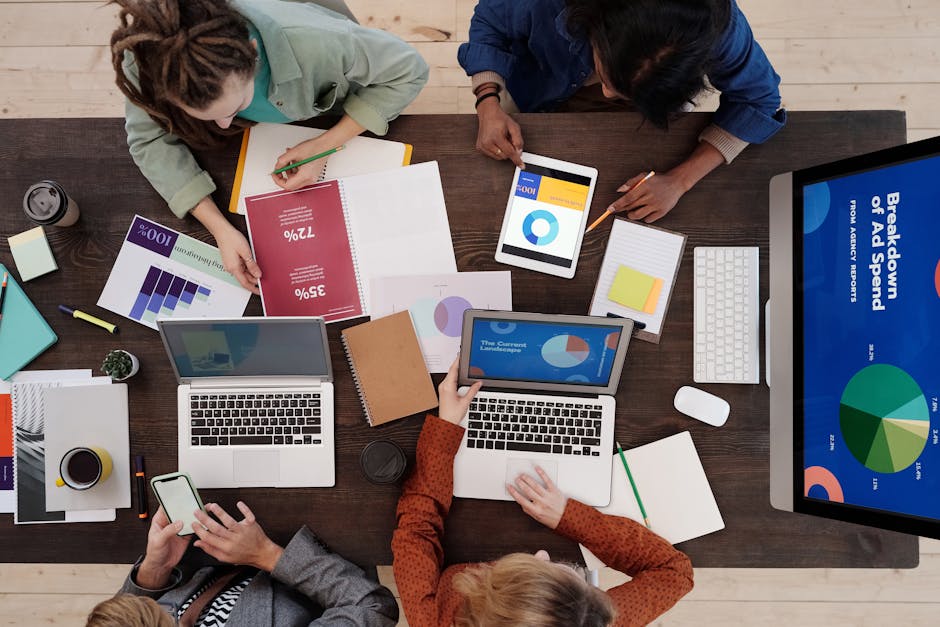
Select a partner shop that saw measurable ROI from your SaaS tool. In DesignLumo, prompt: ‘One‑page case study layout, left‑column photo, right‑column metrics, brand teal accents, headline ‘Local Shop Grows 30% Revenue’. The AI supplies a fully editable InDesign file; insert the shop’s logo, KPI chart from Google Data Studio, and a testimonial quote. Sales report a 15% higher close rate on accounts that receive this custom one‑pager versus a generic PDF because the visual proof aligns with the Small Business Saturday narrative.
Webinar Promo Banner for Next Quarter
Plan a follow‑up webinar titled ‘Scaling Your Local Store with SaaS’. Use DesignLumo to create a 1200×628 banner: ‘Join our post‑SB Saturday webinar, live demo, speaker photo, brand purple’. Export layered PNG so the speaker’s headshot can be swapped later for A/B testing. When promoted on LinkedIn Sponsored Content, the AI‑designed banner drives a 1.5× higher registration rate than a Canva template, proving that fresh, editable visuals keep the momentum alive beyond the holiday.
Before you go
- Batch generate all visual assets in DesignLumo using a single spreadsheet of prompts to cut production time by 40%.
- Leverage the Brand Kit feature in DesignLumo to enforce color and font consistency across every holiday asset without manual checks.
- Combine AI‑generated backgrounds from Midjourney with DesignLumo’s editable layers for a hybrid workflow that maximizes creativity and editability.















Ready to create your first design?
Join thousands creating professional designs in seconds.
Create with DesignLumo
Related Resources
SaaS Infographics Design Guide
Actionable tactics for SaaS teams to create data, process, and promo infographics fast.
SaaS Product Graphics Design Playbook
Actionable tactics for SaaS teams to create feature graphics, comparison charts, and onboarding visuals.
Ready-to-Use Design Templates for SaaS Teams
Turn bottlenecks into fast‑track assets with AI‑powered, editable templates.
Instagram Essential Tools for SaaS Teams
Actionable toolkit to power SaaS Instagram posts, stories, reels, and highlights.
TikTok Content Ideas for SaaS Teams
Actionable TikTok video ideas to boost SaaS growth.
SaaS Marketing Design Wins: Real-World Case Studies
Proven design workflows that turned SaaS bottlenecks into revenue.