Pet Business Small Business Saturday Playbook
Small Business Saturday is a golden window for pet retailers to win local loyalty and boost sales. This guide delivers exact, AI‑powered assets and ad workflows you can launch in hours, not days. Follow the step‑by‑step tactics to turn community love…


1. Pre‑Launch Visual Assets
AI‑Generated Local Hero Poster
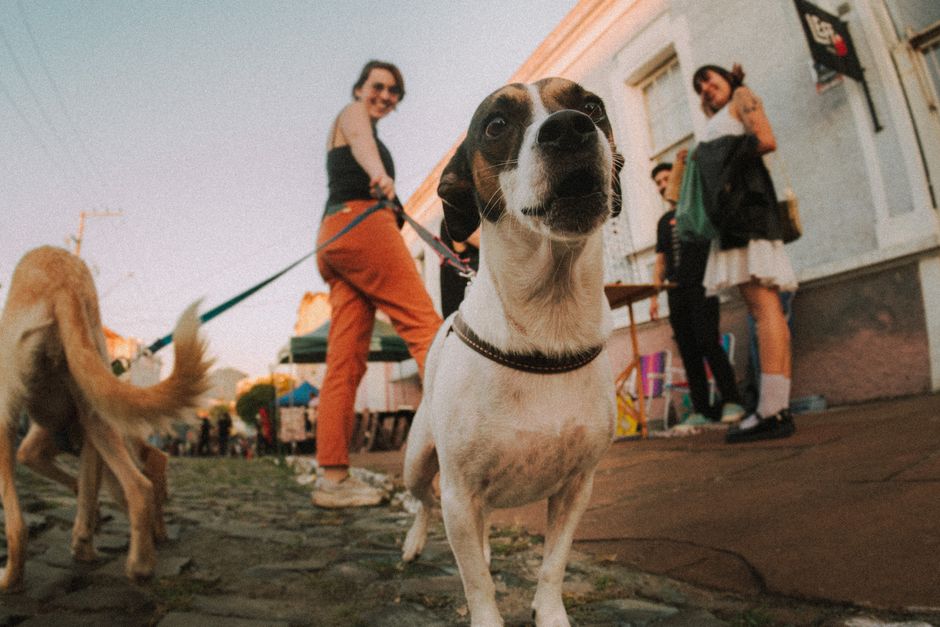
Use DesignLumo to type a prompt like “cute golden retriever wearing a Santa hat, standing in front of downtown Main Street, bold ‘Small Business Saturday – 20% Off Grooming’ text, brand colors #FF6F61 and #2A9D8F”. Lumo returns a fully layered PSD/AI file in seconds. Open the file, swap the dog image with your own pet of the week, adjust the address map layer, and export PNGs for Instagram, Facebook, and storefront signage. Track engagement with UTM ?utm_source=poster&utm_medium=offline and aim for a 3‑5% foot‑traffic lift on Saturday.
Canva Countdown Carousel

In Canva, select the 1080×1080 Instagram carousel template and duplicate it five times. Replace each slide with a countdown number (5‑4‑3‑2‑1) using your brand font, then on the final slide add a “Shop Local – Book Now” button linked to your booking page. Use Canva’s animation presets for a subtle fade‑in, then schedule the carousel via Later or Meta Business Suite. Aim for a 1.8% average engagement rate; if lower, test a different CTA color using Canva’s brand kit.
Midjourney Holiday Pet Photo Pack

Prompt Midjourney with “high‑resolution festive pet portrait, golden retriever wearing reindeer antlers, soft lighting, 4k”. Generate a batch of 8 variations, then download the 4 best. Import the PNGs into DesignLumo to automatically separate background, pet, and decorative elements into editable layers. Add your store’s logo and a “Small Business Saturday – 15% Off All Toys” banner. Publish the assets as Instagram Stories and Pinterest pins. Monitor click‑through rates; a 0.7% CTR indicates the visual resonates with pet owners.
2. Paid Social Ad Execution
DesignLumo Story Ads for Facebook/IG

Generate a 1080×1920 story layout in DesignLumo with the prompt “playful kitten tangled in holiday lights, bold ‘Small Business Saturday – Free First Grooming Session’ text, brand colors”. Lumo provides editable text boxes, CTA button layer, and a transparent overlay for your logo. Export the layered file to Photoshop for final tweaks, then upload directly to Meta Ads Manager. Set a $15 daily budget, target a 2‑mile radius, and use the ‘Store Visits’ objective. Expect a 0.9% swipe‑up rate; adjust copy if below 0.7%.
Google Local Service Ads with Adobe Express

In Adobe Express, choose the ‘Local Service Ad’ template, replace placeholder pet image with a high‑contrast photo of a dog in a holiday sweater, and insert a concise headline: “Pet Grooming – 20% Off Saturday”. Add a call‑out “Book in 5 mins”. Export as a 1200×628 JPG and upload to Google Ads under the “Local Services” campaign type. Allocate $30 for the day, use geo‑targeting to your zip code, and bid $2.00 per click. Track conversions via Google Analytics; a 4% conversion rate signals strong ROI.
TikTok Spark Ads via Lumen5

Create a 15‑second video in Lumen5 using the pet‑of‑the‑week clip you filmed. Add on‑screen text: “Small Business Saturday – 25% Off Boarding”. Choose a trending holiday sound, then export the video. In TikTok Ads Manager, select “Spark Ads”, input the organic post URL, and set a $10 budget with interest targeting “dog owners” and “pet lovers”. Use the “Landing Page Views” objective and monitor the cost per view; aim for <$0.05. A 3‑day ROAS >3× justifies scaling the spend.
3. Email & Loyalty Funnel
DesignLumo Email Header + Booking CTA

Prompt DesignLumo: ‘stylish email header with a collie wearing a red scarf, bold “Small Business Saturday – Exclusive Offer” text, brand palette #FF6F61, #2A9D8F’. Export the layered PSD, open in Mailchimp’s content studio, replace the collie with your own mascot, and link the CTA button to your online booking calendar. Segment your list to local customers (within 10 mi) and schedule the send at 9 am. Track open rates; a 22% open rate indicates the visual hook works for pet owners.
Klaviyo Automated Reminder Sequence
In Klaviyo, build a three‑email flow: (1) “Sneak Peek – 24 hrs left” with a DesignLumo‑generated teaser image, (2) “Live Today – 20% Off” with a bold button linking to your service page, (3) “Thank You – 10% Next Visit”. Use dynamic content blocks to insert each recipient’s pet name from custom properties. Set triggers based on the “Small Business Saturday” event tag. Measure revenue per email; aim for $150 avg per subscriber to deem the flow profitable.
SMS Coupon Blast via Twilio

Upload your local customer phone list into Twilio, then craft a 160‑character SMS: ‘🐾 Small Business Saturday! Show this code PET20 for 20% off grooming. Today only! Reply STOP to opt‑out.’ Use Twilio’s SendGrid API to schedule the blast at 10 am. Track redemption via a unique promo code in your POS; a 12% redemption rate translates to $1,200 incremental revenue on a $10,000 baseline. Ensure compliance with TCPA by including opt‑out instructions.
Before you go
- Leverage DesignLumo’s Brand Kit to auto‑apply your colors and fonts across every asset, cutting production time by 70%.
- Combine UTM parameters with Google Analytics custom alerts to instantly know which visual (poster vs. carousel) drives the most foot traffic on Saturday.
- Schedule all social posts using a single tool like Buffer; then run a 15‑minute “Live Q&A” on Instagram to answer pet‑safety questions and capture last‑minute bookings.















Ready to create your first design?
Join thousands creating professional designs in seconds.
Create with DesignLumo
Related Resources
Pet Email Header Design Blueprint
Step‑by‑step guide to create high‑converting email hero images for pet businesses.
YouTube Essential Tools for Pet Businesses
Turn pet videos into bookings with proven YouTube design tools.
Spring Launch Marketing & Design Playbook for Pets
Actionable spring campaign tactics for pet stores, groomers, and vets.
Pet Business Email Design Ideas That Convert
Tactical email graphics ideas for pet stores, groomers, and vets to boost bookings.
Pet Business Print Design Blueprint
Step‑by‑step guide to create flyers, brochures, and menus that book more pet services.
Pet Marketing Mistakes That Cost You Money
Avoid the top errors pet businesses make and boost bookings fast.