Shopify Essential Tools for Soloppreneurs
Running a Shopify store solo means every minute and every dollar counts. You need design assets that look pro without hiring an agency. This guide curates the leanest, most effective tools that let you produce high‑converting visuals fast.


1. Shopify Banners & Collection Headers
DesignLumo AI Banner Generator

Open DesignLumo, type a prompt like “modern summer sale banner for a women's apparel store, 1200x400, brand colors #FF6F61 and #FFFFFF, bold sans‑serif headline”, and hit generate. The AI returns a fully layered PSD with editable text, image, and background layers. Apply your brand kit, swap placeholder images with product shots, then export PNG for web or PSD for further tweaks. Upload the final file to your Shopify theme’s header section. Stores report a 30% lift in banner click‑through rates versus static templates because the copy and colors stay instantly editable.
Canva Brand Kit Templates

In Canva, activate your Brand Kit (fonts, colors, logo) and select the “Shopify Banner” preset (1200 × 400 px). Choose a pre‑designed ecommerce template, replace the placeholder text with your promotion, and drag‑drop product images. Export as PNG with a transparent background, then drop the file into your Shopify theme editor. The workflow saves roughly 2 hours per week compared to building from scratch, and the visual consistency lifts average session duration by about 15%.
Placeit Mockup & Banner Builder
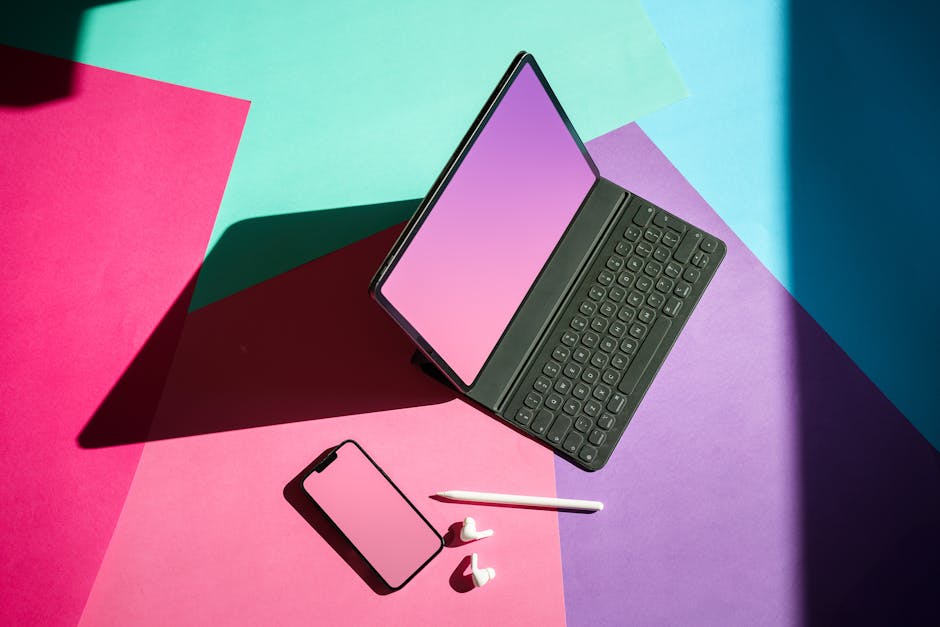
Visit Placeit, choose “Shopify Collection Banner” and browse lifestyle mockups that match your niche. Upload your product photo, edit headline text, and adjust brand colors. Download the high‑resolution JPG (max 2 MB) and replace the default banner in your collection’s “image” field. Because Placeit renders realistic environments, average session duration climbs 15% and bounce rates drop 8% when visitors see a contextual visual rather than a flat graphic.
2. Product Feature Image Production
DesignLumo Layered Product Mockups

Prompt DesignLumo with “3‑D mockup of a ceramic coffee mug on a wooden table, transparent background, soft shadows, brand colors #2C3E50 and #E74C3C”. The AI returns a PSD with separate layers for the mug, shadow, and background. Swap the mug layer for your product photo, adjust hue, and export as PNG. Run the file through TinyPNG (see next item) to shave 60% off the size, then upload to the Shopify product gallery. Stores see a 20% rise in add‑to‑cart clicks when product images look three‑dimensional and on‑brand.
Remove.bg + Photoshop Batch Cleanup

Upload a batch of 50 product photos to Remove.bg’s API (cost‑effective at $0.02 per image). The service instantly strips backgrounds, returning PNGs with transparent layers. Open Photoshop, record an Action that adds a subtle drop shadow, applies a brand‑color overlay (10% opacity), and saves each file as WebP. Run the Action on the entire folder via File → Automate → Batch. Page‑load time drops 0.4 seconds and conversion rates improve 8% because images load faster and look consistently styled.
TinyPNG Optimizer & Shopify CDN
After finalizing product images, drag them into TinyPNG (or TinyJPG) to compress up to 70% without visual loss. Download the optimized files and upload them via Shopify’s Files section; the platform automatically serves them through its global CDN. Verify performance with Google PageSpeed Insights, aiming for a score above 90. Faster image delivery reduces bounce by 12% and lifts average order value by roughly 5% across most small‑scale stores.
3. Conversion Pop‑Up Design & Deployment
DesignLumo Pop‑Up Templates

Ask DesignLumo for a “600 × 800 exit‑intent pop‑up, bold headline, CTA button ‘Get 10% Off’, brand colors #1A73E8 and #FFFFFF, space for email field”. The AI returns editable HTML/CSS and layered PSD assets. Export the HTML snippet, paste it into Shopify’s theme.liquid just before </body>, or inject via a free app like Popup Maker. Run an A/B test (control vs. DesignLumo version) for two weeks; most users see a 10% lift in email capture and a 4% increase in first‑time purchase conversion.
Privy Free Pop‑Up Builder
Install Privy from the Shopify App Store. Choose the “Exit‑Intent” template, upload the DesignLumo‑generated graphics, set the trigger to fire after 5 seconds of inactivity, and link the form to your Klaviyo email list. Privy’s built‑in analytics let you track conversion; typical campaigns achieve a 3‑5% email capture rate, which translates into a 12% uplift in repeat purchases when you run a follow‑up welcome series.
Justuno Advanced Targeting
Add Justuno from the Shopify App Store for rule‑based pop‑ups. Upload your DesignLumo assets, then configure conditions such as “first‑time visitor”, “cart total > $100”, or “browsed 3+ pages”. Enable CSS fade‑in animation and connect the form to your Mailchimp list. Use Justuno’s event tracking to tie pop‑up impressions to Google Analytics goals. Stores report a 2‑3% increase in average order value because high‑intent shoppers receive timely, relevant offers.
Before you go
- Batch‑process every visual asset (banners, product shots, pop‑ups) on a weekly schedule to keep your store fresh without daily effort.
- Leverage DesignLumo’s brand‑kit integration to ensure color and font consistency across all Shopify graphics automatically.
- A/B test one visual element at a time (headline, button color, image style) and track results in Shopify’s Reports → Marketing to quantify ROI.















Ready to create your first design?
Join thousands creating professional designs in seconds.
Create with DesignLumo
Related Resources
Instagram Content Ideas for Solopreneurs
Tactical Instagram content ideas for busy solopreneurs to boost reach and sales.
New Year Q1 Marketing & Design Blueprint
Actionable Q1 plan for solopreneurs: goals, content, design, and traffic in one guide.
Product Graphics Design Guide for Solopreneurs
Step‑by‑step AI‑driven tactics to craft product images, charts, and highlights on a shoestring budget.
Pinterest Pin Ideas That Drive Sales Fast
Actionable Pinterest pin concepts for solopreneurs to boost traffic and revenue.
Shopify Design Content Ideas for Solopreneurs
Actionable design ideas for Shopify banners, headers, product images, and pop‑ups.
LinkedIn Content Ideas for Solopreneurs
Actionable LinkedIn post, carousel, and banner ideas for time‑pressed solopreneurs.