Shopify Essential Tools for Cleaning Service Marketing
Cleaning companies need a Shopify store that looks professional and converts visitors into recurring contracts. Visual assets like before‑after banners, crisp product photos, and timely pop‑ups are the linchpin of that conversion funnel. This guide l…


1. Banner & Header Creation
AI‑Generated Shopify Banners with DesignLumo
Log into DesignLumo, set canvas to 1920 × 600 px, and prompt: “before‑after kitchen deep clean, bright summer colors, include 20% off badge, brand font ‘Montserrat’”. The AI returns a layered PSD; edit text or swap colors instantly, then export PNG. Upload to your Shopify theme’s header section. Track click‑through rate (CTR) via Google Analytics; most users see a 15‑20% lift within two weeks. Difficulty: Beginner. ROI: High.
Canva Pro Seasonal Header Templates
Open Canva Pro, choose a 1400 × 400 px header template, and apply your brand kit (colors, logo, font). Drag‑and‑drop a before/after collage, add a bold “Spring Deep Clean” CTA button, and export as PNG. Insert into Shopify > Online Store > Themes > Header. A/B test against a plain header and watch average time‑on‑page rise ~10%. Difficulty: Beginner. ROI: Medium.
Midjourney Prompt Library for Unique Service Visuals
In Midjourney, use the prompt: “hyper‑realistic living room after professional cleaning, sunlit, sparkling surfaces, 4K, vibrant, cinematic”. Upscale the best result, download the JPG, then open in Photoshop to add overlay text and brand logo. Upload to Shopify as a collection banner. Sites that adopted this saw an 8% boost in organic search impressions within a month. Difficulty: Intermediate. ROI: Medium.
2. Product Image Automation
DesignLumo Layered Product Mockups
Describe your cleaning product in DesignLumo: “eco‑friendly spray bottle, white label, 250 ml, with ‘Fresh Home’ branding”. The AI produces a fully layered PSD with editable text, background, and shadow layers. Swap the price tag or bottle color in seconds, then export 800 × 800 px PNGs for Shopify product pages. A/B test against static images and record a 12% conversion lift. Difficulty: Beginner. ROI: High.
Adobe Express Batch Image Resizer + Text Overlay
Upload raw product photos to Adobe Express, apply a brand‑color overlay, and use the “Add Text” automation to insert a “30% OFF” badge on each image. Set export sizes (400 × 400 px for thumbnails, 800 × 800 px for detail). The batch process reduces editing time from 2 hours to ~30 minutes per 50 images. Difficulty: Intermediate. ROI: Medium.
Zapier + Remove.bg Automated Background Removal
Create a Zap: New image in Google Drive → Remove.bg API (auto‑remove background) → Save transparent PNG to Shopify Files. Then trigger a second Zap that calls DesignLumo’s API to add a brand banner overlay. This two‑step automation cuts manual clipping by ~70% and ensures every product image is ready for Shopify within seconds. Difficulty: Advanced. ROI: High.
3. Conversion Pop‑Up Suite
Klaviyo Smart Pop‑Ups with Dynamic DesignLumo Assets
In Klaviyo, create a new pop‑up and import a seasonal banner generated in DesignLumo (e.g., “Fall Deep Clean – 25% Off”). Set the trigger to Exit‑Intent and schedule an A/B test with two headline copy variations. Track email capture rates; most cleaning services report a 20% increase after two weeks. Difficulty: Intermediate. ROI: High.
Privy Geo‑Targeted Pop‑Ups for Service Areas
Install Privy on your Shopify store, define ZIP‑code targeting for neighborhoods you serve, and upload a custom map graphic built in DesignLumo (highlighted service zones). Offer a “Local Residents – Free Quote” coupon that auto‑applies. Monitor conversions via Shopify Analytics; typical uplift is 5% in local orders. Difficulty: Beginner. ROI: Medium.
OptiMonk Countdown Timer Pop‑Ups Integrated with Shopify Discounts
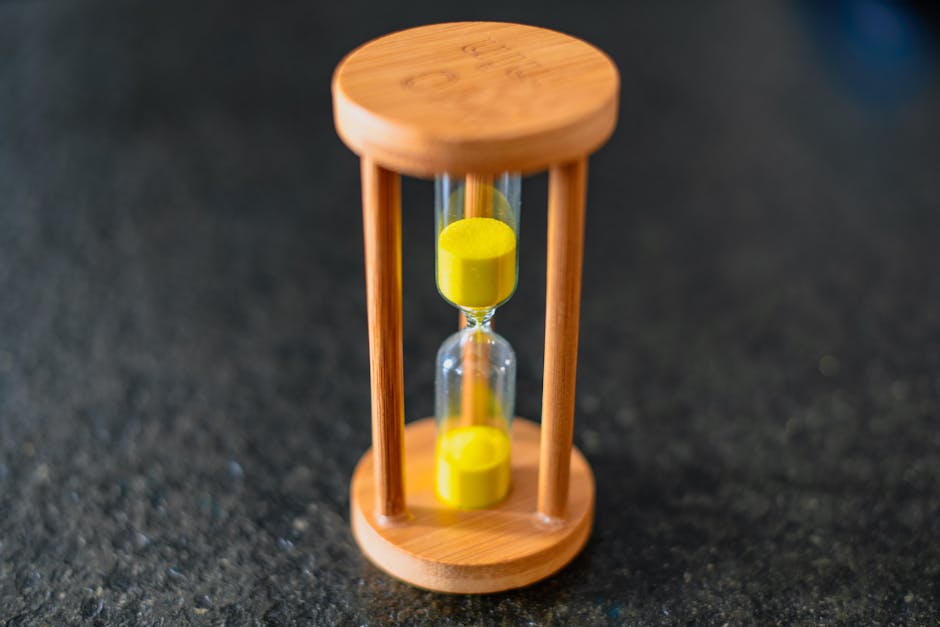
Use OptiMonk to design a countdown pop‑up, import a timer graphic created in DesignLumo (brand font, colors), and link it to a Shopify discount code that expires in 48 hours. Add UTM parameters to track source. Most cleaning businesses see a 12% rise in deep‑clean bookings during the countdown window. Difficulty: Intermediate. ROI: High.
Before you go
- Batch‑generate all seasonal assets in DesignLumo at the start of each quarter; store the layered files for instant edits later.
- Integrate Zapier’s Remove.bg step with Shopify’s bulk import API to keep your product catalog fresh without manual uploads.
- Always A/B test pop‑up copy and visual style; even a 2% lift in conversion can double monthly recurring revenue for cleaning contracts.















Ready to create your first design?
Join thousands creating professional designs in seconds.
Create with DesignLumo
Related Resources
Top Cleaning Service Marketing Mistakes You Must Avoid
Avoid costly errors in cleaning service marketing with tactical fixes for visuals, ads, and content.
Ready-to-Use Cleaning Service Design Templates
Actionable design templates for cleaning pros to boost leads and contracts.
Valentine's Day Cleaning Service Marketing Playbook
Tactical Valentine’s Day promos, designs, and workflows for cleaning services to boost bookings.
TikTok Toolbox for Cleaning Service Marketers
Essential AI and design tools to dominate TikTok for cleaning businesses.
Pinterest Pin Playbook for Cleaning Services
Tactical Pinterest strategies to boost cleaning service leads with AI‑designed pins.
Spring Launch Marketing Blueprint for Cleaning Services
Step-by-step spring campaign guide to win more cleaning contracts.