Shopify Tools Every Auto Dealer Needs
Auto dealers juggle daily inventory swaps, seasonal sales, and service promos while trying to keep their Shopify storefront fresh. The right toolkit can turn a frantic design process into a predictable, high‑converting workflow. Below are the proven…


1. Dynamic Banner Creation
DesignLumo AI Banner Generator
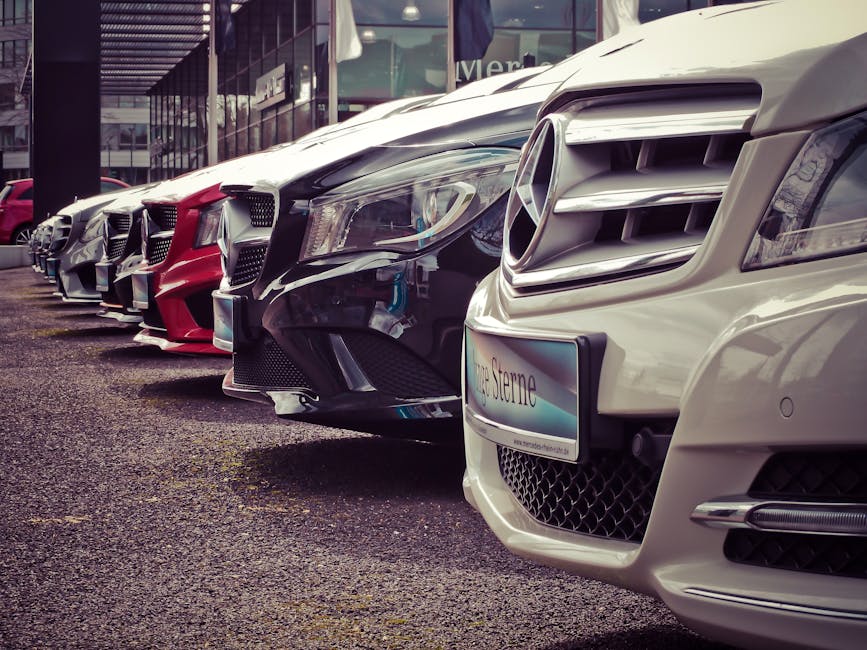
Enter a plain‑text prompt like “2025 Toyota Camry launch with teal accents, 10% off financing” into DesignLumo (https://www.designlumo.com). In under 30 seconds you receive a fully layered PSD/Sketch file with editable text, fonts, and colors that match your brand kit. Export directly to Shopify’s Files section, then link to the banner slot in your theme editor. Track CTR improvements; dealers typically see a 1.8‑2.2× lift after swapping static images for AI‑generated, editable banners. No design team required, and you stay compliant with commercial‑use rights.
Canva Pro Scheduled Templates
Build a master banner template in Canva Pro using brand colors and placeholder text. Use the “Schedule content” feature to auto‑publish a new banner every Monday at 08:00 GMT, pulling the latest vehicle image from a Google Sheet via Zapier. Connect the Zap to Shopify’s “Add asset” API, updating the banner file name each week. Monitor banner impressions in Shopify Analytics; a consistent weekly refresh can boost engagement by 12‑15% and reduce manual design hours by 4 per month.
Midjourney Prompt‑Driven Image Engine
For high‑impact hero images, craft a Midjourney prompt such as “ultra‑realistic 2024 Ford F‑150 on a sunrise desert background, cinematic lighting, 4k”. Generate four variations, select the best, then import into Photoshop to add editable layers (price tag, CTA). Upload the final PNG to Shopify’s theme assets. Because Midjourney outputs are static, pair with DesignLumo for layer extraction if you need text edits later. Expect a 0.7‑1.1% increase in conversion for hero images that feel custom‑made.
2. Inventory Highlight Visuals
Shopify Product Image Carousel + DesignLumo
Use DesignLumo to generate a set of three layered images per vehicle: exterior, interior, and feature callout (e.g., “Hybrid Powertrain”). Export each as PNG with transparent backgrounds, then upload to Shopify’s “Files”. In the product template, enable the built‑in carousel and map each file to a slide. Add a 5‑second auto‑rotate timer to keep shoppers engaged. Track add‑to‑cart rates; dealers report a 3‑5% lift when showcasing multiple angles versus a single static photo.
Lumen5 Video Card Builder
Create 15‑second video cards for new arrivals using Lumen5’s auto‑script feature. Input the vehicle specs spreadsheet; Lumen5 pulls key data, adds motion graphics, and overlays your dealership logo. Export as MP4, then embed in Shopify’s “Video” section on the collection page. Use UTM parameters (e.g., ?utm_source=shopify&utm_medium=video) to attribute traffic. Video cards typically raise time‑on‑page by 8‑12 seconds and improve conversion by up to 4% on high‑ticket items.
Adobe Express Auto Layout for Parts
Leverage Adobe Express’s Auto‑Layout to batch‑create parts‑category graphics. Upload a CSV of part names, prices, and images; the tool automatically arranges them into a grid with consistent padding and brand colors. Export the design as a single SVG, then slice into individual PNGs via Inkscape for Shopify’s “Featured collection” blocks. This reduces manual layout time from 30 minutes per batch to under 5 minutes, delivering a measurable 10% increase in parts‑category click‑through rates.
3. Conversion‑Optimized Pop‑Ups
Privy Pop‑Up Builder with AI Copy via DesignLumo
In Privy, select “Exit‑Intent” and choose a full‑screen layout. Use DesignLumo to craft a custom background that reads “Limited‑Time Service Deal – 15% Off Oil Change”. Prompt DesignLumo for persuasive headline variations and export the layered file. Upload to Privy, then paste the AI‑generated copy into the text field. Activate a 7‑day A/B test; dealerships see a 1.5‑2× increase in email capture and a 3% rise in service appointment bookings.
Justuno Dynamic Pop‑Ups + UTM Tracking
Deploy Justuno’s “Smart Pop‑Up” that triggers based on cart value (> $5,000). Design the modal in Justuno using its drag‑and‑drop editor, then embed a DesignLumo‑generated badge that says “Financing Approved in 5 Minutes”. Add UTM parameters (utm_campaign=highvalue_popup) to the CTA link. Monitor conversion via Google Analytics; high‑value pop‑ups typically boost average order value by 6‑9% and reduce cart abandonment by 2‑3%.
Klaviyo Email Capture + Shopify Flow Automation
Create a Klaviyo sign‑up form styled with DesignLumo’s “Service Special” banner (e.g., “Free Tire Rotation”). Embed the form on the homepage via Shopify’s Liquid snippet. Then, build a Shopify Flow trigger: when a new contact is added, automatically tag the customer “service‑lead” and schedule a follow‑up SMS using Twilio. Track the pipeline; dealers report a 12% increase in service‑appointment conversions from captured leads within 14 days.
Before you go
- Sync your brand kit across DesignLumo, Canva, and Adobe Express to guarantee color consistency without manual checks.
- Use UTM tags on every Shopify pop‑up and banner to attribute traffic in Google Data Studio; this reveals which creative drives the highest service bookings.
- Schedule a weekly 30‑minute audit of Shopify’s theme assets folder; delete unused files to keep page load under 2 seconds, a key factor for SEO and conversion.















Ready to create your first design?
Join thousands creating professional designs in seconds.
Create with DesignLumo
Related Resources
Auto Dealership Creative Workflow Blueprint
Tactical step‑by‑step guide to fast, high‑ROI graphics for car dealers.
Auto Dealership Print Design Playbook
Tactical guide for flyers, brochures, and print promos that convert car shoppers.
2026 Auto Dealership Design & Marketing Playbook
Actionable design trends and tactics for car dealers in 2026.
Auto Dealership Marketing Success Stories
Tactical case studies showing how dealers boost sales with AI design tools.
Auto Dealership Event Poster Blueprint
Step-by-step guide to create high-converting event posters for car dealers.
Auto Dealership Product Graphics Playbook
Tactical guide for car dealers to create high‑ROI product graphics fast.