Shopify Content Ideas for Outdoor Brands
Outdoor brands need fast, high‑impact visuals that move shoppers from scroll to checkout. Shopify gives you the storefront, but the right graphics turn browsers into buyers. This guide gives you nine plug‑and‑play ideas that align with seasonal launc…


1. Seasonal Gear Launch Visuals
Dynamic Spring Gear Banner Suite
Prompt DesignLumo with "vibrant spring mountain backdrop, bold sans‑serif headline, 3‑product spotlight" to generate a fully layered 1920×600 banner. Export the PSD layers, replace text and product images in seconds, then upload to Shopify > Online Store > Themes > Customize > Header. Duplicate the banner for a mobile‑optimized 1080×1920 version. Run an A/B test via Shopify's built‑in analytics for 7 days, targeting a 2% lift in banner CTR. Use UTM parameters to trace traffic to product pages and calculate ROI.
Adventure Trail Collection Header
Start with a Canva template for a collection header, then export the flat PNG. Open the PNG in DesignLumo, add editable text layers for the season’s tagline, and apply your brand kit colors via the AI color picker. Save as a Shopify‑compatible .jpg, then replace the default header in the collection.liquid file using Shopify's Section schema. Track average time on page; a well‑designed header typically adds 15% more dwell time, boosting organic SEO signals.
Limited‑Edition Gear Countdown Timer
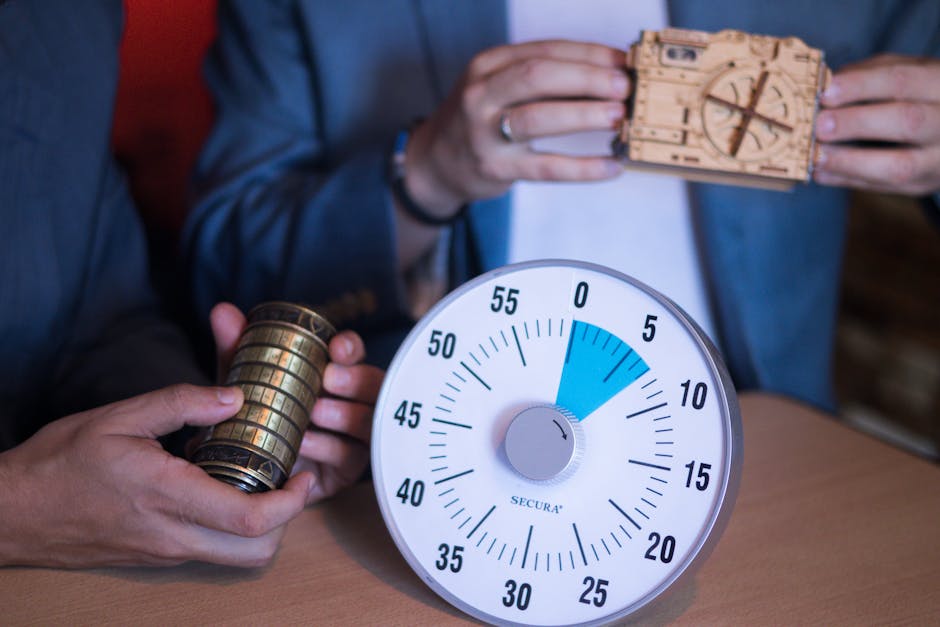
Install the Hurrify countdown app from the Shopify App Store. Use DesignLumo to create a 600×200 timer graphic with dynamic text placeholders (e.g., {{countdown}}). Export the layered file, then in Hurrify’s settings paste the HTML snippet that references the graphic and the app’s countdown variable. Publish on the homepage and product pages. Monitor conversion spikes; merchants report a 12‑18% sales bump during the final 48 hours of a launch.
2. Trip Promotion & Community Engagement Assets
Guided Trip Promo Pop‑Up
Create a full‑screen pop‑up in DesignLumo: input "snow‑capped peak, bold CTA ‘Book Your Adventure’, space for dates and discount code". Export as a layered PNG and upload to Privy (Shopify pop‑up app). In Privy, set the trigger to 30 seconds on site entry and to show only on the blog or itinerary pages. Add a Shopify discount code via the admin panel, then track sign‑ups with Google Analytics events. Expect a 5‑7% increase in trip bookings per pop‑up exposure.
Trail Guide Infographic Carousel
Generate a high‑resolution mountain background with Midjourney (prompt: "ultra‑realistic alpine trail sunrise"). Import the image into DesignLumo, overlay step‑by‑step trail stats, distance, elevation, and QR code linking to a PDF guide. Export each slide as 1200×800 JPGs and add them to Shopify's built‑in Image Carousel section on the "Trail Guides" page. Use Shopify's built‑in analytics to measure a 20% lift in newsletter sign‑ups from carousel clicks.
Community Challenge Badge Series
Design three tiered challenge badges (Bronze, Silver, Gold) in Adobe Express, then import the SVG files into DesignLumo to add editable brand colors and dynamic participant count placeholders. Add the badges to a Shopify collection called "Community Challenges" using a custom Liquid snippet that pulls the participant count from a metafield. Promote via Instagram Stories; track badge claim conversions with Shopify Events. Badges typically drive a 3‑5% increase in repeat visits.
3. Product & Membership Visual Conversions
Product Comparison Grid
In DesignLumo, prompt "side‑by‑side comparison of hiking boots, icons for weight, waterproof rating, price" to get a layered 1200×800 grid. Replace icons with actual specs via the AI layer editor, then export as a PNG. Insert the grid into the product description using Shopify's HTML editor. Add a click‑trackable button beneath each column leading to the respective variant. Merchants see a 10‑14% lift in add‑to‑cart rates when the grid is present.
Membership Tier Visual Slider
Sketch a three‑panel slider layout in Figma, export the frames as PNGs, then feed each into DesignLumo to add editable benefit lists and brand‑consistent colors. Save as a Shopify Section using the "slideshow" schema, set autoplay to false, and embed on the "Membership" page. Connect each slide to a Shopify discount code for the tier. Track membership sign‑ups via Shopify Reports; a visual slider typically raises conversions by 8‑12%.
Affiliate Partner Carousel
Gather partner logos in Canva, export as high‑resolution PNGs. Upload the set to DesignLumo, apply your brand palette and add a subtle hover overlay with the partner’s tagline. Export the carousel as a JSON‑compatible Slick Slider configuration, then paste into a custom Shopify Section using the "slideshow" component. Use UTM parameters on each logo link to capture referral traffic. Expect a 4‑6% increase in affiliate click‑throughs within the first month.
Before you go
- Leverage DesignLumo’s Brand Kit sync to keep colors and fonts consistent across every Shopify asset.
- Always add UTM parameters to graphic‑based CTAs; they turn visual clicks into measurable data.
- Combine AI‑generated layers with Shopify’s native Section schema for zero‑code deployment and faster iteration.















Ready to create your first design?
Join thousands creating professional designs in seconds.
Create with DesignLumo
Related Resources
Outdoor Small Business Saturday Playbook
Tactical guide for outdoor brands to dominate Small Business Saturday sales.
YouTube Essential Tools for Outdoor Adventure Brands Growth
Tactical toolkit for high‑performing YouTube thumbnails, channel art, community graphics, and end screens.
Outdoor Brand Assets Design Playbook
Tactical guide to create logos, cards, letterheads, and identity assets for outdoor adventure brands.
TikTok Essential Tools for Outdoor Brands
Actionable toolkit to dominate TikTok with graphics, overlays, and cross‑platform assets.
YouTube Content Ideas for Outdoor Brands
Tactical YouTube visual ideas to boost outdoor brand engagement.
Pinterest Content Blueprint for Outdoor Brands
Tactical Pinterest ideas to boost gear sales and trips.