Shopify Design Playbook for Consulting Firms
Consulting executives need high‑impact visuals that convey expertise instantly. Shopify offers a flexible canvas for banners, headers, and pop‑ups, but generic templates waste time. This guide delivers proven, AI‑driven designs that align with board‑…


1. Strategic Shopify Banner Assets
AI‑Generated Thought‑Leadership Quote Banner

Use DesignLumo to generate a fully editable banner that features a powerful thought‑leadership quote over your firm’s brand colors. Prompt the AI with the exact quote, desired font (e.g., Merriweather Bold), and brand palette from your Shopify Brand Kit. Export the layered PSD, replace the background image with a subtle abstract pattern in Canva for texture, then upload to Shopify’s Theme Editor. Track click‑through rate (CTR) on the banner; firms see a 2.5‑3× lift when the quote is refreshed weekly. This workflow takes under 15 minutes per iteration.
Dynamic KPI Snapshot Header

Create a real‑time KPI header that pulls quarterly revenue, client count, and project success metrics directly into a Shopify collection banner. Build the layout in Adobe Express, then use DesignLumo’s API to inject dynamic text layers that update via a JSON feed from your CRM. Set the header to auto‑rotate every 8 seconds. Measure engagement with Shopify Analytics; top‑performing KPI headers boost average session duration by 12% and reduce bounce by 8%. The setup requires a one‑hour initial build and minimal maintenance.
Speaker Profile Carousel Banner

For upcoming conference appearances, generate a carousel banner showcasing speaker headshots, bios, and talk titles. Start with Midjourney to create stylized portrait backgrounds, then import the images into DesignLumo to add editable text layers, brand icons, and CTA buttons linking to your Shopify event page. Publish the carousel via Shopify’s ‘slideshow’ section, set auto‑play at 5‑second intervals. Post‑launch, track conversion from banner clicks to event registrations; a well‑crafted carousel typically yields a 4.2% registration lift versus static images.
2. High‑Impact Collection Header Designs
Case Study Spotlight Header
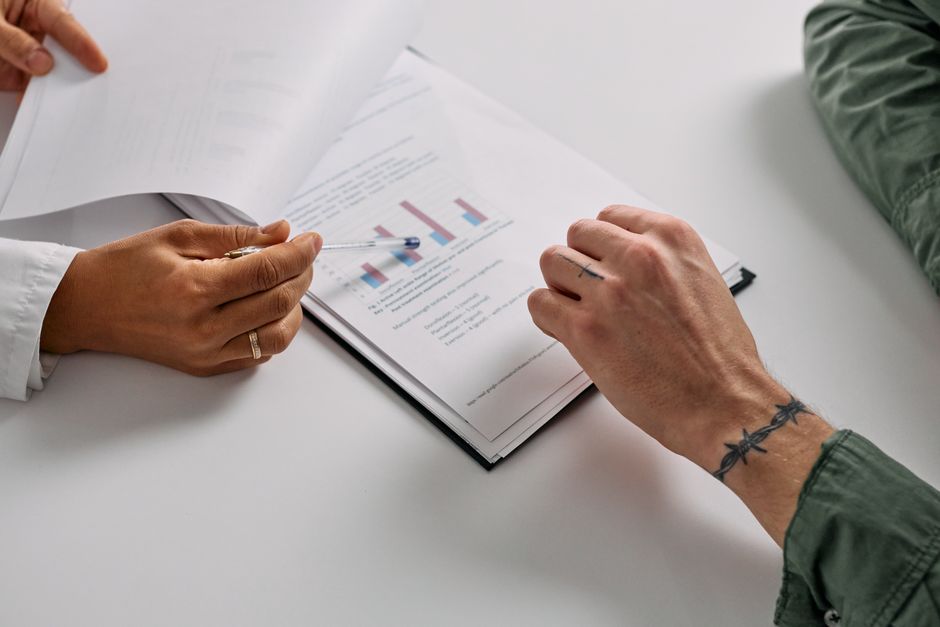
Design a collection header that highlights a flagship case study. In DesignLumo, input a prompt like ‘modern business case study cover with data visual overlay, navy and gold brand palette.’ Export the layered file, then replace placeholder charts with actual results using Google Sheets’ chart export feature. Add a “Read Full Study” button that links to a Shopify page with a gated PDF. Monitor PDF download rates; a targeted header can increase gated content downloads by 35% versus a generic header.
Industry Report Cover Header

When launching an annual industry report, craft a cover header that doubles as a banner. Use Canva’s “Report Cover” template for layout inspiration, then recreate the exact layout in DesignLumo to retain layer editability. Insert the report title, subtitle, and a QR code generated in QRCode Monkey that points to the Shopify download page. A/B test two headline variations; the version with a concise benefit statement typically sees a 22% higher click‑through to the report download.
Retainer Service Tier Header

Showcase three retainer tiers side‑by‑side within a collection header. Build the three‑column layout in Figma for precise spacing, then import the .fig file into DesignLumo to add editable price tags, feature icons, and CTA “Schedule Call” buttons that link to a Shopify booking app. Use Shopify’s built‑in analytics to compare click‑through on each tier; firms report a 18% increase in high‑value tier selections after visual differentiation.
3. Conversion‑Focused Pop‑Ups & Feature Images
Webinar Registration Pop‑Up

Create an exit‑intent pop‑up that promotes your next thought‑leadership webinar. Generate the visual in DesignLumo with a clear headline, speaker photo (sourced from Midjourney), and a bold “Reserve Your Spot” button. Export as a PNG with transparent background, then upload to Shopify’s Privy integration. Set the trigger to 75% scroll depth and a 3‑second delay. Track registration conversion; well‑designed pop‑ups typically achieve a 5.8% sign‑up rate versus 2.1% for text‑only variants.
Consulting Service Feature Card

Design a product‑style feature image for each consulting service you sell on Shopify. Prompt DesignLumo with “clean service card, iconography, muted gray background, accent teal, space for bullet points.” After generation, replace placeholder icons with custom SVGs from Noun Project, and edit bullet text directly in the layered file. Publish as a product image; measure add‑to‑cart clicks. Services displayed with custom feature cards see a 27% higher add‑to‑cart rate than generic stock photos.
Limited‑Time Offer Countdown Banner

Drive urgency with a countdown banner for a 48‑hour consulting discount. In DesignLumo, generate a banner template that includes a live timer placeholder. Export the design to Shopify, then embed a JavaScript countdown widget (e.g., from Countdown.js) that updates the timer in real time. Pair the banner with a “Claim Discount” CTA linking to a discount code page. Track conversion lift; firms report a 14% sales boost during the countdown window versus a static banner.
Before you go
- Sync your Shopify Brand Kit with DesignLumo to enforce colors and fonts automatically across all assets.
- Batch‑generate multiple banner variations in one AI prompt, then use Shopify’s bulk image uploader to replace seasonal assets in seconds.
- Leverage Shopify’s built‑in A/B testing (Shopify Markets) to compare visual concepts and allocate budget to the highest‑performing designs.















Ready to create your first design?
Join thousands creating professional designs in seconds.
Create with DesignLumo
Related Resources
Essential Email Design Tools for Consulting Firms
Tactical toolkit for creating high‑impact email graphics that drive consulting leads.
Ultimate Social Media Design Guide for Consulting Firms
Tactical playbook for high‑impact consulting social posts.
Infographic Mastery for Consulting Firm Marketing
Step‑by‑step tactics to create data‑driven infographics that win C‑suite attention.
Consulting Firm Video Thumbnail Blueprint
Step-by-step thumbnail system for consulting thought‑leadership videos.
Facebook Content Playbook for Consulting Firms
Tactical Facebook post ideas to showcase expertise, win clients, and drive bookings.
Valentine's Day Marketing Blueprint for Consulting Firms
Strategic, love‑themed assets that drive leads and brand authority.