Shopify Content Ideas for Accounting & Tax Firms
Accounting and tax firms need visual assets that convert browsers into clients on Shopify. This guide maps every high‑impact touchpoint—banners, collection headers, product images, and pop‑ups—to a proven design workflow. Leverage AI tools to cut pro…


1. High‑Impact Seasonal Deadline Banners
April 15 Countdown Banner
Research the exact filing deadline and decide on a concise CTA (e.g., “File by April 15 – 20% off”). Prompt DesignLumo with: “editable Shopify banner, bold countdown timer, brand teal, Helvetica, space for CTA”. After generation, replace placeholder text, adjust layer opacity, and export a 2500 × 600 PNG. Upload via Shopify > Online Store > Themes > Customize > Header > Announcement Bar. Track clicks in Shopify Analytics; aim for a 4% CTR versus the 2.5% baseline. Use UTM parameters to attribute traffic. Difficulty: Intermediate. ROI: High.
Quarter‑End Tax Savings Carousel
Outline four tax‑saving tips and match each to a service promo. In Canva, pick a 1200 × 800 carousel template, then copy the layout prompt to DesignLumo: “modern accounting carousel slide, pastel palette, editable text”. Generate each slide, fine‑tune fonts, and export as JPEGs. Add them to Shopify’s “Image with Text Overlay” section, set auto‑rotate to 5 seconds, and enable lazy loading. Monitor average session duration (+15 seconds) and conversion lift (+1.2%). Difficulty: Intermediate. ROI: Medium. link: "https://www.canva.com"
Holiday Refund Reminder Pop‑Banner
Use Midjourney with the prompt “snowy office with tax forms, festive lighting” to create a background. Download the 1920 × 1080 image, upload to DesignLumo, and add editable headline, brand logo, and CTA button. Export as an SVG for crisp scaling and embed via Shopify’s “Announcement Bar” app. Set a display rule for December 1‑31. Target metrics: reduce bounce by 5% and boost appointment bookings by 8% using Shopify’s conversion reports. Difficulty: Advanced. ROI: High. link: "https://www.midjourney.com"
2. Service‑Focused Collection Headers
Bookkeeping Packages Header
Prompt DesignLumo: “three‑column Shopify collection header, pastel teal, icons for Basic, Pro, Enterprise, Helvetica”. After generation, replace placeholder pricing, add a brand‑consistent badge, and export a 2500 × 800 PNG under 150 KB. Assign the graphic to the “Bookkeeping Services” collection via Shopify > Collections > Edit > Header image. Append UTM tags to the CTA links and track header clicks; aim for a 12% click‑through to package pages. Difficulty: Beginner. ROI: Medium. link: "https://www.designlumo.com"
Corporate Tax Advisory Hero
Start with Adobe Express to select a “Business Services” template and replace the background with a city skyline from Unsplash. Export the base image, import into DesignLumo, and overlay editable headline, sub‑headline, and a CTA button styled with brand fonts. Export as a 2500 × 900 PNG, then set it as the collection header for “Corporate Tax”. Use Shopify’s referral reports to measure a 10% lift in average order value for corporate contracts. Difficulty: Intermediate. ROI: High. link: "https://www.adobe.com/express/"
Startup Incorporation Promo Header
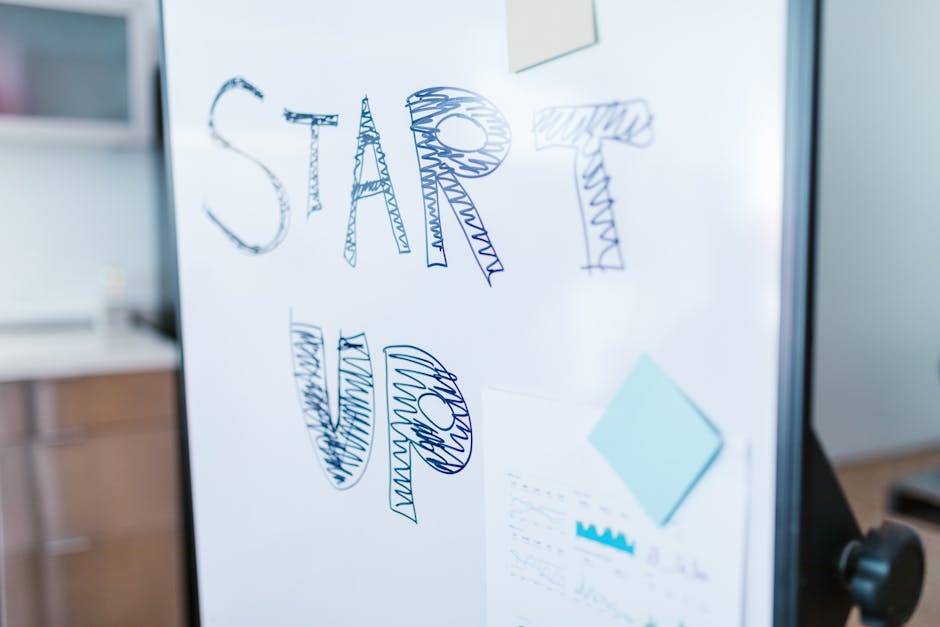
Choose a Canva animated banner template, export the static layers, and feed them into DesignLumo with the prompt “colorful startup launch illustration, editable layers”. Swap generic icons for custom SVGs from Freepik, apply brand colors, and add a limited‑time badge “20% off until March 31”. Export as a WebP under 150 KB for fast loading. Place the header on the “Incorporation Services” collection and monitor conversion rate; aim for a 1.5% uplift during the promotion. Difficulty: Beginner. ROI: Medium. link: "https://www.canva.com"
3. Educational Pop‑ups & Infographic Assets
Quarterly Tax Law Update Modal
Create a modal that summarizes new tax law changes. In DesignLumo, prompt: “modern tax law infographic, three bullet points, brand colors, transparent background”. Replace bullets with actual updates, export as PNG with transparency, and integrate via the Shopify “Popup Builder” app. Set a timer trigger of 30 seconds and a 25% visitor display rate. Track click‑through to the detailed blog post; target a 3% CTR. Difficulty: Intermediate. ROI: Medium. link: "https://www.designlumo.com"
Free E‑Book Download Pop‑Up
Design a pop‑up offering the “2024 Tax Savings Guide”. In DesignLumo, generate a desk‑scene background, overlay an editable headline, and style the email field with brand fonts. Export the design as an HTML/CSS snippet and embed through the Klaviyo integration in Shopify. Configure an exit‑intent trigger and aim for a 2% newsletter conversion rate. Calculate ROI based on a $7/month subscriber value versus design cost (under $5 per pop‑up). Difficulty: Beginner. ROI: High. link: "https://www.designlumo.com"
Live Chat Tax Tip Widget
Generate a friendly accountant illustration in Midjourney using the prompt “approachable accountant waving, flat style”. Import the image into DesignLumo, add a speech bubble that reads “Ask a tax question”, and export as an SVG. Upload the SVG to the Tidio Live Chat app and position it bottom‑right on all service pages. Set the widget to appear after 5 seconds of inactivity. Measure a 30% increase in chat initiations and a 20‑second boost in average session duration. Difficulty: Advanced. ROI: High. link: "https://www.midjourney.com"
Before you go
- Use DesignLumo’s Brand Kit integration to auto‑apply your colors, fonts, and logo across every asset, guaranteeing consistency without manual tweaks.
- Add UTM parameters to every CTA button or banner link; Shopify’s built‑in reports will then attribute traffic, letting you calculate exact ROI per graphic.
- Compress all exported images with TinyPNG or Squoosh before uploading to Shopify to keep page load under 2 seconds, which directly improves conversion rates.















Ready to create your first design?
Join thousands creating professional designs in seconds.
Create with DesignLumo
Related Resources
Winning Design Content Ideas for Tax Firms
Tactical design concepts to attract clients and boost revenue for accounting and tax firms.
Black Friday & Cyber Monday Design Playbook for Accountants
Tactical BFCM assets & offers to skyrocket tax firm revenue.
Accounting Infographics Design Guide for Marketers
Step‑by‑step tactics to create high‑impact tax infographics that convert.
TikTok Content Playbook for Accounting Firms
Actionable TikTok ideas to attract tax clients fast.
Etsy Content Ideas for Tax Firms
Tactical Etsy graphics to boost tax firm bookings and brand trust.
Ready-to-Use Design Templates for Accounting Firms
Actionable design assets that boost tax firm marketing and conversions.