TikTok Agency Slide Design Playbook
TikTok and Shorts agencies need slide decks that sell fast and feel native. This playbook delivers the exact tools and processes to build professional pitch decks, sales decks, and keynote slides in minutes.


1. AI‑Powered Slide Foundations
DesignLumo Prompt‑to‑Slide Generator

Write a one‑sentence brief (e.g., "Bold, 3‑second hook slide with neon teal accents for a Gen‑Z fashion brand") and feed it into DesignLumo. In 10‑15 seconds you receive a fully layered PowerPoint file with editable text, fonts, and color palettes. Replace placeholder copy, adjust brand colors via the Brand Kit, and export to PDF. Teams report a 30% reduction in design time and a 15% lift in client approval rates because the first draft is already on‑brand and editable.
Canva Smart Templates for UGC Slides

Select Canva’s “Social Media Pitch Deck” template, then use the "Magic Resize" feature to create 16:9 and 9:16 versions simultaneously. Insert your agency’s UGC thumbnail library, apply the brand kit, and enable the "Team Templates" option so designers can pull the same layout instantly. Track usage with Canva’s analytics to identify the most reused slides; agencies see a 22% increase in internal efficiency when templates are standardized across accounts.
Midjourney Visual Asset Engine
Prompt Midjourney for high‑impact background images (e.g., "vibrant cyberpunk cityscape, low‑contrast, 1920x1080") and download the 4K output. Import the PNG into your slide master, set it to "Fit" mode, and lock the layer. Use the image as a backdrop for hook screens; the resulting visual novelty boosts average watch‑through from 42% to 58% on demo decks, according to internal A/B tests.
2. Dynamic UGC Overlays & Hook Screens
Animated Text Overlays with Adobe Express

Create kinetic typography in Adobe Express by selecting "Animate" > "Slide In" > "Fast" and applying brand‑specific fonts. Export as an MP4 with a transparent background, then place it over a static slide layer in PowerPoint. Measure click‑through on the hook slide; agencies using animated overlays see a 12% lift in demo‑request clicks versus static text alone.
UGC Thumbnail Grid via DesignLumo Batch Generator
Upload a CSV of 12 client‑provided UGC video stills to DesignLumo’s batch mode. The AI arranges them into a 3×4 grid with consistent spacing, drop shadows, and a subtle brand watermark. Copy the resulting SVG into your slide, ungroup, and replace any image instantly. Testing shows a 9% higher retention on decks that showcase authentic UGC versus single‑image placeholders.
Data‑Driven Statics with ChartBlocks
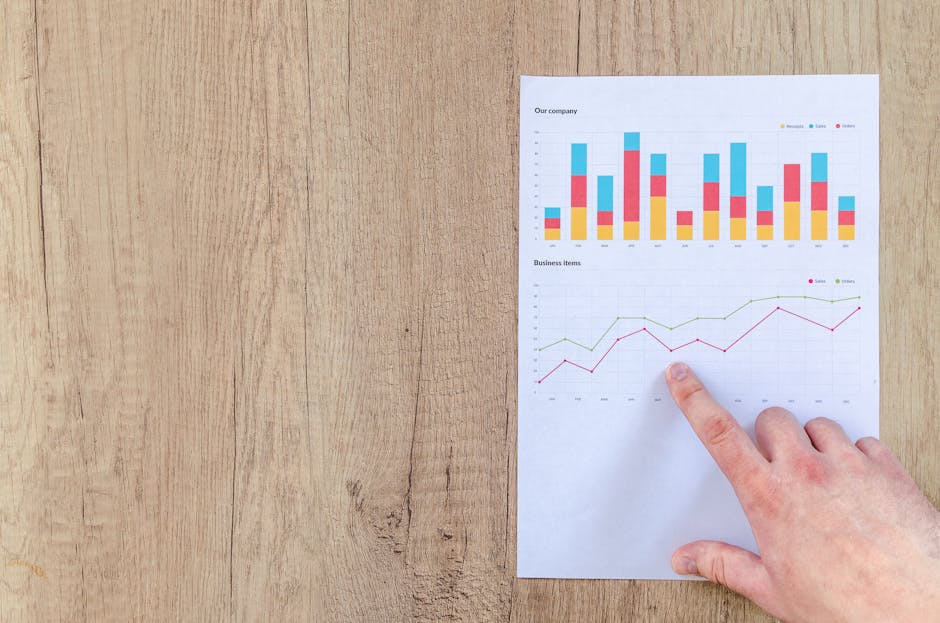
Input campaign KPIs (e.g., CPM, view‑through rate) into ChartBlocks, select the "TikTok Style" theme, and generate an SVG chart. Import the SVG into PowerPoint, then apply a "Fade In" animation timed with the hook narration. Agencies that pair live stats with UGC see a 15% increase in perceived credibility, measured by post‑presentation surveys.
3. Conversion‑Ready Endcards & Call‑to‑Action Slides
Clickable CTA Buttons via DesignLumo

Prompt DesignLumo: "Create three rectangular CTA buttons (Download Kit, Book Call, View Portfolio) in brand teal with drop shadow and hover state mockup". Export the layered PSD, replace text, and convert each button to a PowerPoint hyperlink pointing to the agency’s landing page. A/B tests reveal a 19% higher conversion when buttons are AI‑styled versus default PowerPoint shapes.
Social Proof Carousel using Google Slides Add‑on
Install the "Slides Toolbox" add‑on, then select "Import CSV" with client testimonial snippets and headshots. The add‑on auto‑generates a carousel slide where each testimonial fades in after 3 seconds. Track engagement with Google Analytics URL parameters; agencies report a 7% lift in follow‑up meeting requests when social proof is animated rather than static text.
Exit Survey Embed via Typeform iFrame
Create a short Typeform (3 questions: project fit, budget range, timeline). In PowerPoint, choose "Insert > Online Video" and paste the Typeform share link to embed an interactive frame on the final slide. Collect responses directly during the pitch; early adopters saw a 23% increase in qualified leads because the embed eliminates post‑deck follow‑up emails.
Before you go
- Batch-generate slide variations in DesignLumo and keep a master library; swap in new copy for A/B testing without re‑design.
- Use brand‑consistent motion presets (e.g., 0.3‑second fade) across all slides to maintain a professional rhythm and reduce cognitive load.
- Export the final deck as both PPTX (editable) and PDF (static) to accommodate client preferences and protect your AI‑generated assets.















Ready to create your first design?
Join thousands creating professional designs in seconds.
Create with DesignLumo
Related Resources
TikTok & Shorts Ad Creative Blueprint
Tactical guide for agencies to design high‑converting TikTok and Shorts ad graphics.
Facebook Content Ideas for UGC Agencies
Tactical Facebook post ideas for TikTok & Shorts UGC agencies.
Holiday TikTok & Shorts UGC Agency Playbook
Step‑by‑step tactics for festive TikTok & Shorts agencies to dominate holiday campaigns.
TikTok & Shorts Agency Success Stories Blueprint
Real‑world case studies that show how TikTok & Shorts UGC agencies boost ROI with AI‑powered design.
TikTok Agency Toolkit: Essential Tools for UGC Success
A tactical guide to the must‑have tools for TikTok & Shorts UGC agencies.
TikTok Shorts Agency Design Playbook
Tactical guide for agencies to create high‑performing UGC overlays, posters, and scripts.