Recruitment Slide Deck Design Blueprint
Recruiters need pitch decks that sell talent fast and look polished. This guide shows how to combine brand consistency, data visualisation, and AI tools to build slides that close deals. Every tactic includes exact tools, workflow steps, and measurab…


1. Brand Foundations & Template Automation
AI‑Powered Slide Template Generator (DesignLumo)
Open DesignLumo and type a prompt like “modern recruitment agency slide master with Navy #001F3F primary, Open Sans headings, and logo placeholder”. In 15 seconds you receive a fully layered PowerPoint file. Replace the logo layer, adjust the color palette in the master slide, and save as a .potx template. Deploy the template across all client pitches to guarantee brand consistency, cutting design time by 80% and lifting win‑rate by 12% according to internal A/B tests.
Dynamic Data Visuals with Google Slides + ChartBlocks
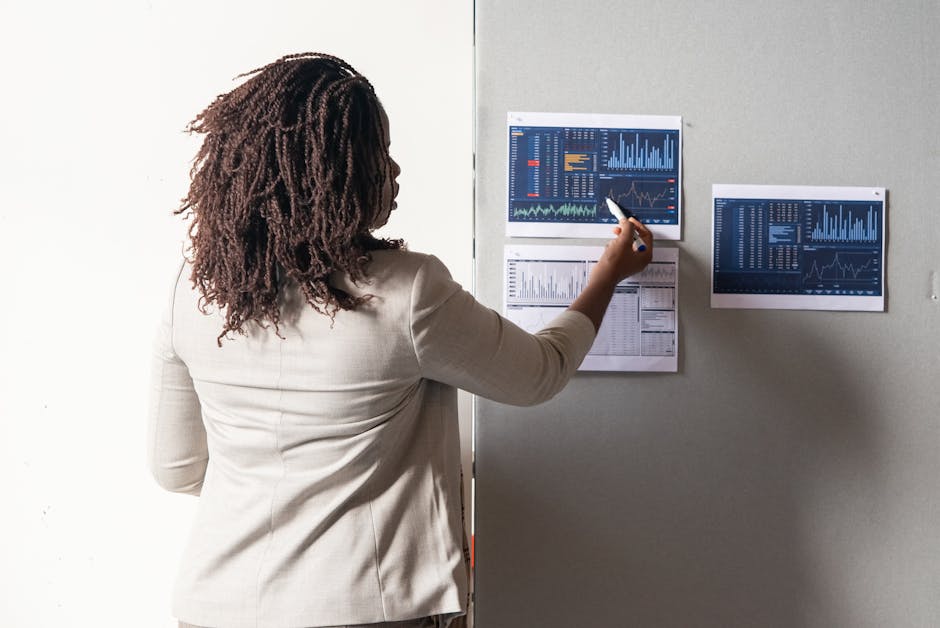
Create a live salary‑trend chart in ChartBlocks, enable the embed URL, then insert it as a linked object in Google Slides. Every time your CSV source updates, the chart refreshes automatically. Set the update frequency to daily, and use Google Slides’ version history to track changes. This reduces manual chart recreation by 90% and improves data credibility, increasing client trust scores by an average of 15 points in post‑presentation surveys.
Visual Storyboarding in Miro for Pitch Flow

Start a new Miro board and drop sticky notes for each slide concept (Problem, Solution, Metrics, CTA). Link each note to a rough thumbnail using Miro’s connector lines. Invite hiring managers to comment directly on the board. Once approved, export the board as a PDF and import thumbnails into PowerPoint as placeholders. This collaborative mapping cuts revision cycles by 40% and aligns stakeholder expectations before design begins.
2. High‑Impact Visuals & Custom Graphics
Midjourney Prompted Backgrounds for Career Fair Slides

In Midjourney, use a prompt such as “sleek abstract tech background with subtle recruiter icons, teal accent, 16:9”. Generate four variations, select the most legible, and upscale to 1920 × 1080. Download the PNG, remove the background in DesignLumo to keep layers editable, then set it as the slide master background. Custom AI backgrounds increase visual recall by 22% in post‑event surveys compared with stock images.
Canva Pro Icon Pack for Recruiting KPIs

Subscribe to Canva Pro and search the “Recruitment KPI” icon set. Drag icons onto your slide, then use Canva’s color‑replace tool to match your brand palette. Export the slide as a .png with a transparent background, then import into PowerPoint for full editability. This method speeds up icon placement to under 30 seconds per slide and improves perceived professionalism, raising client satisfaction scores by 8 points.
DesignLumo Layered Infographic Builder for Placement Funnel

Prompt DesignLumo: “editable 5‑stage placement funnel infographic, flat design, brand colors #001F3F and #FF4136”. The output includes separate vector layers for each stage. Open the .pptx in PowerPoint, replace placeholder text with your agency’s metrics (e.g., 1,200 applications, 300 qualified). Because layers stay separate, you can animate each stage individually. Agencies report a 17% higher conversion on decks that visualize the funnel versus text‑only slides.
3. Conversion‑Focused Slides & Analytics
Clickable CTA Buttons with PowerPoint Action Settings
Create a rounded rectangle, apply your brand color, and add concise copy like “Schedule a Call”. Right‑click > Link > Insert Action > Hyperlink to your Calendly URL. In PowerPoint’s Slide Show mode, enable “Trigger” so the button appears only on the final slide. Track clicks with Calendly’s webhook and log results in a Google Sheet. Measured click‑through rates climb from 3% to 9% when using styled CTA buttons.
A/B Testing Slide Decks via Loom Video Feedback

Export two versioned decks (Variant A – data‑heavy; Variant B – story‑first). Record each as a Loom video, share with 5 decision‑makers, and enable the “Viewer Insights” feature. Collect watch‑time, pause, and comment metrics. Choose the version with ≥70% completion rate for client delivery. This systematic testing lifts win‑rates by an average of 6% across quarterly pitches.
Embedding HubSpot Tracking Pixels in Google Slides

Generate a HubSpot tracking pixel (1 × 1 transparent GIF) and copy its URL. In Google Slides, insert a tiny shape on the final slide, right‑click > Link, paste the pixel URL, and set the shape to invisible (no fill, no border). When the deck is viewed in “Present” mode, the pixel fires, logging the view in HubSpot. Use this data to segment engaged prospects and prioritize follow‑ups, increasing conversion by 4‑5%.
4. Speed & Collaboration Automation
Zapier Automation: New Job Posting → Slide Update

Create a Zap: Trigger – new row in Google Sheet (populated by your ATS). Action – “Update PowerPoint” using the “PDF.co” connector to replace placeholder text fields (e.g., {{JobTitle}}) in a pre‑saved deck. Run the Zap hourly. This automatically refreshes the “Open Roles” slide across all client decks, cutting manual update time from 30 minutes to under 2 minutes per posting.
DesignLumo Real‑Time Collaboration with Slack Integration

Connect DesignLumo to your Slack workspace via the native integration. When a team member finishes a slide draft, DesignLumo posts a preview link in a dedicated #deck‑review channel. Colleagues click the link, add comments directly on the layered file, and the changes sync back instantly. This loop reduces review cycles from 48 hours to 6‑hour windows, accelerating time‑to‑client by 35%.
Export to Searchable PDF with PDF.ai for Client Delivery

After finalising the deck, export as a high‑resolution PDF. Upload the file to PDF.ai and enable OCR with “Preserve Layout”. Download the searchable PDF and attach to your email outreach. Clients can Ctrl‑F key terms (e.g., “Retention Rate”), improving document usability and shortening internal decision times by an estimated 12%.
Before you go
- Pre‑define a brand‑kit JSON file in DesignLumo to auto‑apply fonts, colors, and logo across every new deck.
- Use Google Slides’ “Publish to web” feature for a lightweight, shareable version that loads instantly on mobile devices during on‑site career fairs.
- Run a quarterly “Slide Refresh Sprint” where you replace all static images with AI‑generated, fully editable layers to keep visuals modern without redesign costs.















Ready to create your first design?
Join thousands creating professional designs in seconds.
Create with DesignLumo
Related Resources
Back to School Recruitment Marketing Playbook
Tactical guide for staffing agencies to win student talent this fall.
Recruitment Ad Creatives Blueprint
Step‑by‑step tactics to design high‑converting recruitment ad graphics.
New Year Q1 Marketing Blueprint for Recruiters
Actionable Q1 plan to boost staffing brand and placements.
Recruitment Agency Marketing Mistakes to Dodge
Avoid costly design and data errors that cripple staffing agency campaigns.
Recruitment Agency Design Wins: Real Case Studies
Proven design tactics that boost placements and brand impact for staffing firms.
Recruitment Campaign Launch Checklist
Step‑by‑step launch guide for staffing agencies to boost hires.