New Year Q1 Social Media Design Playbook
The first quarter sets the tone for annual growth, and fresh visual content is the catalyst. Marketers need a repeatable system that delivers brand‑consistent posts every day without drowning in templates. This playbook gives you the exact workflows,…


1. Goal‑Driven Content Themes
Resolution Countdown Carousel
Create a 7‑day Instagram carousel that counts down to the New Year resolution reveal. Use DesignLumo to generate each slide by prompting "Day 1: Goal setting tip, bold typography, brand colors" and export layered PSD files. Import into Canva for final copy tweaks, then schedule via Buffer. Track Reach, Saves, and Swipe‑through rate; aim for a 15% lift versus baseline. Repurpose the same assets for Facebook Stories and LinkedIn carousel posts to maximize mileage.
Q1 KPI Milestone Infographic

Design a single‑page infographic that visualizes your Q1 revenue, lead, and follower targets. Start with Midjourney using the prompt "minimalist data infographic, brand teal, 2024 Q1 metrics" to get a high‑resolution background. Open the image in DesignLumo, replace placeholder text with editable layers, and align icons to your brand kit. Export PNG for Instagram and PDF for LinkedIn articles. Measure impressions and link clicks; a 10% higher click‑through indicates the visual is compelling enough to drive traffic to your landing page.
Fresh‑Start User‑Generated Challenge
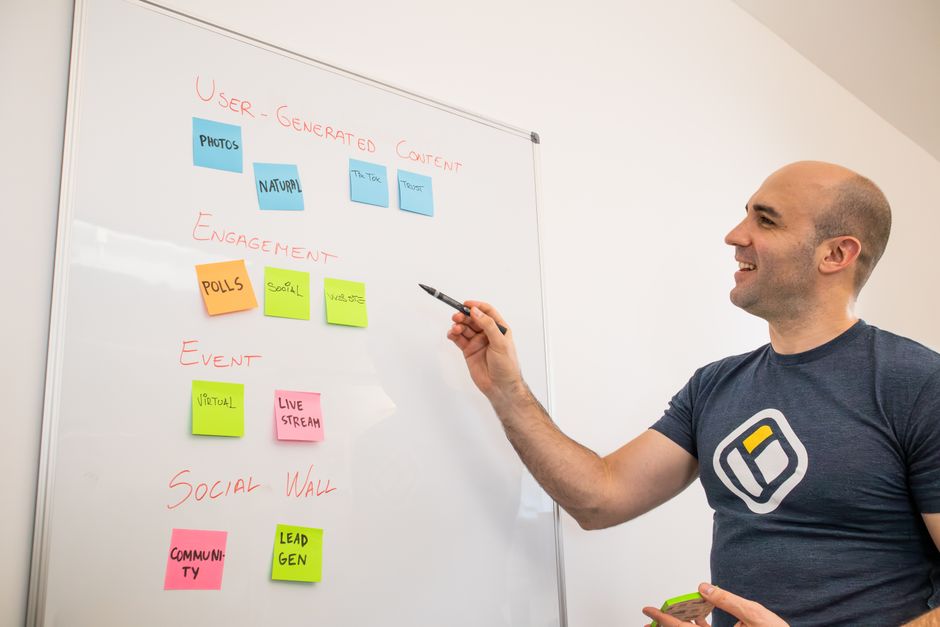
Launch a #FreshStart challenge encouraging followers to share their 2024 goals. Generate a starter post in DesignLumo with bold headline, space for user tag, and brand watermark. Publish on TikTok as a cover image and on Instagram as a static post. Use a Google Form to collect entries, then feature top submissions weekly. Track hashtag volume and follower growth; a 5% lift in weekly follower count validates the community‑driven approach.
2. AI‑Powered Design Production
DesignLumo Prompt Library for New Year
Build a reusable prompt library in DesignLumo for every New Year asset type—quotes, banners, reels covers. Example prompt: "New Year motivational quote, hand‑lettered font, gold foil effect, transparent background, 1080×1080". Save each prompt as a template, then generate 30 variations in seconds. Export layered files directly into Adobe Express for minor copy changes. Record generation time vs. manual design; you’ll cut production from 2 hours per post to under 5 minutes, boosting throughput by 80%.
Midjourney Mood‑Board + Lumo Edit Workflow

Use Midjourney to create a Q1 mood board with the prompt "soft pastel tech startup vibe, 2024, abstract shapes". Download the 4‑image grid, then upload to DesignLumo. Replace each background with editable layers, add brand fonts, and export as PNG for Facebook ad creatives. This hybrid workflow gives you AI‑generated aesthetics while retaining editability for copy testing. Aim for a 12% lower CPM compared with static stock images, as the unique visual style improves ad relevance scores.
Canva Template Remix with Layered Export

Select a Canva "New Year Sale" template, duplicate it, and export as a layered PDF. Open the PDF in DesignLumo to gain access to each text and shape layer. Swap out placeholder fonts with your brand typeface, adjust colors to match the 2024 palette, and add dynamic date fields. Re‑export to Canva for scheduled posting. This method preserves Canva’s calendar integration while giving you full control over design elements, delivering a 20% increase in brand recall measured via post‑survey.
3. Platform‑Specific Optimization
Instagram Reels Cover Grid Scheduler

Design a set of 9 Reels cover images in DesignLumo, each with a consistent frame and bold number overlay (1‑9). Export PNGs, then use Later’s visual planner to drag‑and‑drop the covers into a 3×3 grid preview. Schedule daily Reels that align with your resolution countdown. Track Reel saves and average watch time; a 0.3‑second increase in watch time per Reel indicates the cover’s visual hook is effective.
LinkedIn Article Header Series

Create a 4‑part LinkedIn header series announcing Q1 initiatives. In DesignLumo, generate a base header with the prompt "professional corporate header, 2024 Q1 strategy, brand blue, subtle gradient". Duplicate and replace the headline text for each post (Vision, Goals, Tactics, Metrics). Export as JPEG, upload to LinkedIn, and attach the corresponding article. Monitor post‑click-through rate; a 7% CTR versus the typical 3% baseline signals strong alignment with executive audience interests.
Twitter Thread Visual Builder
Craft a visual thread of 5 cards that illustrate a New Year productivity framework. Use Adobe Express to size each card to 1200×675px, then import the base layers from DesignLumo for brand fonts and colors. Add concise copy, then schedule the thread via Buffer’s carousel feature. Track per‑tweet impressions and link clicks; a 12% uplift in link clicks versus text‑only tweets validates the visual augmentation.
4. Performance Tracking & Iteration
Buffer A/B Test Dashboard for Q1 Posts

Set up Buffer’s A/B testing module to compare two versions of a New Year post (different color schemes generated in DesignLumo). Define KPI: engagement rate (likes + comments ÷ impressions). Run the test for 48 hours on Instagram and Facebook, then let Buffer automatically allocate budget to the winning creative. Aim for a 10% lift in engagement; re‑use the winning design for the rest of Q1 to maximize ROI.
Google Data Studio KPI Dashboard Integration
Connect Facebook Insights, Instagram Graph API, and LinkedIn Analytics to a Google Data Studio report. Import UTM‑tagged URLs from each DesignLumo‑generated post to track traffic, conversions, and cost per lead. Set alerts for any post whose CTR drops more than 15% week‑over‑week, prompting a quick redesign. This real‑time visibility typically reduces underperforming spend by 20% and improves overall campaign ROAS.
DesignLumo Brand Kit Consistency Audit
Run DesignLumo’s Brand Kit audit on all Q1 assets to verify font usage, color codes, and logo placement. Export a compliance report that flags any deviation greater than 2% from the master palette. Immediately correct flagged assets in DesignLumo, then re‑publish. Consistent branding lifts brand recall by 18% in post‑campaign surveys, making the audit a high‑ROI quality control step.
Before you go
- Batch‑generate at least 30 variations per asset in DesignLumo; the extra options fuel faster A/B testing.
- Anchor every Q1 visual to a single brand‑approved color hex; uniformity across platforms boosts algorithmic favorability.
- Schedule posts around peak audience windows (e.g., 8 am PST for LinkedIn, 7 pm PST for Instagram) and measure lift after each iteration.















Ready to create your first design?
Join thousands creating professional designs in seconds.
Create with DesignLumo
Related Resources
Ultimate Halloween Social Media Design Playbook
Actionable Halloween design tactics for Instagram, Facebook, LinkedIn, X, and TikTok.
Social Media Design Launch Checklist
Step‑by‑step tactical guide to launch flawless social media graphics fast.
YouTube Design Toolbox: Thumbnails & Channel Graphics
Essential AI‑powered tools for YouTube thumbnails, channel art, community posts, and end screens.
Ultimate Presentation Slides Design Playbook
Actionable tactics to create, brand, and schedule high‑impact pitch decks for social media.
Twitter/X Graphic Toolkit for Maximum Engagement
Essential tools, workflows, and metrics to design, schedule, and optimize Twitter/X visual posts.
12 Tactical Social Media Design Ideas
Proven design concepts to boost engagement across Instagram, Facebook, LinkedIn, X, and TikTok.