New Year Q1 Marketing & Design Playbook
The first quarter sets the tone for the entire fiscal year. Restaurants that lock in clear goals, automated content, and fast‑turnaround design win more diners and higher ticket sizes. This playbook delivers a step‑by‑step roadmap you can implement t…


1. 1️⃣ Goal‑Setting & KPI Blueprint
Revenue Target Blueprint with Menu Engineering

Pull your last 12 months of POS data into Google Sheets and calculate each item's contribution margin. Use Restaurant365’s “Menu Profitability” report to flag top‑5 and bottom‑5 dishes. Set a realistic 10% Q1 revenue lift by increasing the margin of low‑performers through cost‑plus pricing and promoting high‑margin specials. Track weekly Gross Sales, Average Ticket, and Food Cost % in a live dashboard (Google Data Studio). Adjust specials every Friday based on the margin gap, aiming for a 0.5% weekly cost reduction.
Social Media Engagement Benchmarks for Q1

Export Instagram Insights and Facebook Page metrics for the past 90 days. Identify your average reach, likes, comments, and saves per post. Set a 15% lift target for Q1 by increasing story frequency to 5 per week and adding a “New Year’s Dish of the Day” carousel. Use Sprout Social’s “Engagement Forecast” tool to allocate posting times, then monitor daily KPI variance in a Trello board with custom fields for each metric. Celebrate every 5% milestone with a staff incentive.
Fresh‑Start Loyalty Program Blueprint

Choose a low‑cost loyalty platform like LoyaltyLion (free tier) and integrate it with your Square POS. Design a “New Year, New Rewards” tier that offers double points on all orders in January and a free appetizer after 10 visits. Set up automated email triggers in Mailchimp to remind members of point balances. Track redemption rate, repeat visit frequency, and average order value (AOV) weekly; aim for a 20% increase in repeat visits by the end of Q1.
2. 2️⃣ Content Calendar & Campaign Templates
12‑Week New Year Campaign Calendar

Create a master calendar in Notion using the “Marketing Campaign” template. Populate each week with a theme (e.g., “Clean‑Eats Week”, “Local Supplier Spotlight”). Assign owners, assets, and publish dates. Link each entry to a Google Drive folder pre‑filled with copy briefs and design placeholders. Use Zapier to push the weekly theme to Slack a day before production, ensuring the kitchen knows the focus. Measure success by weekly increase in hashtag usage and reservation spikes, targeting a 5% lift per theme.
AI‑Powered Daily Specials Graphics

Write a one‑sentence prompt for each daily special (e.g., “Spicy mango chicken taco, vibrant orange, modern typography”). Feed it into DesignLumo (https://www.designlumo.com) to generate a fully layered Instagram story template in seconds. Export the PSD, swap the dish name and price, then schedule via Buffer. Compare click‑through rates (CTR) to manually designed specials; aim for a 10% higher CTR within the first two weeks because AI delivers consistent brand styling without a designer.
‘Fresh Start’ Email Series Automation
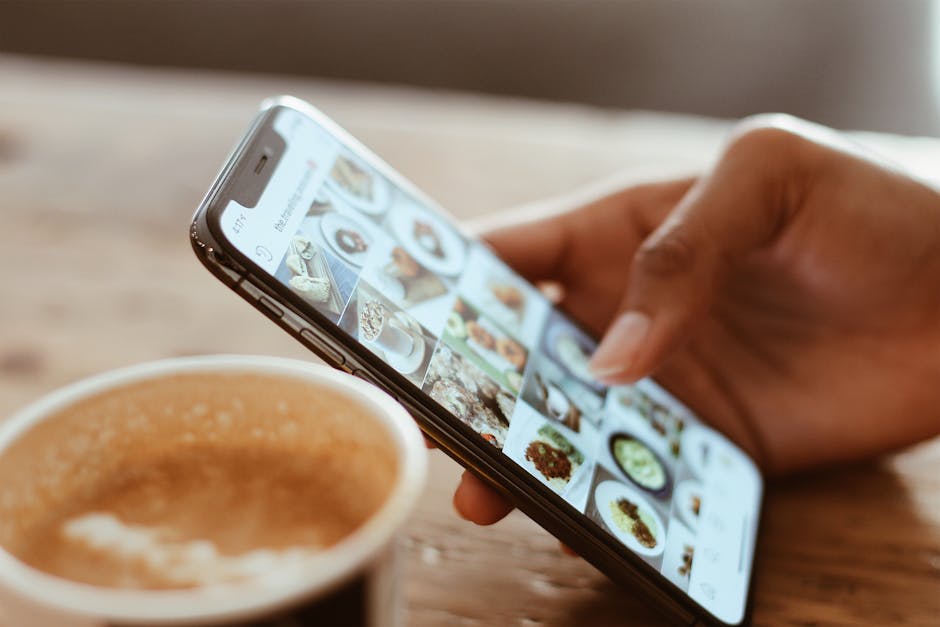
In Mailchimp, build a three‑email drip: 1) New Year greeting with a limited‑time discount code, 2) Highlight of the upcoming weekly special, 3) Loyalty program reminder. Use DesignLumo to create editable header images that match your brand kit, then import them into the email template. Set triggers based on subscription date and track open rate, conversion rate, and revenue per email. Target a 25% open rate and a 3% conversion lift versus your baseline.
3. 3️⃣ Design Production Workflow
Editable Holiday Menu Layouts in Seconds
Upload your existing menu PDF into DesignLumo and ask for a “modern, festive layout with three columns, brand colors #D35400 and #F1C40F”. The AI returns a fully layered Photoshop file with editable text layers, image placeholders, and style guides. Replace dishes, adjust prices, and export as both print‑ready PDF and web‑optimized PNG. Track production time – you’ll cut design from 4‑6 hours to under 15 minutes, freeing staff for service prep.
Event Flyer Templates for Q1 Promotions

Use Adobe Express’s “Flyer” starter and replace placeholder graphics with a DesignLumo‑generated illustration of your venue’s interior. Keep the color palette consistent with your brand kit. Save the file as an editable InDesign template for future events. Publish the flyer on Facebook Events, Instagram Ads, and local community boards. Measure RSVP conversion; a well‑designed flyer should boost event attendance by at least 12% versus a plain text post.
Batch Review Highlight Cards for Social

Export top 5 Google reviews into a CSV. In DesignLumo, input a prompt: “Create a square Instagram post template with a star rating, review excerpt, and restaurant logo”. Generate a master PSD with a smart object for the review text. Use a Photoshop batch script to pull each CSV row into the smart object, producing 5 ready‑to‑post images in under 2 minutes. Schedule via Later and watch engagement rise 8% per highlighted review.
Before you go
- Sync your DesignLumo brand kit with your POS to auto‑populate menu fonts and colors.
- Run a weekly 15‑minute “Design Sprint” with kitchen staff to brainstorm visual themes; the faster you iterate, the quicker the specials sell.
- Leverage UTM parameters on every AI‑generated graphic to attribute traffic back to the specific design source.















Ready to create your first design?
Join thousands creating professional designs in seconds.
Create with DesignLumo
Related Resources
Mother's Day Restaurant Marketing & Design Playbook
Step-by-step tactics for restaurant owners to boost Mother's Day sales with AI-designed promos.
LinkedIn Content Playbook for Food Brands
Actionable LinkedIn post ideas for restaurants, cafés, and food trucks.
Restaurant Print Design Blueprint
Step‑by‑step AI and print tactics to create menus, flyers, and promos that boost restaurant sales.
Spring Launch Season Marketing & Design Guide
Actionable tactics for restaurants to dominate spring launches with AI‑powered design and zero budget.
Instagram Essentials for Food Brands
Tactical tools to dominate Instagram for restaurants and cafés.
Facebook Essentials for Food Brands
Actionable tools to dominate Facebook with zero‑design budget.