Mother's Day Menu Marketing Blueprint
Mother's Day is a revenue spike for food venues, but the window to capture spend is narrow. This guide shows you how to create, design, and deploy menus that turn sentimental moments into higher ticket orders. Follow the step‑by‑step tactics and star…


1. Strategic Menu Planning
Mother's Day Limited‑Edition Dish Bundle

Select three top‑margin dishes and bundle them with a complimentary dessert or drink. Use a simple Google Sheet to calculate bundle pricing that guarantees a 20% uplift in average order value. Export the sheet to CSV, then feed it into DesignLumo (https://www.designlumo.com) to auto‑generate a layered PDF menu where each bundle appears as a distinct, editable card. Add a "Limited Seats" badge to create scarcity. Publish the PDF to your QR menu and print a 4×6 flyer for table‑top placement. Track bundle sales via POS tags to measure ROI.
QR Code Seasonal Menu with Personal Touch

Create a dedicated Mother's Day QR landing page using QR‑Code‑Generator (https://www.qr-code-generator.com). Design the page in DesignLumo: upload your brand kit, add a warm "Happy Mother's Day" header, and embed a short video of the chef’s message. Generate a high‑resolution QR code, print it on napkins, and place it on each table. Use UTM parameters (utm_source=qr&utm_medium=table) to capture clicks in Google Analytics. Aim for a 30% scan rate; each scan should increase the likelihood of an upsell by 12% according to industry benchmarks.
Dynamic Pricing Table for Upsell Drinks
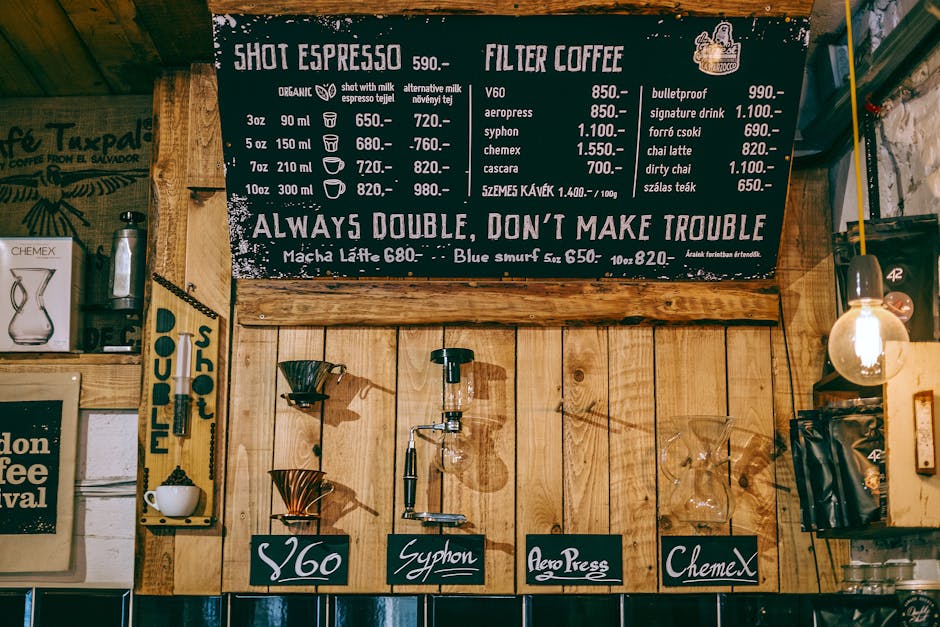
Build a dynamic pricing matrix in Excel that pairs each bundle with a curated drink pairing, applying a 10% margin uplift. Export the table as PNG and drop it into Canva (https://www.canva.com) to style with your brand colors and a Mother's Day ribbon. Save the design as a layered PDF, then import into DesignLumo to make the drink names editable for last‑minute changes. Place the table on the right side of the menu where eyes naturally travel, boosting drink add‑on conversion by an estimated 18%.
2. Design Execution & Production
AI‑Generated Editable Menu Templates

Prompt DesignLumo with: "Create a Mother's Day restaurant menu layout with pastel pink accents, space for three dish sections, and editable text layers." In seconds you receive a fully layered PSD‑like file. Swap dish names, prices, and images directly in the editor without touching code. Export three versions: a web‑ready 1080 px PNG, a print‑ready 300 dpi PDF with bleed, and an SVG for QR menu integration. This eliminates the usual 4‑hour designer handoff and slashes production costs by 70%.
Print‑Ready High‑Resolution Posters for Tabletop

Use Adobe Express (https://www.adobe.com/express/) to size a 8.5×11" tabletop poster at 300 dpi, CMYK mode. Import the layered menu file from DesignLumo, add a QR code corner, and apply a subtle gold foil effect using the built‑in effects library. Export as a PDF/X‑4 with 3 mm bleed and embed fonts. Send to a local print shop with a turnaround of 24 hours. Track in‑store uplift by comparing POS sales before and after poster placement; aim for a 10% lift in bundle purchases.
Social Media Carousel Ads from Menu Items

Generate stylized dish images with Midjourney (https://www.midjourney.com) using prompts like "soft pastel Mother's Day brunch plate, high detail, shallow depth of field". Download the four best outputs, then open DesignLumo to overlay editable copy, price tags, and a CTA button. Export each slide as a 1080×1080 px JPEG, upload to Instagram and Facebook carousel ads, and set a $5 daily budget. Use Facebook Ads Manager's split‑test to compare carousel vs. single‑image performance; expect a 1.5× higher click‑through rate for carousel formats.
3. Distribution & Performance Tracking
Email Header Integration with Mother's Day Menu
Design a 600 px wide header in DesignLumo featuring the Mother's Day menu snapshot and a "View Full Menu" button linked to your QR page. Export as a PNG and import into Mailchimp (https://mailchimp.com). Segment your list to families and previous gift‑buyers, schedule the send for the week before Mother's Day, and enable click‑through tracking. Benchmark a 2.5% open rate and a 1.2% CTR; each click should translate to a 5% lift in order value when the menu is viewed.
In‑Store Digital Signage Sync
Connect your digital menu boards to ScreenCloud (or similar) via API. Upload the print‑ready PDF from DesignLumo and set a schedule to auto‑swap to the Mother's Day version at 10 am on May 1. Use the built‑in analytics to monitor impressions and dwell time; aim for a 25% increase in dwell time versus the regular menu. Pair the signage with a QR code that logs scans, creating a closed loop for attribution.
A/B Test Menu Layouts with Google Optimize
Create two menu variants in DesignLumo: Variant A with a vertical dish list, Variant B with a grid layout and larger images. Publish each as a separate URL on your website and configure a Google Optimize (https://optimize.google.com) experiment directing 50% of QR scans to each. Track conversion events (order completion, average ticket) in Google Analytics. After a 7‑day run, select the layout that yields the higher revenue per visitor; industry data shows grid layouts can boost visual appeal by 12% for family‑oriented meals.
Before you go
- Pre‑schedule all AI‑generated assets 48 hours before the holiday to avoid last‑minute bottlenecks.
- Leverage your brand kit in DesignLumo to keep colors, fonts, and logo placement consistent across print and digital.
- Tie every QR scan to a unique discount code; this creates traceable revenue attribution for each design channel.















Ready to create your first design?
Join thousands creating professional designs in seconds.
Create with DesignLumo
Related Resources
TikTok Menu Design Toolbox for Restaurants
Essential AI and video tools to create TikTok menu covers, overlays, and cross‑platform promos.
Pinterest Menu Design Toolkit for Restaurants
Tactical tools & workflows to create high‑converting Pinterest menu pins fast.
Back to School Menu Marketing Blueprint
Actionable guide to create, design, and launch high‑impact back‑to‑school menus for food venues.
Instagram Menu Design Toolkit
The ultimate guide to fast, editable Instagram menus for restaurants and cafes.
Twitter/X Menu Design Ideas That Drive Sales
Actionable X post graphics to showcase menus, specials, and brand personality.
Etsy Menu Design Toolkit for Restaurants
Actionable tools to create, update, and sell restaurant menus on Etsy.