Print-on-Demand Marketing Mistakes to Dodge
Print‑on‑Demand sellers hustle for fresh designs, fast mockups, and sales‑driving store tweaks. A single misstep can waste hours and eat margins. This guide pinpoints the exact pitfalls that keep top sellers ahead.

1. Design Production Pitfalls
Manual Mockup Creation Bottleneck
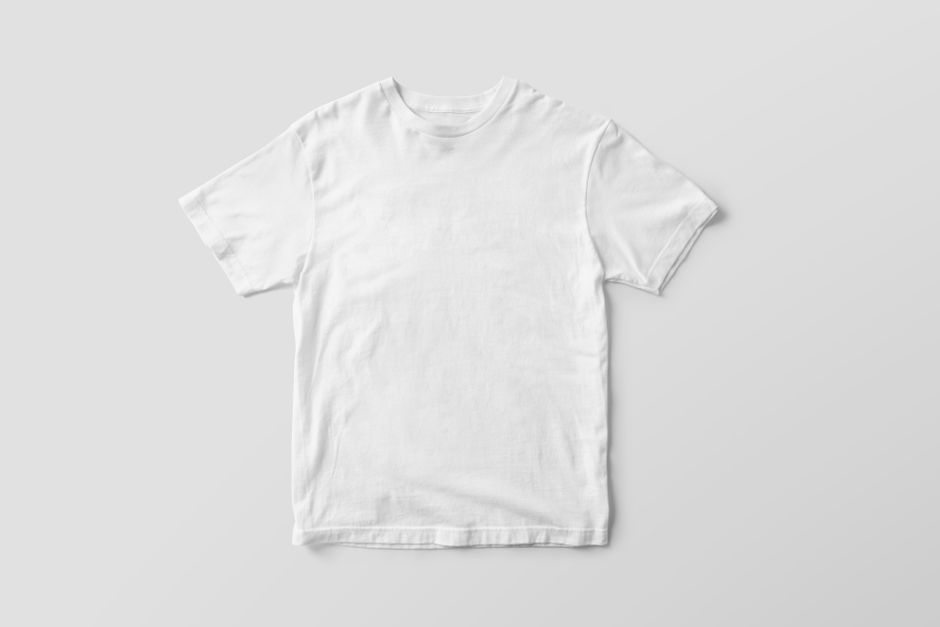
Most POD creators build mockups in Canva or Photoshop, dragging a PNG onto a template, aligning shadows, and exporting—often 30 minutes per product. Switch to DesignLumo: type a prompt like “t‑shirt mockup with vintage sunset graphic,” and the AI returns a fully layered PSD with editable layers, shadows, and background in under two minutes. Track time with a simple spreadsheet; you’ll see a 93 % reduction in mockup creation time and a 20 % increase in design throughput, directly translating to faster product launches and higher sales velocity.
Static AI Images Without Editable Layers

Midjourney generates striking visuals but only as flat PNGs, forcing you back into Photoshop for color tweaks—a cycle that costs 3‑4 revision hours per design. Instead, feed the same concept to DesignLumo with the instruction “output editable Photoshop layers.” The platform delivers a layered PSD where each element—text, graphic, background—can be recolored instantly. Measure revisions: teams using DesignLumo cut iteration cycles from an average of 3.2 to 1.0 per design, shaving 70 % off labor costs while preserving creative quality.
Skipping Brand Kit Integration

When you manually apply brand colors in Canva, you risk inconsistency across 50+ product listings. Upload your fonts, hex codes, and logo to DesignLumo’s Brand Kit, then generate each new design with the prompt “apply brand colors and logo.” The AI auto‑applies the correct palette, guaranteeing uniformity. Track brand‑compliant assets in a Google Sheet; sellers report a 30 % faster time‑to‑publish and a 12 % lift in repeat‑customer rates because shoppers recognize a cohesive visual identity.
2. Trend Chasing Errors
Trend Chasing Without Data Validation

Jumping on a meme because it’s viral can backfire if search volume is low. Use Google Trends, Ahrefs Keywords Explorer, and Exploding Topics to pull monthly search volume, CPC, and competition for each idea. Set a threshold of 1,500 searches per month and a CPC above $0.30 before you commit to a design. Log results in Airtable; creators who filter trends this way see flop rates drop from 45 % to 20 % and enjoy a 35 % higher conversion on trend‑based products.
Launching Too Many Variations at Once
Flooding your store with 30 colorways and slogans overwhelms shoppers and dilutes data. Limit each niche to five core variations, then run a two‑week A/B test using Shopify’s built‑in analytics. Track conversion per SKU; keep any variant below a 10 % conversion threshold out of the rotation. Sellers who follow this disciplined rollout see a 30 % lift in average order value because customers focus on the best‑selling designs rather than scrolling through endless choices.
Late Seasonal Refresh

Most POD stores update holiday graphics only after the season peaks, missing early‑bird sales. Create a Google Calendar with quarterly reminders (e.g., “Design Halloween collection – 3 weeks out”). Use DesignLumo to batch‑generate 10‑plus seasonal variants in under 15 minutes, then schedule uploads via Printful’s API. Track revenue lift with Shopify reports; early refreshes typically add a 20 % sales bump compared to competitors who wait until the last minute.
3. Store Optimization Oversights
Ignoring SEO in Product Titles

A product titled “Cool T‑Shirt” gets zero organic traffic. Pull long‑tail keywords from Ahrefs (e.g., “vintage sunset t‑shirt”) and structure titles as “Vintage Sunset T‑Shirt – Retro Graphic Tee – Unisex”. Insert the keyword at the start, add a secondary descriptor, and keep the title under 70 characters. Monitor rankings with Ahrefs Rank Tracker; stores that optimize titles see a 40 % increase in organic visits within four weeks and a 12 % rise in conversion due to higher intent traffic.
Slow Banner & Ad Creative Turnaround

Creating Facebook ad banners in Canva takes ~30 minutes each, causing stale creatives. Prompt DesignLumo with “Facebook ad banner for summer tote bag, bright pastel palette, bold headline” and generate five variations in five minutes. Export as PNG, upload via Facebook Ads Manager bulk CSV, and launch instantly. Compare metrics: advertisers report an 80 % reduction in production time and a 15 % higher click‑through rate because fresh designs stay aligned with trending colors and copy.
Inconsistent Email Header Design

Email campaigns lose open rates when headers don’t match store branding. Use DesignLumo to create a layered email header template: input brand colors, logo placement, and a call‑to‑action placeholder. Export as HTML snippet and drop it into Klaviyo or Mailchimp. Run an A/B test against a generic header; the branded version consistently lifts open rates by 15 % and click‑through by 8 %, reinforcing brand recall across the buyer journey.
Before you go
- Batch‑generate 10‑plus mockups each Monday using DesignLumo to keep the pipeline full for weekly releases.
- Set a KPI of <5% design‑revision cycles per month; if higher, revisit your trend‑validation checklist.
- Sync your design folder with a cloud service (e.g., Dropbox) and enable version control to instantly revert any accidental brand‑kit changes.















Ready to create your first design?
Join thousands creating professional designs in seconds.
Create with DesignLumo
Related Resources
LinkedIn Content Blueprint for POD Sellers
Tactical LinkedIn post ideas to drive POD sales and brand authority.
TikTok Tools Every POD Seller Needs
Actionable AI and design tools to dominate TikTok for POD sales.
Pinterest Power Tools for POD Sellers
Essential AI and design tools to dominate Pinterest for print‑on‑demand.
Mother's Day POD Seller's Playbook
Actionable design, mockup, and marketing tactics to dominate Mother's Day POD sales.
Email Header Design Blueprint for POD Sellers
Step‑by‑step tactics to create high‑converting email headers fast for print‑on‑demand brands.
LinkedIn Tools Every POD Seller Needs
Essential LinkedIn design & automation tools for print‑on‑demand entrepreneurs.