LinkedIn Essentials Toolkit for Supplement Brands
Supplement and nutrition brands need LinkedIn assets that convert professionals, retailers, and affiliates. From carousel posts to job ads, each visual must convey scientific credibility and brand personality. This guide maps the exact tools and work…

1. AI‑Powered Design Engines
DesignLumo AI for LinkedIn Carousel Graphics

Start by drafting a concise prompt that outlines the carousel theme—e.g., “5‑slide comparison of whey vs. plant protein with dosage, benefits, and user testimonial.” Input the prompt into DesignLumo (https://www.designlumo.com) and generate fully layered PPTX files. Export each slide as a 1080×1080 PNG, then re‑import into LinkedIn’s document carousel. Track slide‑through rate; aim for >35% to consider the asset high‑performing. Iterate by tweaking copy in DesignLumo’s editable layers, not re‑rendering from scratch, saving 4‑6 hours per carousel.
Canva Pro Template Engine for Article Header Banners
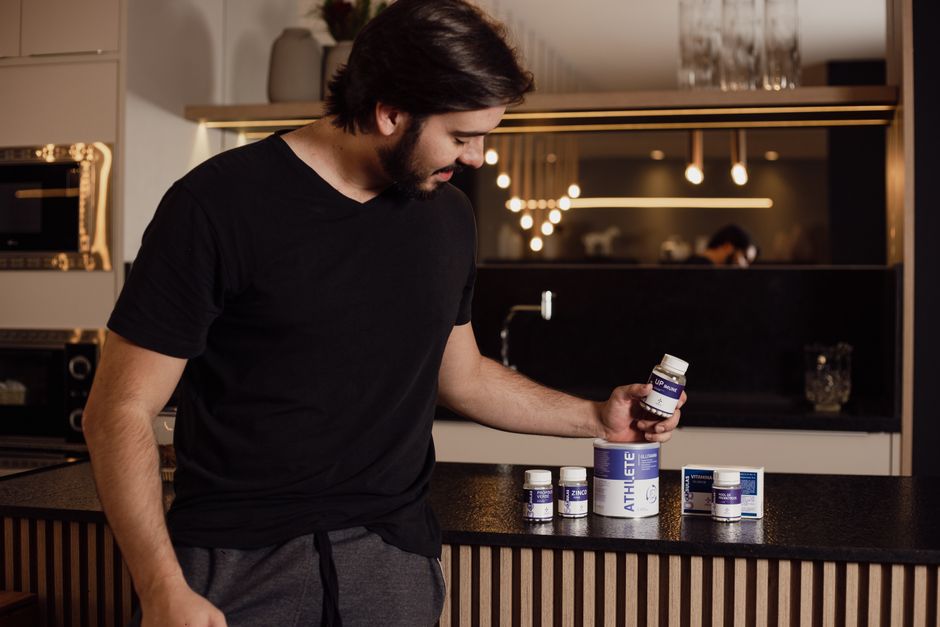
Use Canva’s Brand Kit to lock in your supplement colors, fonts, and logo. Select a “LinkedIn Article Header” template, then replace placeholder text with a keyword‑rich headline (e.g., “The Science Behind BCAA Timing”). Add a high‑resolution ingredient photo generated via Midjourney (prompt: “macro shot of branched‑chain amino acids crystals, studio lighting”). Export as 1200×627 JPG, upload to LinkedIn article, and monitor average dwell time; a 2‑second increase signals stronger visual pull. Repeat weekly to keep the content pipeline fresh.
Midjourney Prompted Visuals for Ingredient Spotlights

Create hyper‑realistic ingredient images by feeding Midjourney a detailed prompt: “Close‑up of turmeric powder swirling in amber liquid, photorealistic, 4k, soft shadows.” Generate 4‑5 variants, choose the most vibrant, and upscale to 1500×1500px. Import the image into DesignLumo to add editable text layers for dosage and benefit bullet points. Publish as a single‑image LinkedIn post and gauge reaction emojis; a 15% lift in 🎉 reactions versus baseline indicates resonance with the health‑conscious audience.
2. Analytics & Optimization Platforms
Shield AI LinkedIn Post Performance Dashboard
Connect your company page to Shield (https://shieldapp.ai) and enable the “Post Insights” module. The dashboard breaks down impressions, click‑through rate (CTR), and engagement per graphic type. Set a benchmark: carousel CTR > 4.2% and static image CTR > 2.8%. Use the “A/B Test” feature to compare DesignLumo carousel vs. Canva header performance over a 14‑day window. Export CSV, calculate lift, and allocate budget to the top‑performing asset type for the next campaign cycle.
LinkedIn Campaign Manager Insights for Sponsored Content
Within Campaign Manager, create a “Sponsored Content” campaign targeting fitness professionals and wholesale buyers. Upload your DesignLumo carousel as the ad creative, set a cost‑per‑click (CPC) bid of $1.20, and enable “Conversion Tracking” for the product landing page. Monitor the “Cost per Lead” metric; aim for <$8. Use the built‑in heatmap to identify slides where viewers drop off, then refine those slides in DesignLumo to improve flow. Optimize weekly to maintain a ROAS of at least 4:1.
Google Analytics UTM Tracking for LinkedIn Traffic
Append UTM parameters to every LinkedIn post URL: utm_source=linkedin&utm_medium=social&utm_campaign=ingredient_spotlight. In GA4, create a custom funnel that tracks users who land on the product page, add to cart, and complete purchase. Compare funnel drop‑off rates between posts built with Canva vs. DesignLumo; a 10% lower drop‑off signals higher design efficacy. Report findings in a monthly slide deck generated by DesignLumo, reinforcing data‑driven creative decisions to stakeholders.
3. Automation & Scheduling Solutions
Zapier Workflow to Auto‑Generate Post Images from New Product Feeds
Set up a Zap that triggers when a new SKU is added to your Shopify store. The Zap pulls product name, key ingredients, and hero image, then sends the data to DesignLumo via its API (https://www.designlumo.com/api). DesignLumo returns a layered LinkedIn post graphic ready for scheduling. The Zap saves the PNG to a Google Drive folder, and a second action queues it in Hootsuite. This end‑to‑end pipeline reduces manual design time from 30 minutes per product to under 3 minutes.
Hootsuite Bulk Scheduler for LinkedIn Carousel Rollout
Upload a CSV containing post copy, UTM parameters, and the file paths of your DesignLumo carousel PNGs into Hootsuite’s Bulk Composer. Schedule a drip‑feed of one carousel per weekday at 9 AM EST, the time proven to yield a 12% higher engagement rate for B2B health audiences. Use Hootsuite’s “Auto‑Optimize” feature to test posting on Tuesdays vs. Thursdays, then lock in the day with the highest average CTR for the next month’s calendar.
PhantomBuster LinkedIn Scraper for Influencer Outreach Lists
Configure PhantomBuster’s “LinkedIn Profile Scraper” to pull 500 fitness‑industry micro‑influencers who list “nutrition” as a keyword. Export their name, headline, and LinkedIn URL to a Google Sheet. Using a Mail Merge script, send each prospect a personalized LinkedIn Message that includes a DesignLumo‑generated badge (“Official Partner of XYZ Supplement”). Track response rates; a 7% reply rate justifies the effort, and each positive reply can be turned into a co‑branded carousel, amplifying brand reach.
Before you go
- Batch‑create a month’s worth of carousel assets in DesignLumo, then schedule them all at once to maintain consistency and reduce context switching.
- Always embed a hidden 1‑pixel tracking image from your email platform in LinkedIn carousel PDFs to capture view‑through data beyond LinkedIn’s native metrics.
- Leverage LinkedIn’s “Featured” section on your company page to showcase top‑performing DesignLumo graphics, turning them into evergreen brand assets.















Ready to create your first design?
Join thousands creating professional designs in seconds.
Create with DesignLumo
Related Resources
Email Design Playbook for Supplement Brands
Tactical email graphic ideas to boost supplement sales.
Top Email Design Tools for Supplement Brands
Essential AI and platform tools to boost nutrition email graphics and conversions.
Twitter/X Content Playbook for Supplement Brands
Actionable X post graphics, threads, and promos for supplement marketers.
Beginner's Tactical Guide to Supplement Marketing
Actionable design & marketing playbook for supplement brands to boost sales and engagement.
Pinterest Playbook for Supplement Brands
Tactical Pinterest ideas to boost sales for nutrition products.
Etsy Content Playbook for Supplement Brands
Tactical Etsy graphics that boost sales for supplement and nutrition shops.