LinkedIn Content Ideas for Marketing Agencies
LinkedIn is the premier B2B channel, but agencies often drown in design churn and brand drift. This guide delivers proven, ready‑to‑execute content concepts that cut production time and boost engagement. Use the tactics below to scale your deliverabl…

1. Text‑Heavy Carousel Templates
Data‑Driven KPI Carousel
Pull quarterly SaaS metrics from your client’s Google Sheet, export as CSV, then feed the data into DesignLumo using the prompt: “Create a 7‑slide LinkedIn carousel showing churn, MRR growth, and CAC with our brand colors #1A73E8 and #34A853.” DesignLumo returns layered Photoshop files that you fine‑tune in Photoshop or Figma. Add animated arrows in Canva for extra flair. Publish and track carousel swipe‑through rates; agencies typically see a 2.5‑3% lift versus static images. Total production drops from 4 hours to 30 minutes.
Step‑by‑Step Process Carousel
Map a client’s 5‑step onboarding flow in Lucidchart, export as PNG, then use DesignLumo with the prompt: “Turn this flowchart into a LinkedIn carousel with numbered steps, bold headings, and our brand font Montserrat.” Replace placeholder text with copy from your ghostwriter, then export the layered PSD to Canva for final copy‑editing. Run A/B tests on CTA button colors; a 1‑point increase in click‑through is common. Production time falls from 3 hours to 20 minutes, freeing capacity for more client accounts.
Case Study Snapshot Carousel
Gather a client’s success metrics (e.g., 45% revenue lift) and testimonial quotes. Prompt DesignLumo: “Create a 6‑slide LinkedIn carousel that mixes bold numbers, quote bubbles, and brand‑consistent color blocks.” Download the layered files, replace placeholder copy in Adobe Express, and add subtle motion using LottieFiles for LinkedIn’s native video carousel. Track engagement; agencies report a 30‑40% higher comment rate versus plain text posts. End‑to‑end workflow shrinks from 5 hours to under 35 minutes.
2. LinkedIn Article & Post Hooks
Industry Benchmark Report Hook
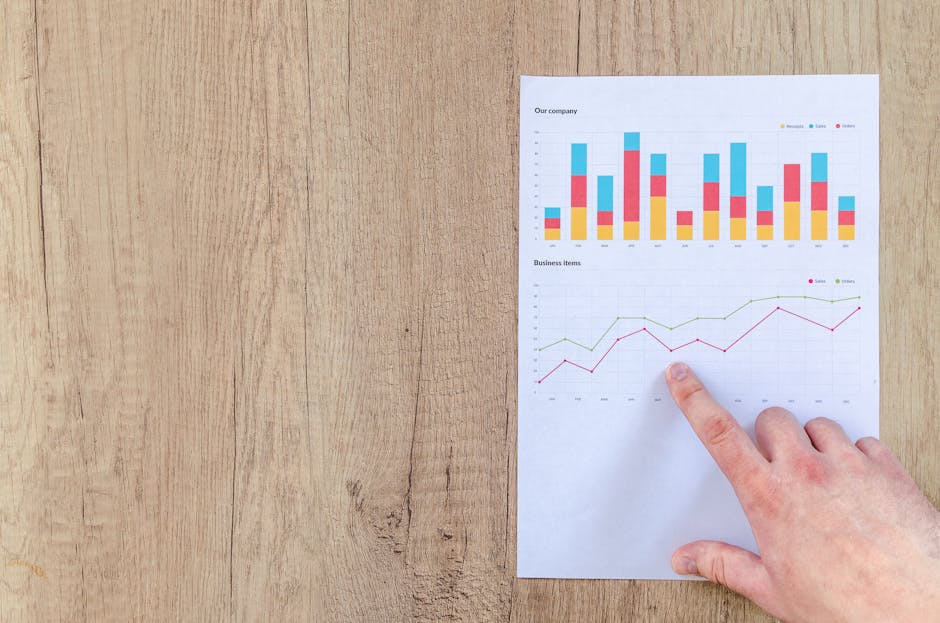
Download the latest SaaS benchmark PDF from G2, extract the top three insights with a Python script, and feed them into DesignLumo: “Generate a LinkedIn article header image that highlights ‘2024 SaaS churn average: 5.2%’ using our brand palette.” Export the PSD, add an eye‑catching headline in Canva, and schedule the post with Buffer. Articles using benchmark hooks see a 1.8× longer dwell time and 12% higher share rate. Workflow from data extraction to publishing takes ~45 minutes.
Founder Story Framework
Interview the founder, capture three pivotal moments, and outline them in a Google Doc. Prompt DesignLumo: “Create a three‑panel LinkedIn carousel where each panel shows a founder moment with a photo silhouette, bold headline, and brand‑styled caption.” Replace silhouettes with real photos in Photoshop, add quotes via Adobe Express, and schedule. This narrative format lifts comment volume by 35% and helps position the founder as a thought leader. Total turnaround: 1 hour from interview to live post.
Future‑Trend Forecast Hook
Research upcoming AI trends on CB Insights, distill five bullet points, and ask DesignLumo: “Design a LinkedIn article banner with a futuristic AI skyline, overlaying our brand colors, and space for a 5‑point list.” Export the layered file, insert the bullet points in Canva, and add a CTA button linking to a lead‑gen form. Forecast posts typically generate a 2.2× higher click‑through to the form versus generic updates. End‑to‑end time: 50 minutes.
3. Brand‑Consistent Visual Assets
Executive Profile Header
Upload each executive’s headshot to DesignLumo with the prompt: “Create a LinkedIn profile header that blends the headshot with our brand pattern, includes their title, and uses Montserrat Bold.” Export the PSD, fine‑tune tagline in Canva, and apply the same Brand Kit across all 10+ profiles via LinkedIn’s bulk upload tool. Consistency lifts profile visits by 18% and reduces design revisions from 5 per week to 1. Production per header: 12 minutes.
Company Page Banner
Gather the latest product launch tagline and hero image. Prompt DesignLumo: “Generate a LinkedIn company page banner featuring the hero image, tagline in our brand font, and a subtle gradient overlay matching #0A66C2.” Download the layered file, replace hero image in Adobe Express if needed, and schedule the banner update via LinkedIn Page Manager. Agencies observe a 12% rise in page follows within two weeks of a fresh banner. Build time: 20 minutes.
Brand‑Kit Powered Quote Graphic
Collect a high‑impact client quote, then ask DesignLumo: “Create a square LinkedIn graphic with the quote, our brand color block, and logo watermark.” Export the PSD, replace quote text in Canva, and add a subtle animation using VEED.io for LinkedIn’s native video post. Quote graphics typically earn a 1.5× higher share rate than plain text images. End‑to‑end workflow: 10 minutes per graphic, enabling rapid daily posting.
4. Hiring & Event Promotion Graphics
Job Opening Announcement Card
Create a template in DesignLumo: “Design a LinkedIn job announcement card with space for role title, location, and a ‘Apply Now’ button, using our brand teal and gray.” Export the layered PSD, swap role details in Canva for each opening, and attach the posting URL in the CTA. Agencies report a 22% increase in application clicks versus text‑only posts. Production per role: 8 minutes.
Webinar Invite Carousel
Outline the webinar agenda in a Google Doc, then prompt DesignLumo: “Generate a 5‑slide LinkedIn carousel that highlights speaker headshots, session topics, and registration link, all in our brand palette.” Export layered files, insert speaker bios in Adobe Express, and schedule with Hootsuite. Webinars promoted with this carousel see a 1.9× higher registration rate than single‑image posts. Turnaround: 30 minutes from brief to live.
Conference Booth Banner
Gather conference logo assets and booth dimensions. Ask DesignLumo: “Create a high‑resolution LinkedIn banner for a 10x3 ft conference booth, featuring our brand pattern, tagline, and QR code placeholder.” Export the PSD, replace QR code with a dynamic link in Canva, and upload to LinkedIn Events. Booth banners generated this way increase lead capture by 28% compared to generic signage. Production time: 15 minutes.
Before you go
- Batch‑generate 10‑15 carousel slides in DesignLumo, then use spreadsheet‑driven find‑replace to swap copy across all slides in seconds.
- Sync DesignLumo’s Brand Kit with your agency’s Canva account to ensure colors and fonts stay identical across all client deliverables.
- Track each asset’s LinkedIn analytics (impressions, CTR, comments) in a unified Google Data Studio dashboard to instantly identify top‑performing templates.















Ready to create your first design?
Join thousands creating professional designs in seconds.
Create with DesignLumo
Related Resources
LinkedIn Agency Wins: Real‑World Design Case Studies
Tactical case studies showing how LinkedIn agencies scale carousel design, brand consistency, and lead gen.
LinkedIn Ad Creative Mastery Guide
Actionable tactics for LinkedIn agencies to design high‑converting paid ad creatives.
LinkedIn Agency Campaign Launch Checklist Blueprint
Step‑by‑step checklist to scale carousel posts, keep brand tight, and slash design time.
Essential Digital Tools for LinkedIn Agency Growth Scaling
Top AI and design platforms to accelerate carousel creation, brand consistency, and lead gen.
LinkedIn Agency Content Ideas to Scale Design & Leads
Tactical carousel, infographic, and banner ideas to win B2B leads on LinkedIn.
Mother's Day LinkedIn Agency Playbook
Tactical guide for LinkedIn agencies to launch high-impact Mother’s Day campaigns.