LinkedIn Content Ideas for Language Schools
Language schools need LinkedIn strategies that resonate with professionals, immigrants, and travel enthusiasts. This guide breaks down proven content formats and the exact tools to create them. Follow the step‑by‑step workflows to turn ideas into hig…


1. High‑Converting Course Promotion Posts
AI‑Generated Course Launch Graphic

Prompt DesignLumo with: “Create a 1200×627 LinkedIn post for a beginner Spanish immersion course, include space for a 15% discount badge, brand colors #0055A4 and #FFC107, and a modern sans‑serif font.” Download the layered PSD, replace the discount text in Photoshop, and export PNG. Upload to LinkedIn with a copy that mentions a limited‑time offer and a clear CTA. Track CTR; aim for 3.5% or higher. This workflow takes ~15 minutes and eliminates template hunting.
Canva‑Powered Level‑Progression Carousel

In Canva, select the “Carousel” format (1080×1080). Use the DesignLumo export of a layered timeline as the base, then add animated arrows and a progress bar. Populate each slide with a specific proficiency milestone (A1, A2, B1). Include a “Swipe up to enroll” CTA on the final slide. Publish as a LinkedIn document carousel; monitor average view duration. Target 30‑second average view time to indicate engagement.
Midjourney‑Inspired Cultural Snapshot Image

Generate a vivid cultural scene with Midjourney using the prompt: “Sunset over a bustling Tokyo street, neon signs, people chatting, hyper‑realistic, 4k”. Upscale, then import into DesignLumo to add a transparent overlay with your school’s logo and a short tip (“Learn Japanese while exploring Shibuya”). Post with a hook question. Expect a 1.8× lift in likes versus standard text posts.
2. Engaging Language Culture Carousels
Student Success Story Carousel

Collect a short testimonial video, extract three key quotes. In DesignLumo, create a 3‑slide carousel template with photo placeholders, quote bubbles, and brand colors. Replace placeholders with the student’s portrait and quote. Add a “Read full case study” link in the post copy. Measure conversion by tracking link clicks; aim for a 4% click‑through rate. This process can be completed in 20 minutes using AI‑generated assets.
Weekly Idiom Infographic

Use Adobe Express to design a 1080×1080 graphic that pairs an English idiom with its literal translation in the target language. Pull the base icons from DesignLumo’s AI library (e.g., “break the ice” → ice cube). Add a QR code generated by QRCode Monkey that links to a short audio clip. Post every Monday; track engagement spikes. Expect a 12% increase in post saves after three weeks.
Live‑Event Countdown Banner
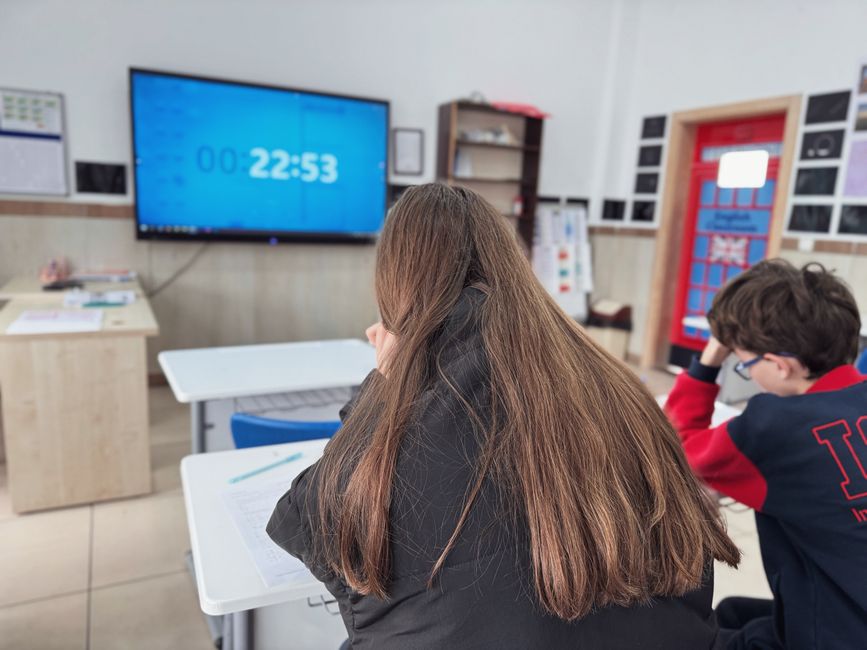
Create a 1128×191 LinkedIn company page banner in DesignLumo with a dynamic countdown timer (use a static image updated daily via Zapier). Include event title, date, and a bold CTA “Register Now”. Automate image refresh by connecting Google Sheets (date field) to DesignLumo’s API. Monitor banner click‑throughs; target a 2.5% CTR. This keeps the event top‑of‑mind without manual updates.
3. Recruitment & Brand Authority Assets
Corporate Training Offer Graphic
Draft a LinkedIn Sponsored Content visual using DesignLumo: prompt for “Professional LinkedIn ad for B2B language training, include space for client logos, 3‑column benefit list, brand palette #0A3D62”. Export layered file, insert prospect logos in Photoshop, add a concise headline. Run A/B test with two copy variations; measure CPL (cost per lead) and aim for <$45. This AI‑first workflow cuts creative time by 70%.
Job Posting Graphic with Skill Badges

In Canva, start with a LinkedIn job post template (1200×627). Use DesignLumo to generate custom skill icons (e.g., “Fluent Spanish”, “Curriculum Design”). Drag icons onto the template, add a bold “We’re Hiring” banner, and embed a link to the application page. Track application rate; aim for a 20% lift versus text‑only posts.
Thought‑Leadership Article Header
Write a LinkedIn article on “The ROI of Multilingual Employees”. Generate a header image in DesignLumo with the prompt: “Modern abstract illustration of global network, teal and orange accents, space for article title”. Add the title overlay in Adobe Express for crisp typography. Publish and monitor average read time; target 4+ minutes, indicating deep engagement and authority building.
Before you go
- Batch‑create 30‑day content calendars in Notion, then feed prompts to DesignLumo for all visuals at once.
- Use LinkedIn analytics to isolate the best‑performing post format; replicate its visual style with AI to maintain consistency.
- Enable UTM parameters on every CTA link; combine with Google Data Studio dashboards to attribute leads to specific LinkedIn assets.















Ready to create your first design?
Join thousands creating professional designs in seconds.
Create with DesignLumo
Related Resources
Small Business Saturday Playbook for Language Schools
Tactical marketing and design guide for SB Saturday.
Language School Brand Assets Design Guide
Step‑by‑step tactics for logos, cards, letterheads, and brand kits.
YouTube Design Toolbox for Language Schools
Essential AI and classic tools to create YouTube graphics that drive enrollments.
Essential Digital Tools for Language School Growth
Top AI and marketing tools to boost enrollment and engagement for language schools.
Black Friday & Cyber Monday Design Playbook
Tactical design guide for language schools to dominate Black Friday sales.
Facebook Essentials for Language School Growth
Tactical tools and workflows to dominate Facebook for language schools.