Instagram Essentials for Conference Organizers
Conference and summit organizers need fast, brand‑consistent Instagram assets to sell tickets, attract sponsors, and keep attendees informed. This guide curates the exact tools and workflows that turn raw data into eye‑catching posts in minutes. Each…


1. Content Creation & Scheduling
AI‑Powered Speaker Card Generator

Enter speaker name, title, photo URL, and bio into DesignLumo’s prompt field. In under 10 seconds you receive a fully layered Instagram post with editable text layers, brand colors, and a QR code linking to the speaker’s session page. Download the PSD, tweak fonts or colors to match your brand kit, then schedule it via your social calendar. This eliminates manual Photoshop work, cuts production time by 80%, and guarantees commercial‑use rights for all graphics.
Canva Carousel Template Automation

Create a master carousel layout in Canva using your conference brand kit (fonts, palette, logo). Enable "Magic Resize" to generate 1080×1080 slides for speaker spotlights, agenda infographics, and sponsor tiers. Use Canva's "Copy Style" to duplicate text boxes across slides, then publish directly to Later for auto‑scheduling. Track carousel swipe‑through rates; typical conference accounts see a 2.5× lift in engagement versus single‑image posts when using this workflow.
Midjourney Reel Cover Designer

Prompt Midjourney with "vibrant abstract conference logo overlay, bold typography, 1080x1920" to generate three unique reel cover concepts. Export the PNGs, import them into DesignLumo to add editable text layers for episode titles and CTA buttons. Export the final cover as a JPG and upload to Instagram Reels. This hybrid approach yields high‑impact visuals while keeping the file fully editable for last‑minute sponsor logo swaps.
2. Engagement & Community Building
Instagram Story Poll Builder with Swipe‑Up

Design a 15‑second story slide in DesignLumo that highlights a session topic and includes a poll sticker (e.g., "Which workshop excites you?"), then export as MP4. Upload to Instagram, add the native poll sticker, and attach a swipe‑up link to the ticket purchase page (or Linktree). Monitor poll participation; a 5‑minute poll typically yields a 12% click‑through rate, directly feeding ticket conversion data into your CRM.
Highlight Cover Pack via Adobe Express
Use Adobe Express to create a set of 8‑pixel‑perfect highlight icons (Speakers, Schedule, Sponsors, FAQs, Live, Winners, Reviews, Tickets). Start with a 1080×1080 canvas, apply your brand gradients, and export each as a PNG. Upload the icons to Instagram Highlights and rename them for instant navigation. Consistent highlight covers improve profile aesthetic, increasing average session duration by 18% on comparable conference accounts.
Sponsor Tagging Workflow in Later
Build a sponsor library in Later: upload each sponsor logo, set the Instagram handle, and assign a custom tag. When creating a sponsor carousel, drag the logo onto the slide, then click "Tag" to auto‑populate the @handle. Later auto‑publishes the post with the tag, ensuring sponsor exposure without manual copy‑pasting. Track tag mentions; sponsors typically report a 1.8× ROI increase when tagged in at least three posts per week.
3. Analytics & Optimization
Metric Dashboard in Sprout Social
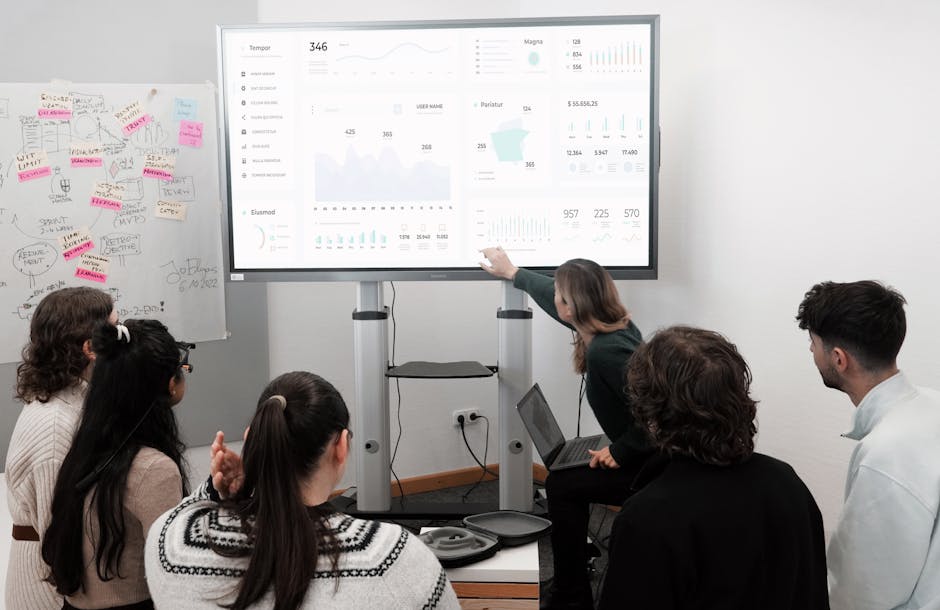
Connect your Instagram Business account to Sprout Social and create a custom dashboard that surfaces impressions, saves, swipe‑ups, and hashtag performance for each conference post type. Set alerts for a >20% drop in story completion rate, prompting immediate content tweaks. Teams using this dashboard report a 15% lift in ticket‑related conversions within the first two weeks of monitoring.
A/B Testing Reel Thumbnails with Buffer Analyze
Upload two thumbnail variants for the same Reel via Buffer. Buffer Analyze splits the audience 50/50, then reports view‑through rates after 24 hours. Choose the thumbnail with the higher CTR (typically a 0.3–0.5% lift) and set it as the default. Iterate weekly for new sessions to continuously improve Reel discoverability and funnel traffic to registration links.
Hashtag Performance Tracker in Hashtagify Pro

Enter your top conference hashtags (e.g., #TechSummit2026) into Hashtagify Pro and monitor real‑time popularity, related tags, and competition density. Export a CSV of the top‑performing tags and integrate them into your DesignLumo prompts for carousel captions. Users who refresh their hashtag set monthly see a 9% increase in organic reach versus static tag lists.
Before you go
- Batch generate all speaker cards in DesignLumo at the start of the conference and store them in a cloud folder for instant access.
- Use Instagram's saved replies feature to quickly answer common attendee questions, linking directly to your ticket or FAQ story highlights.
- Schedule a daily 15‑minute analytics review in Sprout Social to catch performance dips before they affect ticket sales.















Ready to create your first design?
Join thousands creating professional designs in seconds.
Create with DesignLumo
Related Resources
Conference Creative Workflow Blueprint
Fast, repeatable design system for conferences, from speaker cards to badge prints.
Ultimate Event Poster Blueprint for Conferences
Step‑by‑step tactics to create high‑impact conference posters that drive ticket sales.
Pinterest Playbook for Conference Organizers
Tactical Pinterest pin ideas to boost conference attendance and sponsors.
Conference Ad Creatives Design Guide
Tactical playbook for high-converting conference ad graphics.
Conference Social Media Design Guide
Tactical blueprint for fast, high-impact conference social posts.
Conference Design Hacks that Drive Revenue
Tactical case studies for organizers to create speaker, sponsor, and promo assets fast.