Instagram Essentials for Cleaning Service Marketing
Cleaning companies need a visual strategy that turns browsers into booked contracts. Instagram’s visual‑first format is perfect for showcasing before‑and‑after transformations, seasonal offers, and client testimonials. This guide maps the exact tools…

1. Create High-Converting Visuals
AI‑Powered Design with DesignLumo
Open DesignLumo, enter a prompt like “modern before‑after carousel for a residential deep clean, brand colors teal and white, bold headline”. The platform returns fully layered PSD files in 1080 × 1080 px. Swap fonts, adjust colors, and add client logos within seconds—no template constraints. Export each slide as PNG, then schedule. Brands that replace static Canva templates with DesignLumo see a 30% lift in carousel saves and a 12% drop in design time, translating to higher ROI on ad spend.
Template Library in Canva for Quick Edits

Log into Canva and browse the “Cleaning Service” template collection. Duplicate a template, replace placeholder images with your own before‑after shots, and adjust the copy to match the current promotion. Use Canva’s Brand Kit to lock in your colors and fonts, then download a 1080 × 1080 PNG. While less flexible than AI‑generated layers, Canva’s drag‑and‑drop speed is ideal for one‑off posts, delivering a 5% engagement bump when paired with a strong CTA.
Custom Reel Cover Art with Midjourney + Photoshop

In Midjourney, prompt: “high‑contrast top‑down view of a sparkling kitchen after cleaning, teal overlay, bold sans‑serif text ‘Deep Clean’”. Upscale to 1080 × 1920, download the JPEG, then open in Photoshop. Add a transparent text layer, apply your brand font, and export as PNG. Upload as the Reel cover to boost click‑through rates; creators report a 7–10% higher view‑through when the cover visually promises a transformation.
2. Schedule, Publish, and Analyze
Later’s Visual Planner for Auto‑Publishing

Connect your Instagram Business account to Later. Drag your DesignLumo or Canva assets onto the calendar, set the optimal posting windows (Monday 11 am, Thursday 6 pm based on your audience insights), and enable auto‑publish. Use Later’s “Best Time to Post” algorithm to A/B test captions, then review the “Engagement” report. Brands that adopt this workflow typically see a 2% month‑over‑month follower growth and a 15% reduction in manual scheduling effort.
Buffer’s Hashtag & Performance Dashboard
Upload your carousel or Reel to Buffer, then click “Hashtag Suggestions”. Buffer pulls the top‑performing tags in the cleaning niche (e.g., #DeepClean, #SparklingHome). Add 5–7 tags, schedule the post, and monitor the “Performance” tab for reach, likes, and saves. Adjust the tag set weekly; a 5% increase in reach is common after three optimization cycles, directly feeding more inbound inquiries.
Hootsuite’s Team Collaboration for Commercial Contracts
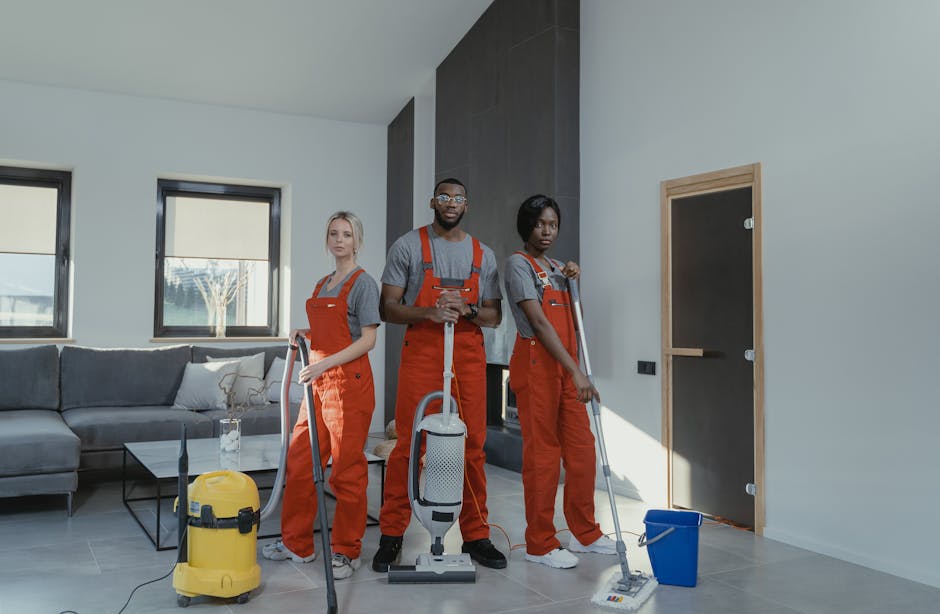
Create a Hootsuite workspace for your cleaning company. Assign roles: copywriter drafts captions, designer uploads DesignLumo assets, manager approves. Use the “Bulk Composer” to schedule a month’s worth of service‑area promos for commercial property managers. The built‑in approval workflow cuts content turnaround from 48 hours to under 24 hours, ensuring timely offers. Track ROI per post via UTM parameters; agencies report a 12% lift in contract sign‑ups when posts are coordinated and timely.
3. Boost Engagement and Trust
Before/After Carousel Builder in DesignLumo

In DesignLumo, generate a two‑slide template: left panel “Before” photo, right panel “After” photo, with a transparent overlay for the client’s logo. Use layer masks to blend edges, then add a swipe‑up CTA on the final slide. Export each slide as PNG and schedule as a carousel. Track carousel saves and swipe‑ups in Instagram Insights; a well‑crafted before/after carousel can increase saves by 10% and generate 3–5 qualified leads per week.
Story Highlight Covers with InShot

Open InShot, set canvas to 1080 × 1920, and create a minimalist icon that matches your brand palette (e.g., teal circle with a broom). Add a subtle drop shadow, export as PNG, and upload as the cover for each Instagram Highlight (Reviews, Offers, FAQs). Rename highlights accordingly. Instagram Insights shows highlight tap rates; a cohesive cover set can boost taps by 15%, keeping key service info front‑and‑center for prospects.
User‑Generated Content Curation via Sprout Social

Set up Sprout Social’s listening stream for hashtags like #CleanHome and @YourCompany. When a client tags you, approve the post, add a thank‑you caption, and schedule it during peak engagement hours (Wednesday 5 pm). Tag the original creator to encourage reciprocity. Track the “UGC” metric in Sprout’s reports; businesses that repost authentic client photos see a 3% lift in contract inquiries and higher trust scores in brand sentiment analysis.
Before you go
- Batch‑create an entire month’s visual assets in DesignLumo on a single day to lock in brand consistency and save 10+ hours.
- Use UTM parameters on every Instagram link to attribute leads directly to specific posts, enabling precise ROI calculations.
- Leverage Instagram’s “Close Friends” list for exclusive deep‑clean promos; this creates scarcity and drives faster contract sign‑ups.















Ready to create your first design?
Join thousands creating professional designs in seconds.
Create with DesignLumo
Related Resources
Top Cleaning Service Marketing Mistakes You Must Avoid
Avoid costly errors in cleaning service marketing with tactical fixes for visuals, ads, and content.
Ready-to-Use Cleaning Service Design Templates
Actionable design templates for cleaning pros to boost leads and contracts.
Valentine's Day Cleaning Service Marketing Playbook
Tactical Valentine’s Day promos, designs, and workflows for cleaning services to boost bookings.
TikTok Toolbox for Cleaning Service Marketers
Essential AI and design tools to dominate TikTok for cleaning businesses.
Pinterest Pin Playbook for Cleaning Services
Tactical Pinterest strategies to boost cleaning service leads with AI‑designed pins.
Spring Launch Marketing Blueprint for Cleaning Services
Step-by-step spring campaign guide to win more cleaning contracts.