Instagram Content Playbook for LinkedIn Agencies
LinkedIn agencies need Instagram assets that reinforce thought leadership while moving leads through the funnel. This guide delivers repeatable, high‑impact ideas you can produce at scale. Every tactic includes exact tools, workflow steps, and KPI ta…


1. Carousel Mastery for Thought Leadership
Data‑Driven Insight Carousel
Start with a single KPI (e.g., SaaS churn rate) and pull raw data from your client’s analytics platform. In DesignLumo, prompt: "Create a 5‑slide layered carousel visualizing churn trends with bar charts, icons, and brand colors". Export the PSD, open in Canva for fine‑tuning copy, then save as PNG sequence. Schedule via Later, targeting a 3‑5% swipe‑through rate. Track carousel completion in Instagram Insights; if <2%, iterate copy length. This workflow delivers a ready‑to‑publish carousel in under 30 minutes, cutting design time from 3 hours to 45 minutes.
Executive Quote Pull‑Quote Carousel
Collect 3‑5 punchy statements from the client’s recent webinar transcript. In DesignLumo, ask for "stylish pull‑quote slides with bold typography, brand‑specific accent colors, and subtle background texture". Generate a layered file, then use Adobe Express to add motion‑blur animation for Instagram Stories teasers. Publish the carousel with a CTA linking to the full webinar, aiming for a 1.8% link‑click rate. Measure via UTM parameters; if CTR <1.5%, test larger font size or contrast. This method turns raw audio into high‑engagement visual assets in under 20 minutes.
Benchmark Comparison Carousel
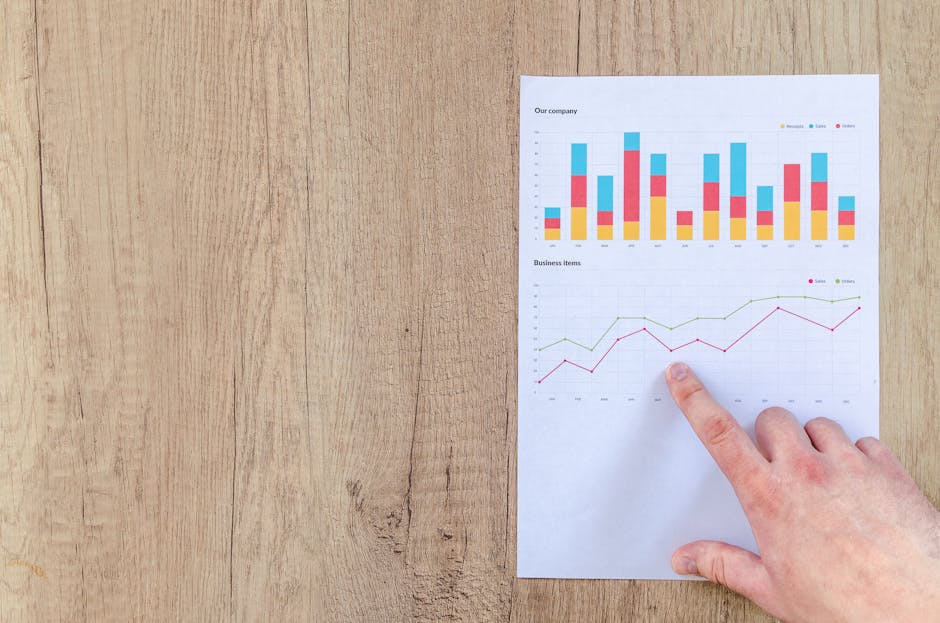
Gather industry benchmark data (e.g., average CAC for SaaS). In a Google Sheet, calculate client’s position versus benchmark. Feed the sheet into DesignLumo with the prompt: "Create a 4‑slide carousel comparing client CAC to industry average, using dual‑axis charts and brand colors". Export SVG layers, open in Figma for precise alignment, then batch export to Instagram size (1080×1080). Aim for a 2.5% saved post rate as a proxy for value perception. Iterate based on saved metrics after 7 days. This approach produces data‑rich carousels that position your client as a market authority.
2. Story & Highlight Frameworks
3‑Step Problem‑Solution Story Sequence
Map a client pain point, solution, and social proof into three 1080×1920 frames. In DesignLumo, prompt: "Create three layered Instagram Story templates: problem slide with red accent, solution slide with green accent, proof slide with brand logo and testimonial". Export to PNG, upload to Buffer, and add swipe‑up links (or link sticker). Track story exit rate; target <15% exits on the middle slide. If exit spikes, increase contrast on CTA. This repeatable template reduces story creation time to 10 minutes per campaign.
Highlight Cover Kit for Executive Profiles
Design a set of 5 highlight icons (e.g., Events, Hiring, Insights, Clients, Culture) in DesignLumo using the prompt: "Create five cohesive Instagram Highlight covers with minimal line icons, brand palette, and 300×300 size". Export as PNG, rename with the exact highlight name, and upload to each executive’s profile. Measure profile visits; a well‑branded highlight suite can lift profile clicks by 12% within two weeks, according to Instagram Insights. This kit can be generated once per brand and re‑used across all executives.
Live‑Event Countdown Stories
Use Typeform to capture event registration data, then integrate Zapier to push the date into a Google Sheet. In DesignLumo, prompt: "Create a 5‑day Instagram Story countdown series with dynamic date placeholder, brand colors, and animated progress bar". Download layered PSD, replace placeholder via Photoshop batch processing, then schedule daily via Later. Aim for a 4% registration conversion from story views. Track via UTM‑tagged registration link; if conversion <3%, test adding a limited‑time discount sticker. This automation cuts manual design effort from hours to minutes.
3. Reel Cover & Video Hook Strategies
Bold Text Overlay Reel Cover
Select a high‑contrast frame from the final reel edit. In DesignLumo, ask: "Generate an Instagram Reel cover with bold uppercase headline, brand accent underline, and space for logo". Export PNG, overlay the logo in Canva for pixel‑perfect positioning, then upload as cover. Monitor Reel save rate; a compelling cover can lift saves by 18% versus default thumbnails. Test three headline variations via A/B testing in Later, choosing the one with highest average watch‑time (>30 seconds). This method turns any reel into a click‑magnet in under 15 minutes.
Hook‑First 3‑Second Clip Template
Create a 3‑second hook template in Adobe Premiere: start with a kinetic typography animation (brand font), then cut to the main visual. Export the clip, upload to DesignLumo, and request a matching lower‑third graphic that syncs with the hook’s color pulse. Combine both in Final Cut Pro for seamless timing. Publish the reel and track average watch‑time; aim for >45% of viewers staying past 3 seconds. If drop‑off >20%, iterate the hook’s visual contrast or add a question overlay. This systematic hook boosts reel completion rates dramatically.
User‑Generated Content Reel Pack
Collect 5‑7 client‑submitted video clips via a Dropbox folder. In Descript, auto‑transcribe and extract sound bites. Feed the transcriptions into DesignLumo with the prompt: "Create cohesive lower‑thirds for each UGC clip, using brand palette and animated icons". Export layered assets, drop into Premiere, and apply a uniform transition preset. Publish the reel and tag contributors; monitor engagement spikes (average +22% likes) and referral traffic from tagged users. This workflow turns raw UGC into polished reels in under an hour, scaling personal brand amplification.
4. Ad & Event Visuals for Instagram
One‑Click Sponsored Carousel Builder
Integrate HubSpot’s campaign data (budget, CTA) via Zapier into a Google Sheet. Use DesignLumo with the prompt: "Create a 4‑slide Instagram ad carousel promoting a SaaS webinar, include headline, bullet benefits, speaker photo, and CTA button". Export PNGs, upload to Facebook Ads Manager, and set carousel order. Aim for a CPM under $8 and a CTR >1.2%. If CTR lags, A/B test the CTA button color using Canva’s brand kit. This automation reduces ad‑creative turnaround from 4 hours to 30 minutes.
Event Banner Suite for Instagram Feed
Gather event details (date, speaker, registration link). In DesignLumo, prompt: "Generate three Instagram feed banners (1080×1080) for a virtual conference: teaser, speaker spotlight, final reminder, using brand gradients and iconography". Export layered files, adjust copy in Adobe Express to meet character limits, then schedule via Later. Track banner-specific link clicks; the reminder banner should achieve ≥2.5% click-through. If below, increase urgency wording and add a countdown sticker. This suite streamlines multi‑phase promotion with consistent branding.
Hiring Announcement Reel Pack
Create a hiring splash screen in DesignLumo: "Design a 5‑second animated Reel intro for a hiring campaign, featuring the company logo, role title, and animated confetti in brand colors". Export as MP4, then combine with a voice‑over recorded in Audacity. Add role‑specific bullet points using Canva’s animated text templates. Publish the reel, tag the hiring manager, and monitor application clicks via a unique landing page. Target a 3% application conversion from reel views; if lower, test adding employee testimonial clips. This method yields a high‑impact hiring reel in under 25 minutes.
Before you go
- Batch generate all carousel assets in DesignLumo first, then allocate 15 minutes per piece for copy polishing in Canva.
- Use Instagram’s native “Save” metric as a proxy for perceived value; aim for at least 1.5% of viewers saving your carousel.
- Maintain a master Brand Kit spreadsheet (fonts, hex colors, logo variations) and sync it with DesignLumo’s brand settings to ensure zero‑deviation across every executive profile.















Ready to create your first design?
Join thousands creating professional designs in seconds.
Create with DesignLumo
Related Resources
LinkedIn Agency Wins: Real‑World Design Case Studies
Tactical case studies showing how LinkedIn agencies scale carousel design, brand consistency, and lead gen.
LinkedIn Ad Creative Mastery Guide
Actionable tactics for LinkedIn agencies to design high‑converting paid ad creatives.
LinkedIn Agency Campaign Launch Checklist Blueprint
Step‑by‑step checklist to scale carousel posts, keep brand tight, and slash design time.
Essential Digital Tools for LinkedIn Agency Growth Scaling
Top AI and design platforms to accelerate carousel creation, brand consistency, and lead gen.
LinkedIn Agency Content Ideas to Scale Design & Leads
Tactical carousel, infographic, and banner ideas to win B2B leads on LinkedIn.
Mother's Day LinkedIn Agency Playbook
Tactical guide for LinkedIn agencies to launch high-impact Mother’s Day campaigns.