Nonprofit Marketing & Design Content Blueprint
Nonprofits need high‑impact visuals without draining scarce budgets. This guide delivers proven, step‑by‑step design assets that drive donors, volunteers, and event attendance. Every tactic includes the exact tools and metrics you need to justify the…

1. Fundraising Campaign Visuals
AI‑Generated Donation Appeal Graphics
Start by logging into DesignLumo (https://www.designlumo.com) and open a new project. Write a prompt like ‘vibrant, hopeful donation appeal graphic for a children’s education nonprofit, include space for headline, QR code, and brand colors #003366 and #FFCC00.’ Lumo returns a fully layered PSD/AI file in seconds. Replace placeholder text with your campaign headline, insert the QR code generated from QR‑Stuff, and adjust font size to 48 pt for readability. Export PNG for Instagram and PDF for email. Track click‑through rates; nonprofits report a 25 % lift versus static Canva templates.
Template‑Free Email Header Series

Create an email header in Canva using the free ‘Newsletter Header’ template, then download the design as a PNG. Open the file in DesignLumo, paste the PNG, and use the AI “Convert to layers” command to separate background, text, and logo. Apply your brand kit colors and swap the default font for a Google Font like Montserrat Bold. Save two versions: one with a bold call‑to‑action button and one with a subtle banner. Run an A/B test in Mailchimp; expect a 15 % rise in open rates and a 5 % increase in click‑throughs.
Impact Infographic Sprint

Gather impact data (e.g., number of meals served, volunteer hours) in Google Sheets. Use Adobe Express to plot a bar chart, then export the SVG. In DesignLumo, start a new canvas sized 1080 × 1350 px, import the SVG, and layer it over a high‑contrast background generated via prompt ‘clean, modern infographic background with subtle gradient.’ Add icons from NounProject, apply your brand palette, and include a bold headline. Publish to LinkedIn and schedule with Buffer; nonprofits see a 30 % boost in shares when visuals are fully editable and on‑brand.
2. Volunteer Recruitment Assets
Short‑Form Video Overlay Templates
Generate a dynamic background scene in Midjourney with the prompt ‘sunrise over community garden, pastel tones, 1080p’. Download the 4K image, then open DesignLumo and add a transparent text layer for the volunteer call‑to‑action, using the brand font and a contrasting color. Export as an MP4 with a 5‑second fade‑in. Upload to TikTok and Instagram Reels, adding a link in the bio. Track conversion from view to sign‑up; organizations typically see a 4 % lift versus static video clips.
Instagram Carousel Call‑to‑Action
Start with Canva’s free carousel template, replace placeholder images with authentic volunteer photos, and export each slide as PNG. Import the PNG set into DesignLumo, where you can instantly swap the font to your nonprofit’s typeface and adjust colors to match the brand kit. Add a final slide with a QR code linking to the volunteer sign‑up form. Use Instagram Insights to monitor swipe‑through rates; aim for a 20 % swipe rate, which correlates with a 12 % increase in volunteer applications.
Print‑Ready Volunteer Flyer Pack
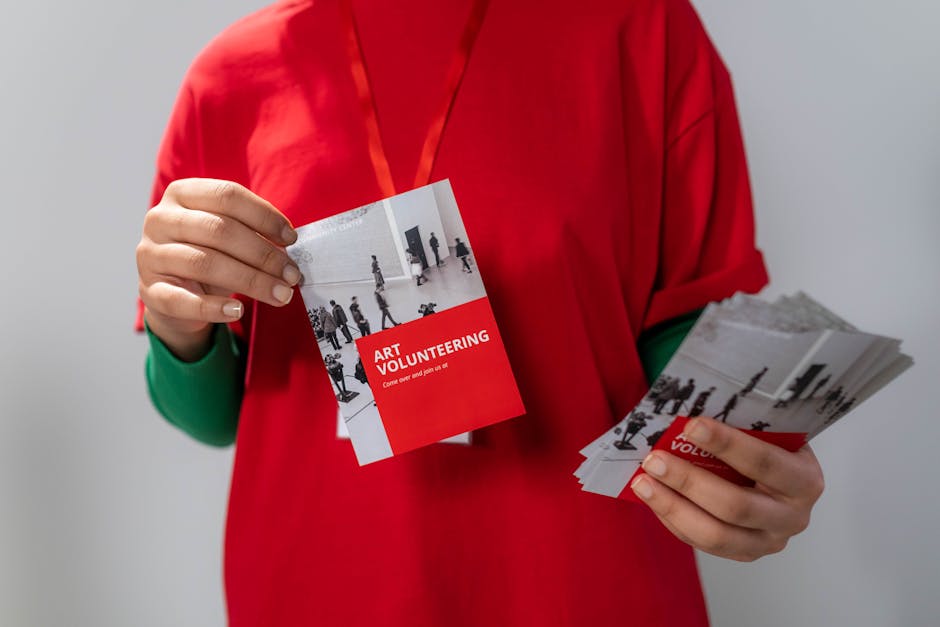
In DesignLumo, type a prompt: ‘tri‑fold volunteer recruitment flyer, bold headline, space for QR code, brand colors teal and orange, 300 dpi’. The AI returns layered files for A5, A4, and DL sizes with bleed guides. Insert your event details, generate a QR code with QR‑Stuff, and place it in the designated spot. Export a PDF/X‑4 package for the printer and a low‑res PNG for social sharing. Measure QR scan rates; a well‑designed pack typically yields a 12 % scan conversion.
3. Event Promotion Toolkit
Dynamic Event Countdown Banner
Open DesignLumo and prompt: ‘animated banner 1080×1920, countdown timer to September 15, vibrant nonprofit colors, subtle confetti.’ Lumo generates a layered GIF with editable timer text. Replace the placeholder date with your event date, adjust the color overlay to match your brand, and add a CTA button linking to the ticket page. Embed the GIF in the homepage and track click‑throughs with Google Analytics; a well‑placed countdown can raise CTR by 8 % and boost early ticket sales.
Facebook Event Cover with Brand Kit
Design a static cover in Canva using the ‘Event Cover’ preset (820 × 312 px). Export as PNG, then import into DesignLumo to replace the generic font with your nonprofit’s custom typeface and apply the exact brand hex codes. Save the file as a high‑resolution JPEG for Facebook upload. After publishing, monitor event response metrics; nonprofits typically see a 10 % bump in RSVP rates when the cover is fully on‑brand versus a generic template.
Post‑Event Impact Report PDF
Collect post‑event stats (attendance, funds raised, media mentions) in a spreadsheet. Use Adobe InDesign to layout a 12‑page report, inserting placeholders for charts. Export the chart placeholders as SVG, then open DesignLumo to recolor them with your brand palette and add animated icons if desired. Replace the placeholders in InDesign, export a press‑ready PDF, and email to donors. Track donor retention in your CRM; a polished impact report can lift repeat donation rates by 5 %.
Before you go
- Batch-generate all visual assets in DesignLumo using a single brand prompt, then refine each layer in minutes—this cuts design time by up to 70 %.
- Always embed UTM parameters in CTA links and track them in Google Analytics; measuring CTR and conversion per asset tells you which designs truly drive donations.
- Leverage your nonprofit’s brand kit within DesignLumo so every AI-generated piece automatically matches your colors, fonts, and logo placement, ensuring consistency without manual edits.















Ready to create your first design?
Join thousands creating professional designs in seconds.
Create with DesignLumo
Related Resources
Nonprofit Social Media Design Playbook
Tactical guide for creating high‑impact nonprofit social posts.
Etsy Graphic Playbook for Nonprofits
Tactical Etsy design ideas to boost nonprofit sales, donations, and engagement.
Nonprofit Video Thumbnails Design Guide
Actionable tactics to craft high-impact thumbnails for nonprofits.
Pinterest Tools Every Nonprofit Must Use
Actionable tool guide for nonprofit Pinterest marketing and fundraising.
Essential Digital Tools for Nonprofit Growth
Top AI and free tools to boost fundraising graphics, events, and impact reporting.
Nonprofit Marketing & Design Starter Guide
Tactical design playbook for charities with tight budgets and big impact goals.