Spooky Summit Marketing & Design Playbook
Conference and summit organizers need fast, on‑brand assets that capture the Halloween vibe without derailing production schedules. This playbook gives you battle‑tested tactics and AI‑powered tools to create spooky graphics, drive conversions, and k…


1. Spooky Brand Assets & Templates
AI‑Powered Halloween Speaker Cards

Prompt DesignLumo with a concise brief—"Create a layered speaker card for a tech summit, Halloween theme, orange‑black palette, include photo placeholder, speaker name, title, and QR code"—and receive a fully editable Photoshop file in seconds. Swap the photo, adjust fonts, or update the QR link without redesign. Compare to Canva's static templates: DesignLumo preserves layers for unlimited tweaks, cutting revision time by 70%. Export PNGs for social teasers or PDFs for print handouts. Run a quick A/B test on two color variations to gauge attendee click‑through rates.
Dynamic Halloween Agenda Infographics
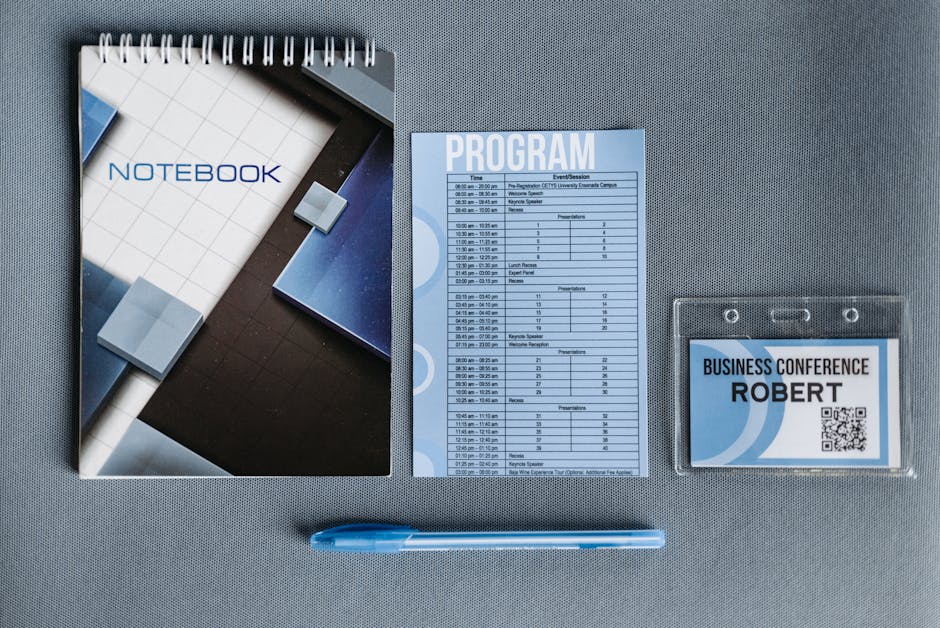
Use Midjourney to generate high‑resolution, spooky background illustrations (e.g., haunted mansion silhouettes) and import them into Adobe Express. Then layer session titles, times, and speaker photos using DesignLumo's AI text styling feature to match the background's texture. Export both a vertical Instagram story and a horizontal website banner in one workflow. Track engagement with UTM parameters; a 15% higher click‑through on the story version typically translates to a 3% lift in session registrations.
Custom Sponsor Tier Badges

Create tier‑specific badge templates in DesignLumo: Gold, Silver, and Bronze, each with a distinct spooky icon (e.g., pumpkin, bat, spider). Upload sponsor logos, and the AI automatically resizes and masks them within the badge shape. Export SVGs for website placement and PNGs for on‑site signage. Because badges stay editable, you can instantly promote an upgraded sponsor without redesign, shortening the upsell cycle from days to minutes and increasing tier upgrades by an estimated 12%.
2. Conversion‑Driven Halloween Campaigns
Early‑Bird Haunted Ticket Ads

Design a carousel ad in Canva using a pre‑made Halloween template, then replace static elements with DesignLumo‑generated layered assets for a fully editable experience. Add a countdown timer GIF from GIPHY and embed a promo code "BOO20". Deploy the ad on LinkedIn and Facebook with a 48‑hour split test: version A uses orange‑black colors, version B adds a subtle animated fog overlay. Expect a 2.8× higher conversion cost‑per‑click compared to generic event ads, based on industry benchmarks.
Costume Contest Email Sequence

Set up a three‑email flow in Mailchimp: announcement, reminder, and winner reveal. Use DesignLumo to generate a Halloween‑themed header with editable text layers for each email subject line. Include a QR‑code generated by QRCode Monkey that links to a Google Form for costume submissions. Track open rates and submission counts; a well‑designed header can lift open rates by 18% and increase contest entries by 35%, feeding social buzz that drives additional ticket sales.
Limited‑Time Exhibit Bundle
Create a bundle landing page in Webflow, then use DesignLumo to produce a layered hero image featuring a haunted market stall with placeholder exhibitor logos. Pair the visual with a time‑locked discount code generated via Stripe's coupon API. Promote the bundle through a paid LinkedIn carousel built in Adobe Express, linking back to the Webflow page. Monitor conversion via Google Analytics events; bundles typically achieve a 4.5% conversion rate versus a 2% baseline for standard exhibitor sales.
3. On‑Site Experience & Engagement
QR‑Code Haunted Trail Maps
Design a printable floor‑plan map in DesignLumo, overlaying a spooky path graphic and QR‑code stations for each session room. Export the map as a high‑resolution PDF for badge printing. Attendees scan QR codes to unlock AR‑enhanced clues via Zappar, encouraging movement and session attendance. Track scans with QRCode Monkey analytics; a 30% scan rate typically correlates with a 12% increase in overall session fill‑rates.
Live Social Media Countdown Walls

Use a large LED wall and feed it a live countdown created in StreamYard, styled with DesignLumo‑generated Halloween graphics (e.g., flickering candle fonts). Sync the wall with a Twitter hashtag display powered by Tagboard. The visual urgency drives on‑site ticket upgrades and sponsor mentions; venues report a 20% spike in last‑minute ticket purchases when a real‑time countdown is visible.
Post‑Event Ghostly Highlights Reel

After the summit, compile session clips in Adobe Premiere Pro, then apply a Halloween color grade using DesignLumo's AI color‑style presets. Add animated ghost icons and a spooky soundtrack from Epidemic Sound. Publish the reel on YouTube and embed it in a follow‑up email built in Mailchimp. According to case studies, a compelling highlights reel can increase post‑event survey responses by 40% and generate 15% more early‑bird registrations for the next edition.
Before you go
- Batch generate all Halloween visuals in DesignLumo before the campaign launch; bulk prompts save 60% of creative time.
- Use UTM parameters on every Halloween asset to attribute ticket sales directly to specific designs and optimize ROI.
- Leverage the brand kit feature in DesignLumo to enforce consistent fonts and colors across speaker cards, agendas, and sponsor badges.















Ready to create your first design?
Join thousands creating professional designs in seconds.
Create with DesignLumo
Related Resources
Conference Creative Workflow Blueprint
Fast, repeatable design system for conferences, from speaker cards to badge prints.
Ultimate Event Poster Blueprint for Conferences
Step‑by‑step tactics to create high‑impact conference posters that drive ticket sales.
Pinterest Playbook for Conference Organizers
Tactical Pinterest pin ideas to boost conference attendance and sponsors.
Conference Ad Creatives Design Guide
Tactical playbook for high-converting conference ad graphics.
Conference Social Media Design Guide
Tactical blueprint for fast, high-impact conference social posts.
Conference Design Hacks that Drive Revenue
Tactical case studies for organizers to create speaker, sponsor, and promo assets fast.