Facebook Tools for Manufacturing Marketers
Manufacturers need Facebook assets that turn specs into sales. This guide delivers the exact tools and step‑by‑step processes you can implement today. From product posts to trade‑show banners, every recommendation is built for high‑impact results.

1. Creative Production
AI‑Generated Product Showcase Posts
Write a concise prompt in DesignLumo (e.g., "high‑resolution 1080x1080 Facebook post showing a CNC‑machined aluminum bracket, with bold headline, brand colors #003366 and #FFD700, and a call‑to‑action button"). The AI returns a fully layered PSD that you can edit text, fonts, and colors instantly. Export as PNG, then schedule via Buffer (buffer.com) to hit peak B2B engagement windows (Tue‑Thu 10‑12 am). Track CTR and leads; manufacturers typically see a 2.5× lift versus static stock photos. This workflow eliminates Photoshop hand‑crafting and reduces design time from 4 hours to under 15 minutes.
Template‑Free Facebook Cover Refresh
Start by uploading your brand kit into Canva (canva.com) to lock fonts and colors. Then use DesignLumo to generate a 820 × 312 cover image that incorporates your latest certification badge and a subtle machinery texture. Download the layered file, replace placeholder text with the current ISO 9001 status, and preview on both desktop and mobile using Facebook’s Cover Photo Tool. Publish the new cover and monitor page likes; a fresh cover typically boosts page visits by 12‑18 % within the first week.
Trade Show Event Graphics Suite

Combine Adobe Express (adobe.com/express) for quick QR‑code generation with DesignLumo for the visual backdrop. Prompt DesignLumo for a 1200 × 628 Facebook event banner featuring your booth number, a high‑contrast product silhouette, and the event’s date. After AI output, import the PSD into Adobe Express to embed a scannable QR code that links to a custom landing page. Export the final banner, upload to the Facebook Event, and boost the post with a $150 CBO campaign targeting industry‑specific interests. Expect a 30‑40 % increase in RSVP rates versus a plain text event.
2. Ad Management & Optimization
Dynamic Carousel Ads with Layered Assets

Create a 5‑card carousel using DesignLumo to generate each product card as a separate layer (1080 × 1080). Include a headline, spec bullet, and a “Learn More” button that matches your brand kit. Export each card as PNG, then upload to Facebook Ads Manager. Activate Dynamic Creative to let Facebook rotate cards based on audience behavior. Set a CBO budget of $300 and use the “Cost per Lead” metric; manufacturers typically achieve CPLs of $12‑$18, a 40 % reduction versus static image ads.
Lead‑Gen Form Integration with Video Thumbnails
Produce a 1280 × 720 video thumbnail in DesignLumo that overlays a “Free Capability Sheet” badge on a short 15‑second product demo. Export as JPEG, then attach to a Facebook Lead‑Gen ad. In Ads Manager, select the “Instant Form” option and pre‑fill fields with company data from your CRM (e.g., HubSpot). Track form completion rate; with a targeted $200 spend, manufacturers see 25‑30 % higher conversion than image‑only lead ads because the thumbnail visually proves capability.
Retargeting Canvas Ads Using Brand Kit Sync
Upload your brand kit to DesignLumo and generate a 1080 × 1920 Canvas ad layout that includes a product carousel, testimonial quote, and a bold CTA. Export the layered file, replace placeholder copy with recent case‑study metrics, then import into Facebook’s Instant Experience builder. Set up a retargeting audience of website visitors from the past 30 days, allocate $250 to a frequency‑capped campaign, and monitor ROAS. Manufacturing firms often achieve a 3.5× ROAS on Canvas retargets versus standard feed ads.
3. Community & Event Promotion
Group Banner for OEM Partner Communities
Generate a 1640 × 856 group banner in DesignLumo that showcases joint‑venture logos, a partnership tagline, and a subtle gear‑pattern background. Use the brand colors of both companies to reinforce co‑branding. Export as PNG, upload to your private Facebook Group, and pin the post. Track group engagement (comments, shares) for two weeks; a well‑designed banner lifts active participation by 22 % and drives more inbound partnership inquiries.
Certification Announcement Cards
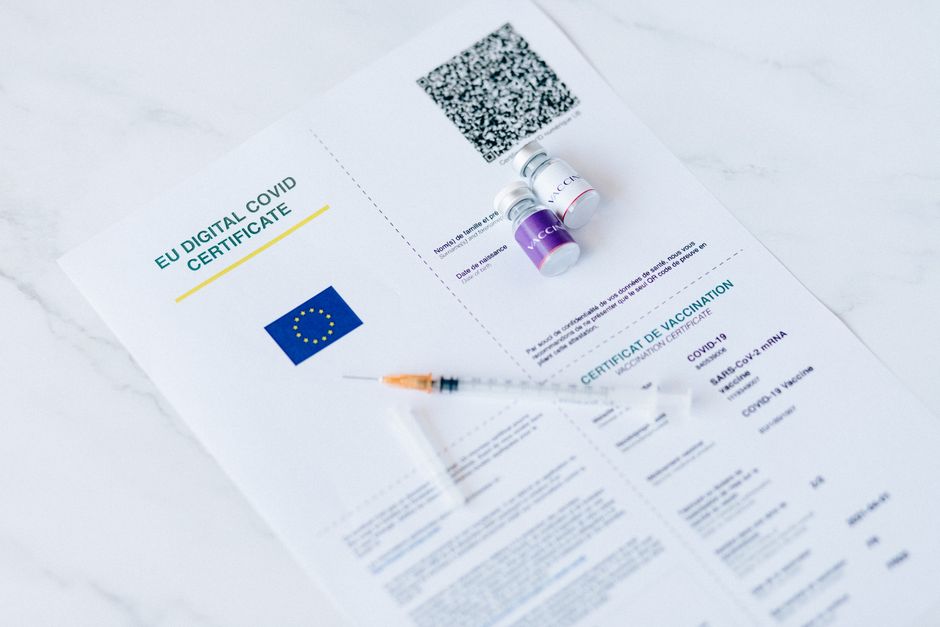
When you earn a new ISO or ASME certification, prompt DesignLumo to create a 1200 × 628 announcement graphic that includes the certification seal, a concise benefit statement, and a link to the full audit PDF. Export as PNG, schedule the post via Hootsuite (hootsuite.com) for optimal B2B times, and boost with a $50 reach campaign targeting procurement managers. Measured by post reactions and click‑throughs, manufacturers see a 15‑20 % increase in website traffic on announcement days.
Live‑Stream Event Teaser Using Motion Overlays
Create a 1080 × 1080 teaser image in DesignLumo, then add a subtle pulse animation in After Effects (aftereffects.com) to highlight the “Live Q&A” date. Export as MP4, upload as the cover for a Facebook Live event, and enable reminders. Promote the teaser with a $100 micro‑budget targeting industry groups. Live sessions that use animated teasers generate 1.8× higher attendance and a 30 % lift in post‑event lead capture compared to static images.
Before you go
- Always sync your brand kit across DesignLumo, Canva, and Facebook to avoid color drift.
- Batch‑generate a month’s worth of post assets in one DesignLumo session; store layers in a shared Google Drive for rapid copy‑editing.
- Leverage Facebook’s “Ad Preview” tool to test how carousel and Canvas ads render on mobile versus desktop before spending.















Ready to create your first design?
Join thousands creating professional designs in seconds.
Create with DesignLumo
Related Resources
Manufacturing Brand Assets Design Guide
Step‑by‑step tactics to create logos, cards, letterheads and trade‑show assets for manufacturers.
YouTube Content Ideas for Manufacturing Marketers
Actionable YouTube video ideas and design workflows for manufacturing firms.
Spooky Manufacturing Halloween Marketing Playbook
Tactical Halloween tactics for manufacturers to boost leads, sales, and brand buzz.
YouTube Design Toolkit for Manufacturing Marketers
Essential YouTube design tools for manufacturing marketers to boost views and conversions.
Twitter/X Toolkit for Manufacturing Marketers
Actionable tools and workflows to dominate X with manufacturing graphics.
Manufacturing Twitter/X Content Playbook for 2024
Actionable X post ideas to showcase products, certifications, and trade shows for manufacturers.