Facebook Content Playbook for Crypto & Web3
Crypto projects need hyper‑relevant visuals that move fast and convert. Facebook remains the hub for community updates, ad spend, and event promotion. This guide gives you a ready‑to‑execute toolbox for every Facebook asset type.

1. Page Posts that Drive Community Growth
Token Launch Countdown Carousel
Create a 5‑slide carousel that shows days‑to‑launch, tokenomics, utility, a short explainer video thumbnail, and a bold CTA. Prompt DesignLumo with “5‑slide Facebook carousel for a DeFi token launch, futuristic neon palette, editable layers”. Export each slide as PNG, then upload to Facebook Creator Studio and schedule at peak community hours (UTC‑5 12pm & 8pm). Track carousel CTR and post‑click engagement; aim for ≥3% CTR and a 15% lift in link clicks versus static posts. Use Canva for quick copy tweaks and Hootsuite for cross‑posting to groups.
Milestone Infographic Story

Design a vertical 1080×1920 infographic that visualizes key milestones (e.g., $10M TVL, 50k wallets). In DesignLumo, request “layered infographic with animated progress bars, crypto icons, brand‑kit colors”. Replace placeholder numbers with live data from Dune Analytics via copy‑paste, then add a swipe‑up link in the story. Publish as a Facebook Story and pin to the page; monitor reach and story completion rate, targeting a 20% completion benchmark. Complement with a static post using Adobe Express for quick text overlay if you need a backup version.
Partner Spotlight Reel
Produce a 30‑second Reel highlighting a strategic partnership. Prompt DesignLumo: “editable Reel thumbnail for a blockchain‑gaming partnership, include logo placeholders and kinetic typography”. Download layered PSD, drop partner logos, adjust animation speed in After Effects, then export as MP4. Upload to Facebook with a concise caption and tagged partner page. Track Reel views and shares; a successful spot should achieve ≥10k organic views and a 5% share rate within 48 hours. Use Midjourney to generate background concept art if you need a unique visual hook.
2. Ad Creatives Optimized for Conversions
Dynamic NFT Mint Offer Ad
Build a single‑image ad that swaps copy based on user segment (whales vs. collectors). In DesignLumo, ask for “editable Facebook ad for NFT mint, split‑screen layout, neon cyberpunk vibe”. Export two layers: one with “Early‑bird 20% off” and another with “Limited 500 supply”. Upload both to Facebook Ads Manager, set up Dynamic Creative with audience rules (lookalike vs. retarget). Measure CPC and conversion rate; target < $0.75 CPC and ≥2% mint conversion. Validate creative fatigue with Facebook’s frequency metric, keeping it under 1.8.
Retargeting Wallet Connect Ad
Design a 1200×628 ad prompting visitors to connect their wallet. Use DesignLumo: “editable Facebook retarget ad with wallet icon, bold CTA ‘Connect & Claim’, brand colors”. Export layered PSD, replace placeholder wallet icons with the actual Metamask logo (ensure brand compliance). In Ads Manager, create a Custom Audience of website visitors who didn’t convert, set 3‑day frequency cap, and add a “Connect Wallet” button via Facebook’s CTA options. Track ROAS; a successful retarget should deliver >4x ROAS and a CTR of at least 2.5%.
Lookalike Audience Airdrop Teaser
Craft a teaser ad for an upcoming token airdrop targeting lookalike audiences. Prompt DesignLumo: “layered Facebook ad with holographic token graphic, space background, placeholder for date”. Insert the exact airdrop date, add a countdown timer GIF via GIPHY, and export as MP4. In Ads Manager, select a 1% Lookalike of your top 5% engagers, set a $5‑daily budget, and use the “Learn More” CTA linking to a landing page with email capture. Aim for a CPL under $2 and a 12% sign‑up rate within the first 48 hours.
3. Event & Group Visuals that Boost Attendance
Web3 AMA Event Cover Photo
Design a 820×312 Facebook Event cover that announces an AMA with a project founder. In DesignLumo, request “editable Event cover for Web3 AMA, bold headline, speaker photo placeholder, brand‑kit colors”. Replace the placeholder with the founder’s high‑res headshot, add a QR code linking to the Zoom link (generate via QRCode Monkey), and export PNG. Publish the event and boost with a $10 spend targeting engaged followers; monitor RSVP rate, aiming for ≥200 confirmed attendees. Use Canva to quickly duplicate the design for cross‑posting on Twitter.
DAO Voting Session Banner
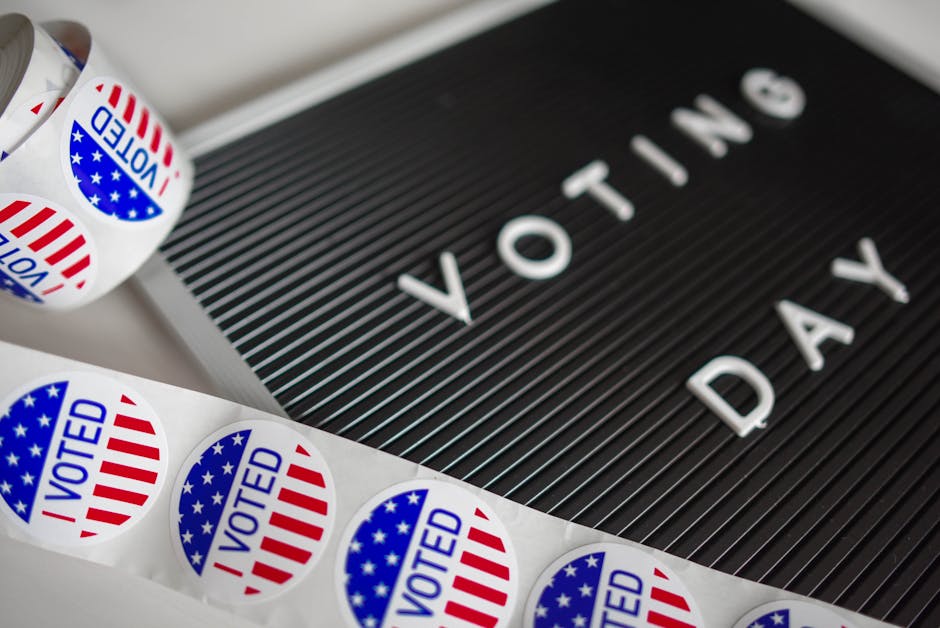
Create a 1200×628 banner announcing a DAO proposal vote. Prompt DesignLumo: “layered Facebook banner for DAO voting, include proposal title, voting dates, and iconography for governance”. Swap in the specific proposal number, add a “Vote Now” button graphic, and export PSD. Upload to the DAO’s Facebook Group as a pinned post; enable “Group Insights” to track post reach and click‑throughs. Aim for ≥30% of group members clicking the link and a 70% participation rate on‑chain. Complement with a reminder story using Adobe Express.
Layered Giveaway Group Banner
Design a 1640×856 group banner for a token giveaway. Ask DesignLumo: “editable Facebook group banner, futuristic neon style, placeholders for prize image and giveaway rules”. Insert the prize NFT artwork, list entry steps (like, share, comment), and export as PNG. Pin the banner in the group, schedule three reminder posts over 72 hours, and use Facebook’s Poll feature to gauge excitement. Track entries and aim for a 5× increase in group members and a 20% rise in post engagement during the campaign.
Before you go
- Batch‑generate all visual assets in DesignLumo using a single brand‑kit prompt, then export layered files for rapid copy swaps.
- Leverage Facebook’s “post‑click conversion” pixel to attribute token sales directly to each creative and iterate based on CPA.
- Schedule posts during community‑peak windows (UTC‑5 12 pm & 8 pm) and use Facebook Insights to refine timing per audience segment.















Ready to create your first design?
Join thousands creating professional designs in seconds.
Create with DesignLumo
Related Resources
Facebook Toolkit for Crypto Marketing Teams
Essential Facebook tools and workflows for DeFi, NFT, and DAO marketers.
Crypto Marketing Design Tool Comparison Guide
Side‑by‑side review of AI and design platforms for DeFi, NFT, and DAO campaigns.
Instagram Toolkit for Crypto & Web3 Teams
Essential AI‑driven tools to create, schedule, and analyze Instagram content for DeFi, NFT, and DAO projects.
Crypto Campaign Launch Checklist
Step‑by‑step visual and distribution checklist for DeFi, NFT and DAO launches.
Crypto Marketing Design Playbook for Fast Growth
Actionable visual ideas for DeFi, NFTs, and DAOs.
Crypto Email Marketing Tools Every Team Needs
Essential AI and automation tools for creating high‑impact email graphics in Web3.