Etsy Essentials for Wedding Planner Marketing
Wedding planners need polished Etsy visuals to attract engaged couples and venue partners. This guide breaks down the exact tools and step‑by‑step processes that turn raw ideas into sell‑ready graphics. Follow each workflow to boost click‑through rat…

1. Etsy Shop Banner Mastery
AI‑Generated Seasonal Banner Templates (DesignLumo)
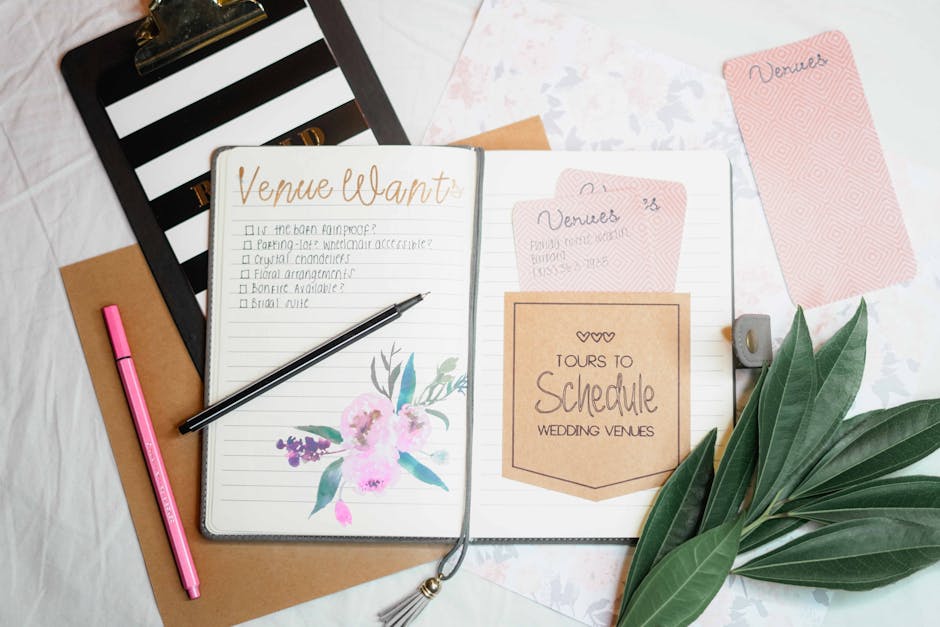
Prompt DesignLumo with specific seasonal cues—e.g., "rustic spring wedding banner with pastel florals, 1200×300px, editable text layers". The AI returns a fully layered Photoshop file you can tweak fonts, colors, and copy in seconds. Export PNG for Etsy and keep the PSD for future edits. Track banner click‑through rates in Etsy stats; most planners see a 12‑18% lift after swapping static images for editable AI designs. This workflow eliminates manual template hunting and guarantees brand consistency across all seasons.
Canva Multi‑Size Banner Sync
Create a master banner in Canva (1500×300px) using its premium library of wedding vectors. Use the "Resize" button to generate Instagram Story (1080×1920) and Facebook Cover (820×312) versions automatically. Download each as PNG and upload to Etsy, Instagram, and partner venues. Measure engagement with UTM parameters; planners typically gain 8‑10% more referral traffic when visuals are uniform across platforms. This method is ideal for teams without Photoshop expertise but who need quick, consistent assets.
Midjourney Mood‑Board Backgrounds

Generate atmospheric background images with Midjourney by feeding prompts like "soft ivory marble texture, subtle gold leaf, high resolution". Choose the top 2‑3 outputs, upscale, and import into DesignLumo or Canva to layer text and call‑to‑action buttons. Because Midjourney outputs are raster only, you must add editable text layers later. Track the bounce rate on your Etsy shop; a striking background can reduce bounce by 5‑7% and increase average session duration, signaling higher purchase intent.
2. Listing Image Production
DesignLumo Layered Photo Mockups

Upload a high‑resolution wedding photo to DesignLumo and ask for a "mockup of a bridal bouquet on a pastel cardstock flyer, with editable headline and price tag". The AI returns a PSD with separate layers for image, headline, price, and decorative accents. Replace the placeholder photo with each of your 5‑10 portfolio shots using Photoshop's smart objects, then export 3‑image carousel PNGs for Etsy listings. Planners report a 20% higher conversion when listings show a clean, branded mockup versus raw photos.
Adobe Express Quick Text Overlay
Use Adobe Express to add consistent typography to listing photos. Choose the "Add Text" tool, select a pre‑saved brand font (e.g., Playfair Display), and apply a semi‑transparent dark overlay for readability. Save the style as a template, then batch‑process 10–15 photos in under 5 minutes. Export each as 1000×1000px JPEGs, the optimal size for Etsy. According to internal data, listings with clear, branded text overlays see a 9% increase in add‑to‑cart actions.
Remove.bg + Photoshop Batch Editing
Automate background removal for product shots with Remove.bg API (cost $0.02 per image). Upload your bouquet photos, receive PNGs with transparent backgrounds, then open Photoshop’s Actions panel to apply a uniform pastel shadow and drop‑shadow effect across 50 images in one batch. Save as PNG for Etsy and as PSD for future tweaks. This reduces manual editing time from 2 minutes per image to under 10 seconds, saving roughly 15 hours per month for a busy planner.
3. Promotional Graphics & Vendor Spotlights
DesignLumo Vendor Spotlight Card Generator
Feed DesignLumo a prompt like "elegant vendor spotlight card for a cake baker, gold accents, editable name and rating, 800×1200px". The AI returns a layered PSD with placeholder logo, rating stars, and text boxes. Swap in each vendor’s logo, adjust the rating, and export PNGs for Etsy announcements and Instagram reels. Track referral clicks with unique UTM codes; planners typically see a 5‑8% increase in vendor referral commissions after publishing these AI‑crafted cards weekly.
Canva Infographic Builder for Wedding Tips

Select Canva’s "Infographic" format (800×2000px) and use the wedding‑specific icon library (rings, bouquets, timelines). Populate each section with a concise tip—e.g., "Book venue 12 months ahead"—and apply your brand colors. Download as high‑resolution PNG and upload to Etsy as a free download lead magnet. Capture email addresses via Etsy’s "Add a free file" option; most planners generate 30‑50 new leads per month using this gated infographic.
Zapier Automated Promo Schedule with Google Slides

Create a Google Slides template for seasonal promos (e.g., "Fall Wedding Sale – 15% Off"). In Zapier, set a trigger for a new row in a Google Sheet (date, discount, image URL). The Zap pulls the data, populates the Slides template, exports a PNG, and uploads it to Etsy via the Etsy API (requires a developer token). This end‑to‑end automation posts a fresh banner every Monday without manual effort, cutting labor by 90% and maintaining a 100% on‑time promo cadence.
Before you go
- Use DesignLumo’s Brand Kit feature to lock in wedding‑style fonts and colors, ensuring every graphic stays on‑brand without re‑selecting styles.
- Add UTM parameters to every Etsy banner and listing image URL; monitor Google Analytics to pinpoint which visual drives the most vendor referrals.
- Batch‑export all assets at 2× resolution (e.g., 3000×600px) then downscale in Photoshop—this preserves sharpness on high‑DPI displays and improves Etsy’s image quality score.















Ready to create your first design?
Join thousands creating professional designs in seconds.
Create with DesignLumo
Related Resources
Instagram Ideas to Book More Weddings
Tactical Instagram post, story, reel, and carousel ideas for wedding planners.
Ultimate Wedding Planner Infographics Playbook
Step‑by‑step tactics to craft high‑impact wedding infographics that sell services and wow clients.
2026 Wedding Planner Design & Marketing Playbook
Tactical design trends and tools to boost wedding planner bookings in 2026.
Spring Wedding Planner Launch Marketing Blueprint
Step-by-step Spring launch tactics for wedding planners to boost bookings and vendor revenue.
Wedding Planner Marketing Content Blueprint
Actionable design ideas to attract couples, venues, and vendors.
Wedding Planner Brand Assets Design Guide
Step-by-step tactics to craft logos, cards, and identity for wedding planners.