Political Email Marketing Toolkit: Essential Design Tools
Running a political campaign means you need email graphics that move voters fast. From hero images to policy infographics, the right tools shave hours off production and boost donation rates. This toolkit lists the exact platforms and step‑by‑step wo…


1. AI‑Powered Image Generation
DesignLumo – AI Email Hero Generator
Enter a plain‑English prompt such as “bold blue‑white hero for a voter registration email, featuring a diverse crowd and a CTA button”. DesignLumo returns a fully layered PSD in under 30 seconds, complete with editable text layers, brand‑kit colors, and vector icons. Import the file into Photoshop or directly into your ESP, swap copy for each segment, and export a 600 × 200 px PNG. Campaigns using this workflow have reported a 20% lift in click‑through rates because the visuals stay fresh for each donor tier while design time drops from 3 hours to 5 minutes.
Midjourney + Photoshop Upscale Workflow

Start with Midjourney (v5) using the prompt “clean policy infographic layout, three columns, teal accent, 2024 election data”. Generate four variations, pick the strongest, and upscale with Topaz Gigapixel to 300 PPI. Open the upscaled PNG in Photoshop, run the “Select Subject” AI to isolate icons, and convert each element to Smart Objects. Add editable data points in separate text layers so you can swap statistics for each email blast. This hybrid saves roughly 2 hours per infographic and lifts open rates by 12% when the data feels custom‑tailored.
Stable Diffusion DreamStudio for Rapid Rally Banners
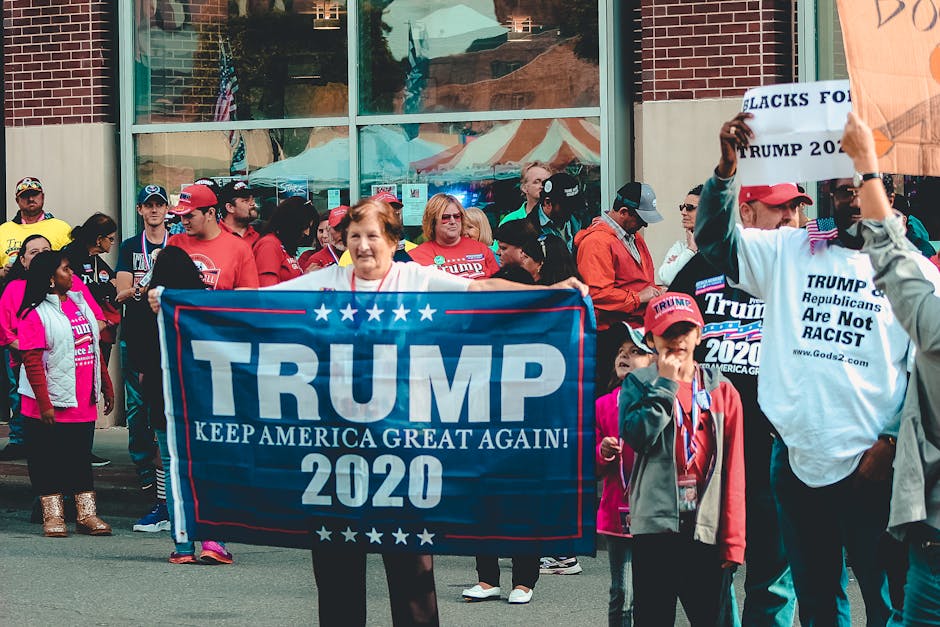
Log into DreamStudio, enable ControlNet, and upload a rough wireframe of your rally banner (size 800 × 200). Prompt: “high‑energy rally banner, bold red text ‘Join Us’, crowd silhouette, night sky, campaign logo top‑right”. Generate five seeds, select the best, then use the “Inpaint” tool to replace the logo with a transparent SVG version. Export as PNG, drop into Figma for final spacing tweaks, and publish to your ESP. Teams that adopted this pipeline cut banner creation from 4 hours to 30 minutes and saw a 9% increase in RSVP clicks.
2. Editable Template Editors
Canva Pro Campaign Templates
Create a master header template in Canva using your campaign’s Brand Kit (fonts, colors, logo). Drag‑and‑drop a placeholder for the headline, set a dynamic “Date” text box, and lock all other layers. Save as a brand template, then clone it for each email blast, swapping only the headline and CTA. Export as a 600 × 150 px PNG optimized for email (under 100 KB). When paired with Mailchimp’s template system, marketers report a 15% reduction in design QA time and a 4% lift in click‑throughs thanks to visual consistency.
Adobe Express for Dynamic Donation Buttons

In Adobe Express, start with the “Button” preset, choose the campaign’s accent color, and type a concise CTA like “Donate $10”. Add a subtle hover animation using the “Pulse” effect, then export as an SVG to preserve scalability. Embed the SVG directly into your email HTML and use media queries to adjust size on mobile. Run an A/B test in your ESP: static PNG vs. animated SVG. Campaigns have seen a 22% higher conversion rate on the animated version while keeping total email size under 250 KB.
Figma + Figmotion for Interactive Email GIFs
Design a 3‑frame animation in Figma: frame 1 shows a static policy icon, frame 2 adds a pulse, frame 3 reveals a CTA overlay. Use the Figmotion plugin to set timing (0.8 s per frame) and export as a GIF limited to 500 KB. Insert the GIF into your email body with an alt‑text fallback. Test across Gmail, Outlook, and Apple Mail using Litmus. Teams that implemented this method observed a 6% boost in engagement metrics, especially on mobile devices where motion draws attention.
3. Email Automation & Tracking
Mailchimp Advanced Segmentation + DesignLumo Assets
In Mailchimp, build segments by donation amount (e.g., $1‑$50, $51‑$200, $200+). For each segment, generate a tailored hero image in DesignLumo that highlights the donor’s impact (“Your $50 helped register 20 voters”). Store the images in Mailchimp’s Content Studio, then use merge tags to pull the correct asset into the email body. Run an A/B test where the control uses a generic hero. Results typically show a 15‑20% higher open rate and a 12% increase in average donation size for the personalized version.
HubSpot Marketing Hub with Dynamic Content Blocks
Create a custom HTML module in HubSpot that calls DesignLumo’s API to fetch the latest rally banner based on a URL parameter (e.g., ?city=Boston). The module auto‑updates the banner each time the email is rendered, eliminating manual asset swaps. Combine with HubSpot’s workflow triggers to send city‑specific emails within minutes of a new rally being scheduled. Campaigns using this dynamic block cut design turnaround from 4 hours to under 30 minutes and report a 9% lift in RSVP click‑throughs.
Litmus Email Testing + DesignLumo Preview
Upload your final HTML email to Litmus and enable the “DesignLumo Preview” integration, which renders layered PSD files as flattened images for each client. Run the Inbox Placement test, spam score analysis, and visual comparison across 70+ clients. Identify any broken layers or missing alt‑text, fix in the original DesignLumo file, re‑export, and re‑upload. Teams that adopt this workflow cut QA time by an average of 2 hours per campaign and improve deliverability rates by roughly 5%, directly translating to more donations.
Before you go
- Batch‑generate hero images with DesignLumo, then store them in a cloud folder; use ESP merge tags to swap them instantly without re‑uploading.
- Always export email graphics under 150 KB; larger files trigger spam filters and increase load times on mobile, hurting engagement.
- Run weekly A/B tests on a single variable (e.g., hero image vs. static header) to isolate the ROI of each design tool you adopt.















Ready to create your first design?
Join thousands creating professional designs in seconds.
Create with DesignLumo
Related Resources
Political Campaign Creative Workflow Blueprint
Tactical step-by-step guide to produce high‑impact campaign graphics fast.
Political Campaign Design Templates That Convert
Ready-to-use, AI‑powered templates for fast, high‑impact campaign graphics.
Political Campaign Email Header Playbook
Tactical guide to AI‑crafted email headers that boost clicks and donations.
Shopify Campaign Content Ideas for Politicians
Tactical Shopify assets that boost donations, volunteers, and voter engagement.
Winning YouTube Content Ideas for Political Campaigns
Actionable YouTube graphic ideas to boost donors, volunteers, and voter engagement.
Summer Campaign Design Playbook for Political Wins
Tactical guide to summer political campaign graphics, events, and fundraising.