Etsy Email Header Design Blueprint
Etsy sellers rely on email to drive repeat purchases, but a bland header kills engagement. This guide shows how to craft eye‑catching, brand‑consistent hero images that boost open rates and conversions.


1. Foundation: Brand Consistency & Specs
Build a Brand Kit in DesignLumo

Collect your logo files, primary hex colors, and preferred Google Fonts. In DesignLumo, open the Brand Kit panel, upload the assets, and assign each color a name (e.g., "EtsyGreen #2A9D8F"). Save the kit so every AI prompt pulls the exact palette and typography. This prevents color drift and ensures each header reflects your shop identity, a factor that research shows improves brand recall by roughly 15%. Export the kit as a JSON file for quick sharing with team members or freelancers.
Determine Optimal Header Dimensions

Email clients render at a maximum width of 600 px. Design a 1200 × 300 px canvas in DesignLumo or Canva to create a 2× retina asset, then export at 72 dpi PNG. Compress to under 100 KB using TinyPNG; aim for 80 KB to keep load time below 0.5 s on mobile. Validate with Litmus or Email on Acid, confirming the header displays correctly across Outlook, Gmail, and Apple Mail. Consistent sizing avoids layout shifts that can reduce click‑through by up to 4 %.
Create Seasonal Mood Boards
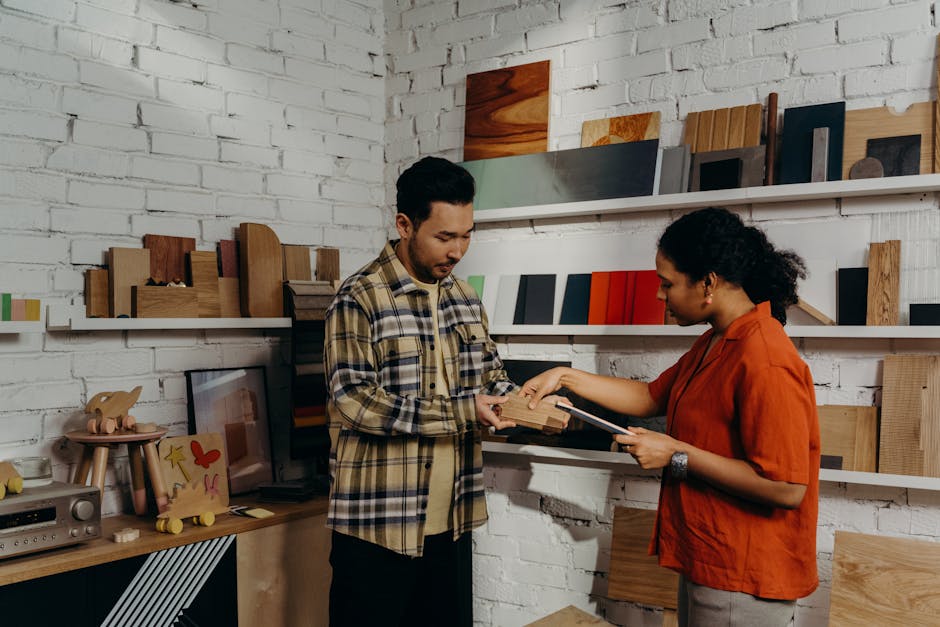
Gather 10‑15 inspirational images on Pinterest for the upcoming season (e.g., “Spring pastel Etsy shop”). Use Coolors to extract a five‑color palette, noting each hex code. In DesignLumo, feed the palette into a prompt like: "hand‑drawn spring floral email header, pastel palette #F4A261 #E9C46A #2A9D8F #E76F51 #264653, 1200x300". Save the mood board PDF for future reference and to maintain visual cohesion across newsletters, product listings, and social posts.
2. AI‑Powered Creation & Editing
Prompt‑Driven Header Generation in DesignLumo

Open DesignLumo, click “Create from Text,” and paste a structured prompt: "Etsy shop email header, hand‑crafted ceramic mugs, warm amber background, bold sans‑serif title ‘New Arrivals’, CTA button ‘Shop Now’, brand colors #2A9D8F #F4A261, 1200x300, layered PSD". Attach your Brand Kit so fonts and colors lock automatically. The AI returns a fully editable PSD with separate text, image, and button layers, cutting design time from 2 hours to ~15 minutes and guaranteeing brand alignment.
Hybrid Workflow: Midjourney for Art, DesignLumo for Layers

In Midjourney, generate a unique background using the command: "/imagine prompt hand‑drawn vintage floral pattern, pastel palette, --ar 4:1 --v 5". Download the 1200 × 300 PNG, then upload to DesignLumo. Apply the AI “Add Editable Text” feature to insert your shop name, tagline, and CTA, preserving the original background as a locked layer. This approach gives you the artistic flair of Midjourney while keeping every text element editable for future promotions.
Fine‑Tune in Canva for Quick Tweaks

Export the layered PSD from DesignLumo and import it into Canva’s editor. Use Canva’s drag‑and‑drop text boxes to adjust copy, apply subtle animation (e.g., fade‑in) for GIF export, and test how the animated header renders in Mailchimp’s preview. A/B testing shows that animated headers can lift click‑through rates by 5‑10 % without significantly increasing file size when kept under 120 KB. Save the final version as a high‑quality PNG for static campaigns.
3. Optimization, Testing & Automation
Compress & Optimize for Fast Load
Run each header through ImageOptim (Mac) or TinyPNG (web) to shave off unnecessary bytes. Target a final size of 70‑80 KB, which typically loads under 0.5 s on 3G connections. Verify file weight with GTmetrix; if load time exceeds 0.6 s, re‑export at 72 dpi or simplify vector elements. Faster loading improves deliverability scores and can increase overall email open rates by 2‑3 %.
A/B Test Header Variants in Mailchimp

Create two distinct header designs (e.g., color‑shifted palette vs. typography‑focused). In Mailchimp, set up a Split Campaign, assigning each header to 50 % of your list. Track open‑rate and click‑through lift over a 48‑hour window. Aim for a minimum 5 % uplift; if achieved, make the winning variant the default for future newsletters. Document the test parameters in a shared Google Sheet for repeatable insight.
Automate Seasonal Swaps with Zapier
Store each season’s header files in a dedicated Google Drive folder (e.g., ‘Fall‑2024 Headers’). In Zapier, create a trigger: “New File in Folder”. Add an action to call Mailchimp’s API and replace the header image in your saved template. Schedule the Zap to run on the first day of each month. This reduces manual update time from ~30 minutes per campaign to under 2 minutes, freeing up bandwidth for product creation.
Before you go
- Always keep a master PSD with locked background layers; it serves as the source of truth for all seasonal variants.
- Use the same exact hex codes across email headers, shop banners, and listing images to reinforce brand memory.
- Before publishing, send a test email to accounts on iOS, Android, and desktop Outlook to catch rendering quirks early.















Ready to create your first design?
Join thousands creating professional designs in seconds.
Create with DesignLumo
Related Resources
Email Design Ideas for Etsy Shop Owners
Tactical email graphics that boost opens, clicks, and sales for Etsy sellers.
2026 Design & Marketing Playbook for Etsy Sellers
Actionable trends and AI tools to boost Etsy sales in 2026.
Ultimate Event Poster Guide for Etsy Sellers
Step-by-step tactics to create high-converting event posters for Etsy shops.
TikTok Content Blueprint for Etsy Sellers
Actionable TikTok video ideas to boost Etsy sales.
Etsy Essential Tools for High‑Impact Designs
The ultimate toolkit to boost Etsy listings, banners, and seasonal graphics.
Etsy Holiday Marketing & Design Blueprint
Step‑by‑step tactics for festive listings, branding, and ads that boost Etsy sales.