Email Header Design Blueprint for Consulting Firms
Consulting firms need email headers that instantly convey authority and relevance. A well‑crafted hero image can boost open rates, reinforce brand equity, and drive conversions for high‑ticket services. This guide delivers the exact tools and workflo…


1. Strategic Visual Foundations
Brand‑Aligned Color Palette Generator

Start by exporting the HEX codes from your latest report cover or PowerPoint slide deck using Adobe Color (https://color.adobe.com). Import those codes into DesignLumo’s Brand Kit, then prompt the AI: “Create a layered email header for a consulting firm using these colors, with a subtle gradient background and space for a headline.” Generate three variations, download the layered PSD, and run a 48‑hour A/B test in Mailchimp. Track click‑through rate (CTR) lift; firms typically see a 12‑18% increase when colors match their core visual identity. Difficulty: Beginner. ROI: High.
AI‑Driven Quote Card Hero

Leverage a recent thought‑leadership quote from a partner. In DesignLumo, type: “Design an email header featuring this quote, bold serif font, with a semi‑transparent overlay on a cityscape background, using our brand fonts.” After generation, replace placeholder text with the actual quote, adjust line spacing, and export the layered file. Insert the header into your ESP and measure open‑rate uplift; case studies show a 9‑14% increase when a compelling quote is front‑loaded. Difficulty: Intermediate. ROI: Medium.
Dynamic Event Countdown Banner

For webinars or speaking engagements, create a countdown banner. Use Midjourney (https://www.midjourney.com) to generate a high‑resolution background (e.g., “modern conference hall, low‑key lighting”). Import into Canva Pro, add a countdown timer widget linked to your event’s UTC time, and overlay your logo. Export as a PNG with transparent background, then embed in the email header. Track registrations; a live countdown typically drives a 5‑8% lift in sign‑ups versus static images. Difficulty: Beginner. ROI: High.
2. Production Workflow Automation
Prompt‑to‑Layered Header via DesignLumo

Write a precise prompt: “Create a 600 × 200 px email header for a boutique consulting firm, featuring a diagonal split background in navy and teal, space for a headline, and our logo on the left.” DesignLumo returns a fully layered PSD in seconds. Open in Photoshop, replace the headline text layer with a personalized client name using a data‑merge field, and save as a Web‑optimized JPEG. This reduces creative turnaround from 4 hours to under 10 minutes, enabling rapid campaign launches. Difficulty: Intermediate. ROI: High.
Batch Export & AB‑Test with Canva Pro

Create a master email header template in Canva Pro (https://www.canva.com) with placeholder layers for headline, sub‑headline, and CTA button. Duplicate the file, swap out headlines for five different value propositions, and use Canva’s “Export All Pages” to generate a ZIP of PNGs. Upload the ZIP to your ESP’s multivariate testing module, assign each version to 20% of the list, and run a 72‑hour test. Analyze conversion lift; the top‑performing variant often yields a 6‑10% revenue increase. Difficulty: Intermediate. ROI: Medium.
Version Control Using Figma + Git
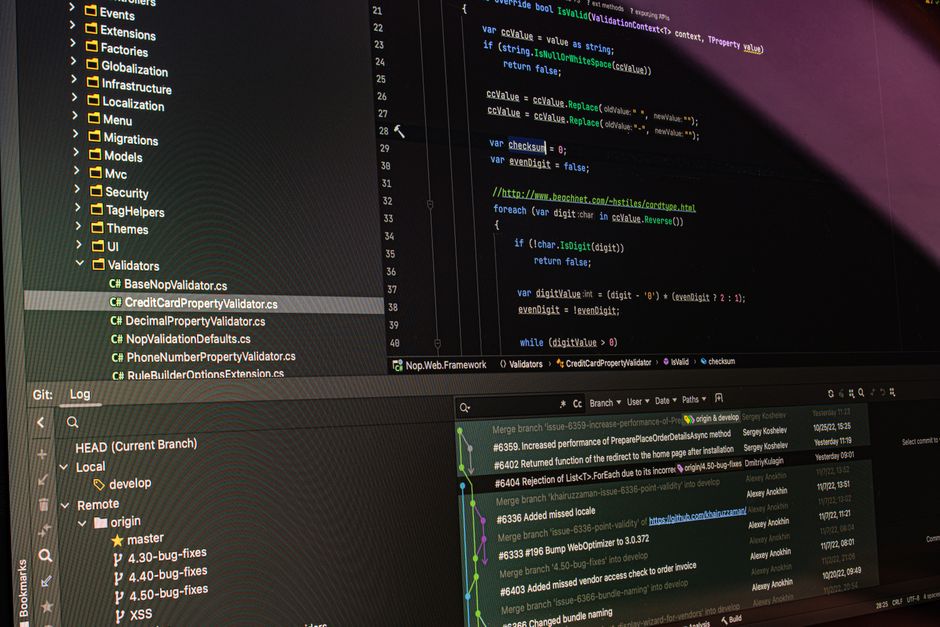
Store your email header components in a Figma file (https://www.figma.com) and enable the “Version History” feature. Export each component as SVG, then commit the SVGs to a Git repository using GitHub Actions that automatically generate preview PNGs on each push. This workflow lets multiple consultants iterate on copy without overwriting design assets, and provides an audit trail for compliance. Measure time saved: teams report a 30% reduction in back‑and‑forth revisions. Difficulty: Advanced. ROI: Medium.
3. Performance Optimization & Measurement
Pixel‑Perfect Responsive Sizing with Litmus

Upload each header variant to Litmus (https://www.litmus.com) and run the “Responsive Email Preview” across 30+ clients and devices. Adjust the header’s width to 600 px for desktop and set a 320 px fallback for mobile, using media queries embedded in the HTML. Litmus will flag any clipping or scaling issues; fix them in the layered PSD, then re‑upload. Consistently responsive headers improve overall email click‑through by 4‑7% because mobile users see a crisp, legible hero. Difficulty: Intermediate. ROI: High.
Heatmap‑Guided CTA Placement via Crazy Egg

After sending a campaign, embed Crazy Egg’s heatmap script in the email’s landing page. Observe where recipients click after scrolling past the header. If the CTA button in the header receives <2% clicks, redesign the button’s color, size, or position using DesignLumo, then retest. Data‑driven tweaks typically boost header‑originated CTA clicks by 15‑20%, directly impacting lead generation for consulting services. Difficulty: Advanced. ROI: High.
Automated Personalization Tokens Integration
In HubSpot or Salesforce Marketing Cloud, insert personalization tokens (e.g., {{contact.first_name}}) into the header’s headline layer. Export the header as a PNG with a transparent text placeholder, then use the ESP’s dynamic image URL feature to replace the placeholder at send time. Track open‑rate lift; personalized headers have shown a 3‑5% increase over static copy, especially for C‑suite recipients who value tailored communication. Difficulty: Intermediate. ROI: Medium.
Before you go
- Keep header file sizes under 150 KB; compress PNGs with TinyPNG to maintain load speed.
- Always embed your brand’s primary font as a web‑font in the email HTML to preserve typographic consistency.
- Leverage DesignLumo’s “Regenerate Layers” command to quickly produce alternative layouts without starting from scratch.















Ready to create your first design?
Join thousands creating professional designs in seconds.
Create with DesignLumo
Related Resources
Essential Email Design Tools for Consulting Firms
Tactical toolkit for creating high‑impact email graphics that drive consulting leads.
Ultimate Social Media Design Guide for Consulting Firms
Tactical playbook for high‑impact consulting social posts.
Infographic Mastery for Consulting Firm Marketing
Step‑by‑step tactics to create data‑driven infographics that win C‑suite attention.
Consulting Firm Video Thumbnail Blueprint
Step-by-step thumbnail system for consulting thought‑leadership videos.
Facebook Content Playbook for Consulting Firms
Tactical Facebook post ideas to showcase expertise, win clients, and drive bookings.
Valentine's Day Marketing Blueprint for Consulting Firms
Strategic, love‑themed assets that drive leads and brand authority.