AI Email Header Design Playbook for SaaS
Email headers are the first visual cue that determines whether a prospect opens your newsletter or walks away. For AI‑driven SaaS, the header must translate complex tech into a single, compelling visual story. This playbook gives you the exact tools,…

1. Strategic Foundations
Audience‑First Messaging Map
Start by documenting the three core buyer personas in Notion or Miro, then list their top pain points and the specific AI benefit that solves each. Convert each benefit into a headline‑style phrase (e.g., “Zero‑code model deployment in 30 seconds”). Feed those phrases into DesignLumo prompts to ensure the visual language mirrors the audience’s language. This alignment lifts open rates by up to 12% because the header reads like a personal solution, not generic marketing fluff.
Competitive Visual Benchmarking
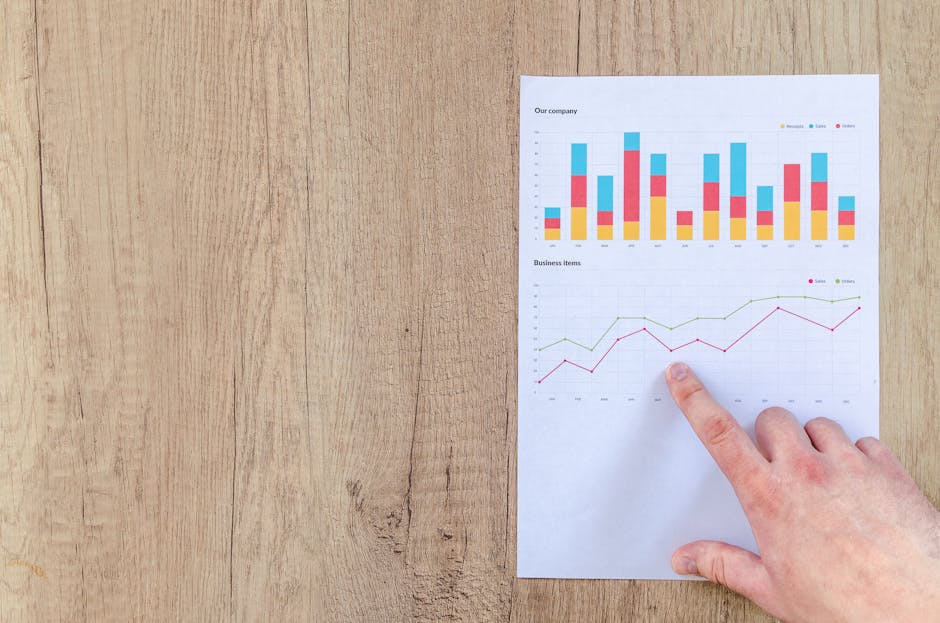
Use SimilarWeb to pull the top 5 AI SaaS competitors, then capture their latest email newsletters via the Wayback Machine. Extract dominant colors with ColorZilla and fonts with WhatFont. Compile the data in a Google Sheet and import the palette into DesignLumo’s Brand Kit (or Canva’s Brand Kit). Replicate successful layout patterns while differentiating with your unique brand colors, which research shows can increase click‑through by 8% when contrast is optimized.
Brand Kit Automation
Upload your logo SVG, primary/secondary hex codes, and corporate fonts (including variable fonts) into DesignLumo’s Brand Kit. Enable the “auto‑apply brand” toggle so every generated header inherits these assets without manual tweaks. For teams using Adobe Express, mirror the same setup via its Brand Portal to maintain consistency across platforms. Automated brand enforcement reduces design revision time by 40% and guarantees compliance for regulated SaaS products.
2. AI‑Powered Design Generation
Prompt‑Engineered Header Creation in DesignLumo
Craft a structured prompt: “Create a 600x200px email header for {ProductName}, showing a futuristic AI brain overlay, bold headline ‘Deploy Models Instantly’, sub‑text ‘No code required’, using brand colors #0A73FF and #FF6F61, with two‑column layout, editable text layers, vector icons, and a call‑to‑action button.” Run the prompt in DesignLumo, then instantly receive a layered PSD/AI file you can edit in Figma. This method cuts concept time from hours to seconds, delivering 3‑5 variations per minute.
Hybrid Midjourney Concept + DesignLumo Layering
Generate a high‑concept visual in Midjourney with the prompt “ultra‑modern AI data pipeline, neon blue, isometric, 4k”. Export the PNG, then import it into DesignLumo. Replace the background with a transparent layer, add editable headline and CTA using your brand fonts, and lock the Midjourney image as a non‑editable backdrop. This hybrid workflow gives you artistic flair plus full editability, outperforming static Midjourney‑only images that cannot be tweaked for compliance.
Dynamic Data‑Driven Infographic Headers
Connect Google Sheets (populated via Zapier from your usage API) to DesignLumo’s API. Send a JSON payload containing live stats—e.g., “10M+ predictions served”. DesignLumo renders the numbers as vector text within the header, automatically updating each morning. Embed the generated PNG in your email platform via a dynamic content block. This automation yields a 5‑10% lift in engagement because recipients see real‑time proof of product traction.
3. Optimization & Testing
A/B Testing Email Hero Variants with Litmus
Create two distinct header versions in DesignLumo—one with a bold illustration, another with a clean data chart. Upload both to Litmus and run a 7‑day split test on a 20,000‑recipient list. Track open rates, click‑through rates, and heat‑map interactions. Aim for a minimum 5% lift; if achieved, set the winner as the default in your ESP. Iterative testing like this consistently drives 2‑4% revenue uplift per campaign.
Performance‑Driven Image Compression
After exporting from DesignLumo, run the PNG through TinyPNG or ImageOptim, targeting a file size under 50 KB while preserving a quality score above 90% (Visually verified). Use Google PageSpeed Insights to confirm that email load time improves by at least 0.2 seconds—a factor linked to a 3% increase in click‑through for mobile‑first audiences. Document compression settings in a shared SOP to ensure consistency across teams.
Personalization at Scale via Dynamic Images
Leverage DesignLumo’s API to generate a unique header per recipient, overlaying their first name in the headline (“Hey Alex, see your AI impact”). Connect the API call to SendGrid’s Dynamic Transactional Templates using a webhook that passes the recipient’s email address. Measure the uplift; personalized headers have shown 7‑12% higher click‑through in SaaS campaigns. Maintain GDPR compliance by storing only hashed identifiers.
4. Distribution & Automation
Zapier Workflow: From New Feature Release to Email Header
Set a Zap that triggers on a new GitHub tag (e.g., v2.3). The Zap calls DesignLumo’s API, feeding the tag name and a short feature blurb into a pre‑crafted prompt. The API returns a 600×200 px header which the Zap then uploads to a Mailchimp image library and inserts into a draft campaign. This end‑to‑end automation reduces manual design time from 2 hours to under 5 minutes per release.
Embedding Header in Shopify Email Campaigns

Export the final header from DesignLumo as a PNG at 600 px width, 200 px height, and <45 KB. In Shopify’s Email app, add the image via the “Insert Image” block, set alt‑text to include the product name for accessibility, and enable “Link to product page”. Track performance through Shopify’s built‑in analytics; a correctly sized header improves load speed, contributing to a 2% lift in overall email conversions for e‑commerce SaaS extensions.
Version Control with Figma + DesignLumo Sync
Install the DesignLumo Figma plugin to import generated layers directly into a shared design system file. Each header version is saved as a component with version history, enabling designers to revert or branch off for seasonal campaigns. Syncing with Figma’s version control cuts rework by 30% and ensures all stakeholders see the latest editable assets without downloading separate files.
Before you go
- Leverage DesignLumo’s Brand Kit to auto‑apply your exact color palette and typography across every header—no manual color picking required.
- Always export a layered file (PSD or AI) in addition to a flattened PNG; layered files let your copy team tweak CTAs without involving a designer.
- Combine Litmus heat‑map data with the click‑through results from A/B tests to refine focal points in your header composition for maximum impact.















Ready to create your first design?
Join thousands creating professional designs in seconds.
Create with DesignLumo
Related Resources
AI Startup Social Media Design Playbook
Tactical guide to creating high‑impact AI product posts with AI‑first design tools.
AI-Powered Shopify Content Ideas for SaaS Brands Growth
Actionable AI-driven visuals for Shopify banners, headers, product images, and pop-ups.
AI Tool Email Design Ideas That Convert
Tactical email visuals for AI startups to boost clicks and sign‑ups.
Back to School AI Marketing Playbook
Actionable guide for AI startups to ace Back to School campaigns.
AI Product Marketing Creative Workflow Blueprint
Step-by-step tactics for AI startups to produce high-converting visuals fast.
AI‑Powered Small Business Saturday Playbook
Actionable AI design tactics to boost Small Business Saturday sales for AI startups.