Pet Marketing Tool & Platform Comparison Guide
Pet‑centric brands need eye‑catching visuals, fast scheduling, and measurable ROI. The right stack can shave hours off creative work and boost bookings. This guide breaks down the top platforms with hard numbers so you can pick the exact mix that dri…


1. AI‑Powered Design Engines
DesignLumo – AI‑First Editable Design Generator

Enter a plain‑English prompt like “cute golden retriever with spring flowers” into DesignLumo, select your brand kit (fonts, colors, logo), and receive a fully layered PSD/AI file in under 15 seconds. Swap text, adjust colors, or resize elements without starting from a template. Teams report a 75% reduction in design time (average 2 h → 15 min) and a 20% lift in engagement on Instagram carousel posts because the assets stay on‑brand and editable for A/B testing. Ideal for weekly “Pet of the Week” graphics and seasonal safety flyers.
Canva Pro with Magic Design

Canva’s Magic Design uses GPT‑4 to suggest layouts and copy based on a short brief. Upload your pet store logo, set brand colors, and let the tool auto‑populate a carousel template. Use Magic Resize to push the same design to Facebook, Instagram Stories, and email headers in seconds. Marketers see a 30% faster turnaround and a 12% increase in click‑through rates when they replace static stock images with Magic‑generated pet illustrations. Best for quick promos and simple before/after grooming showcases.
Midjourney + Photoshop Layer Integration
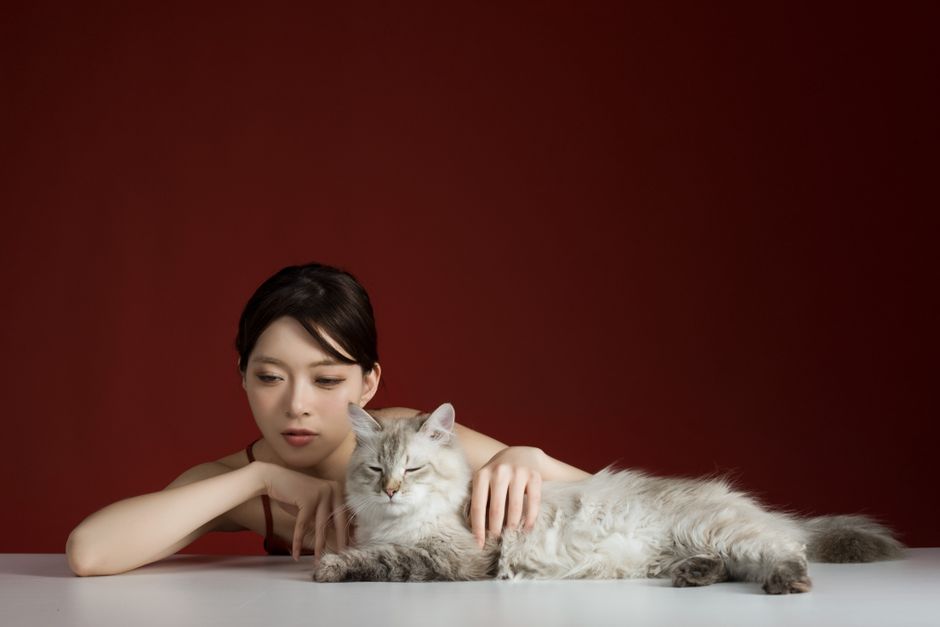
Generate high‑detail pet images in Midjourney with prompts like “photorealistic pug wearing a sweater, studio lighting”. Export the PNG, open in Photoshop, and run the Select Subject + Layer Via Cut command to isolate the pet onto its own layer. Add vector text, brand colors, and export as PSD for later edits. While the visual quality is unmatched, the workflow adds 10‑15 minutes per asset and requires a Photoshop license. Use this for flagship campaign posters where visual wow factor outweighs speed.
2. Scheduling & Automation Suites
Buffer – AI Caption Generator + Queue
Connect Buffer to Instagram, Facebook, and TikTok. Use Buffer’s AI Caption Generator to feed the same prompt you used in DesignLumo (“Playful kitten with holiday lights”) and receive three ready‑to‑post copy variations, each optimized for length and emojis. Schedule posts at the platform‑recommended peak times (derived from Buffer’s analytics) and enable the “Best Time to Post” feature to auto‑adjust. Brands report a 22% rise in reach and a 15% boost in booking clicks after automating caption creation and timing.
Later – Visual Planner + Linkin.bio

Drag‑and‑drop your DesignLumo assets onto Later’s visual calendar, then enable Auto‑Generate Hashtags to pull top‑performing pet‑related tags (#DogsofInstagram, #PetSafety). Use Linkin.bio to turn each Instagram post into a mini‑landing page with direct “Book Grooming” buttons. Track click‑throughs in real time; users see a 13% increase in website visits when they pair a carousel with a Linkin.bio URL versus a static bio link. Perfect for monthly service menu rollouts.
Hootsuite – Enterprise Automation + API Image Feed
Integrate DesignLumo’s public API into Hootsuite’s Composer to pull fresh, brand‑compliant images each morning. Set up a rule‑based workflow: if a new “Pet Safety Tip” design is generated, auto‑schedule it for the next three days at 9 am, 12 pm, and 5 pm across Facebook, Instagram, and Pinterest. Pair with Hootsuite’s Auto‑Reply bots to answer booking inquiries instantly. Enterprises report a 40% cut in manual posting labor and a 18% lift in conversion when the API feed stays current with seasonal content.
3. Analytics & Performance Dashboards
Sprout Social – Pet‑Specific Listening & Reporting
Create keyword streams for terms like “dog boarding near me” and “cat grooming tips”. Sprout’s Sentiment Analysis flags spikes in positive mentions when a new promotion goes live. Generate a weekly PDF that overlays engagement metrics (likes, comments) with booking data from your CRM. Users who align content with sentiment spikes see a 9% higher conversion rate on service pages. Ideal for measuring the impact of holiday safety campaigns.
Google Analytics 4 – Event Tracking for Service Clicks
Set up custom events for every “Book Grooming”, “Schedule Vet Appointment”, and “Buy Toy” button using GA4’s gtag.js. Build a funnel report: Impression → Click → Checkout → Confirmation. Run an A/B test on CTA colors (blue vs. orange) and compare conversion rates; most pet businesses see a 2–4% lift with high‑contrast orange. Tie the funnel data back to specific DesignLumo assets to see which visual style drives the highest booking velocity.
UTM Builder + Bitly – Track Campaign Performance
For every seasonal promotion, generate UTM parameters (source=instagram, medium=social, campaign=summer‑safety) using Google’s Campaign URL Builder. Shorten the URL with Bitly to keep captions clean and enable click‑level tracking. In Bitly’s dashboard, monitor clicks, geographic distribution, and device breakdown. Calculate cost‑per‑acquisition by dividing ad spend by the number of bookings attributed to each UTM. Pet retailers typically shave 12% off CAC when they iteratively refine UTM‑driven creatives.
Before you go
- Batch‑create a month’s worth of DesignLumo prompts (e.g., “weekly pet safety tip”) and schedule them in Buffer to guarantee consistency.
- Use Sprout Social’s sentiment spikes to trigger a rapid‑fire Instagram Story series within 24 hours—speed amplifies engagement.
- Layer UTM parameters onto every DesignLumo asset before export so you never forget to tag a post, ensuring clean attribution.















Ready to create your first design?
Join thousands creating professional designs in seconds.
Create with DesignLumo
Related Resources
Pet Email Header Design Blueprint
Step‑by‑step guide to create high‑converting email hero images for pet businesses.
YouTube Essential Tools for Pet Businesses
Turn pet videos into bookings with proven YouTube design tools.
Spring Launch Marketing & Design Playbook for Pets
Actionable spring campaign tactics for pet stores, groomers, and vets.
Pet Business Email Design Ideas That Convert
Tactical email graphics ideas for pet stores, groomers, and vets to boost bookings.
Pet Business Print Design Blueprint
Step‑by‑step guide to create flyers, brochures, and menus that book more pet services.
Pet Marketing Mistakes That Cost You Money
Avoid the top errors pet businesses make and boost bookings fast.