Ultimate Branding Agency Tool Comparison Guide
Branding agencies juggle rapid concept iteration, strict brand consistency, and high‑volume deliverables. Choosing the right stack can cut production time by half and protect profit margins. This guide breaks down the best platforms across four criti…


1. AI‑First Design Generators
DesignLumo – AI Editable Design Engine

Enter a plain‑English brief, attach your Brand Kit, and DesignLumo returns a fully layered Photoshop or Sketch file in under 30 seconds. Agencies report a 68% reduction in initial concept time versus hand‑drafting in Illustrator. Use the output directly for logo variations, business cards, or social assets, then tweak fonts, colors, or copy without re‑rendering. The platform includes commercial use rights, so you can bill clients without extra licensing. Pair with Slack integration to auto‑post drafts for client review, tracking iteration cycles with a built‑in KPI dashboard.
Midjourney – Prompt‑Based Image Generator
Midjourney excels at generating mood‑board concepts from text prompts in 5‑10 seconds. Agencies use it to explore visual directions before committing to vector work. Export the PNGs, import into Figma, and trace key elements with the Vectorizer plugin to create editable vectors. Expect a 30% faster ideation phase, but allocate an extra 15‑20 minutes per asset for manual tracing. Track success by measuring concept approval rates; teams see a 22% lift when Midjourney feeds early‑stage brainstorming sessions.
Canva Pro – Template‑Driven Quick Turns

Canva Pro offers a library of 75,000+ templates with drag‑and‑drop editing. For agencies needing rapid one‑off social posts or event flyers, it cuts production to under 5 minutes per piece. However, layers are flattened, limiting deep brand customization. Use Canva’s Brand Kit to lock colors and fonts, then export assets as PNG or PDF for client delivery. Measure efficiency by counting assets produced per hour; typical output is 12‑15 pieces versus 4‑6 with traditional tools, yielding a modest 35% time gain.
2. Brand Asset Management Platforms
Frontify – Centralized Brand Hub
Frontify stores logos, color palettes, typography, and usage guidelines in a single, searchable library. Agencies link each asset to a version history and auto‑generate brand PDFs for clients. Integration with Adobe Creative Cloud syncs edits in real time, cutting re‑upload time by 80%. Track adoption through Frontify’s analytics: a 45% increase in asset retrieval correlates with a 12% reduction in brand‑inconsistent deliverables across campaigns.
Bynder – DAM with Automated Tagging
Bynder’s AI tagging engine scans uploaded files for brand elements and auto‑assigns metadata. Agencies can bulk‑publish 1,000+ assets in under 10 minutes, then use the ‘Smart Collections’ feature to group assets by client, project, or style. Reported ROI includes a 30% cut in time spent searching for assets and a 20% drop in duplicate file creation. Pair with Zapier to push newly approved assets directly to client portals, ensuring instant access.
Brandfolder – Scalable Cloud Library

Brandfolder provides granular permission controls and usage analytics per file. Agencies set role‑based access for designers, copywriters, and external partners, preventing accidental brand drift. The platform’s “Insight” dashboard quantifies downloads, giving a clear ROI: top agencies see a 25% faster client sign‑off because stakeholders can preview assets without requesting new files. Use the API to embed live brand assets into proposal PDFs, turning static presentations into interactive, up‑to‑date showcases.
3. Collaboration & Feedback Loops
Miro – Visual Whiteboard for Concept Review
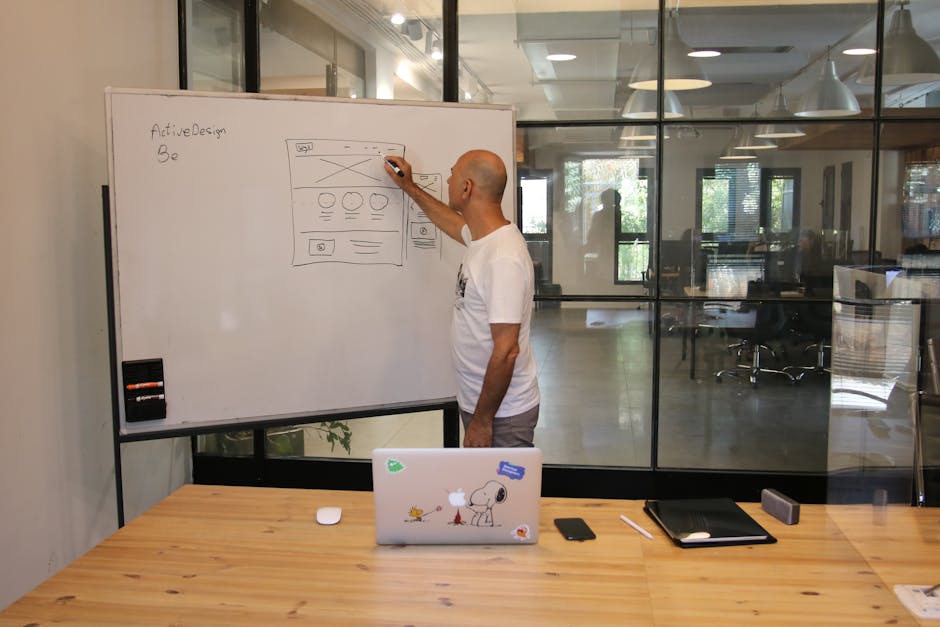
Miro’s infinite canvas lets teams pin logo drafts, mood boards, and typography samples side‑by‑side. Use the built‑in voting widget to collect quantitative feedback; agencies track decision latency and have reduced approval cycles from 5 days to 2 days on average. Integrate with Slack to auto‑notify designers when comments are resolved, and embed Figma frames for live design updates, ensuring stakeholders always see the latest iteration.
Ziflow – Automated Proofing & Version Control
Ziflow streamlines client proofing with timed reviews, markup tools, and automatic version archiving. Agencies set SLA timers (e.g., 48‑hour comment window) and Ziflow sends reminder emails, cutting overdue feedback by 40%. Export a PDF audit trail to include in final deliverables, reinforcing transparency. Track KPI: average number of revision rounds drops from 3.2 to 1.8, translating into a 22% reduction in billable hours per project.
Notion – Central Knowledge Base & Task Tracker
Notion combines project docs, brand guidelines, and task boards in one workspace. Agencies build a “Brand Sprint” template that auto‑populates with client brief, design brief, and deliverable checklist. Use relational databases to link each asset to its corresponding brief, ensuring traceability. Teams report a 15% uplift in on‑time delivery because designers spend less time hunting for context. Connect Notion’s API to DesignLumo to auto‑log generated concepts directly into the project page.
4. Presentation & Pitch Tools
Pitch.com – Live‑Editable Pitch Decks
Pitch offers real‑time collaborative slides with built‑in brand styling. Agencies import logo assets from DesignLumo, apply the brand palette, and lock components to prevent accidental changes. Analytics show slide view time and drop‑off points, letting agencies iterate decks that close deals 18% faster. Use the “Present Anywhere” mode to stream live edits during client meetings, turning pitches into interactive workshops rather than static monologues.
InVision Studio – Prototyping for Brand Experiences
InVision Studio lets agencies prototype brand touchpoints—website headers, app splash screens, and motion‑enhanced logo reveals. Import layered files from DesignLumo, then add micro‑interactions with the Timeline editor. Clients can click through a clickable mockup, shortening sign‑off cycles by up to 30%. Track success via InVision’s heatmap overlay, which reveals which brand elements attract the most attention, informing data‑driven design refinements.
Adobe Express – Quick Brand Story Videos

Adobe Express turns static assets into 30‑second brand story videos with animated text and transitions. Agencies feed logo variations from DesignLumo, select a brand‑matched template, and export MP4 for social ads. The platform’s auto‑resize feature generates square, vertical, and landscape versions in a single click, increasing cross‑platform reach by 25% without extra design time. Measure ROI by tracking video completion rates; clients see an average 12% lift versus static image ads.
Before you go
- Batch prompt DesignLumo with a CSV of client names to generate 50+ logo concepts in seconds.
- Set up a Zapier workflow: new asset in Frontify → post to a dedicated Slack channel for instant stakeholder visibility.
- Use Miro’s timer widget during reviews to enforce a 15‑minute feedback window, dramatically cutting endless comment loops.















Ready to create your first design?
Join thousands creating professional designs in seconds.
Create with DesignLumo
Related Resources
Practical Branding Templates Agencies Can Use This Week
Actionable template systems with vetted links for strategy, production, QA, and handoff.
Print Materials Design Playbook for Agencies
Tactical guide to create flawless flyers, brochures, menus, and more at scale.
Infographic Mastery Guide for Branding Agencies
Tactical playbook for agencies to create brand‑consistent infographics fast.
Ultimate Social Media Post Blueprint for Brand Agencies
Actionable tactics to design, scale, and deliver social posts across platforms.
Valentine's Day Agency Design Playbook
Tactical guide for branding agencies to launch love-themed campaigns fast and at scale.
YouTube Content Ideas for Branding Agencies
Tactical YouTube concepts to help branding agencies scale visual assets.