Holiday Marketing Playbook for Auto Dealerships
The holiday season is the highest revenue window for dealerships, but inventory churn and limited creative resources can stall campaigns. This playbook delivers concrete, tool‑driven tactics that keep your graphics fresh and your offers converting. E…

1. Social Media & Paid Ads
AI‑Generated Holiday Inventory Carousel
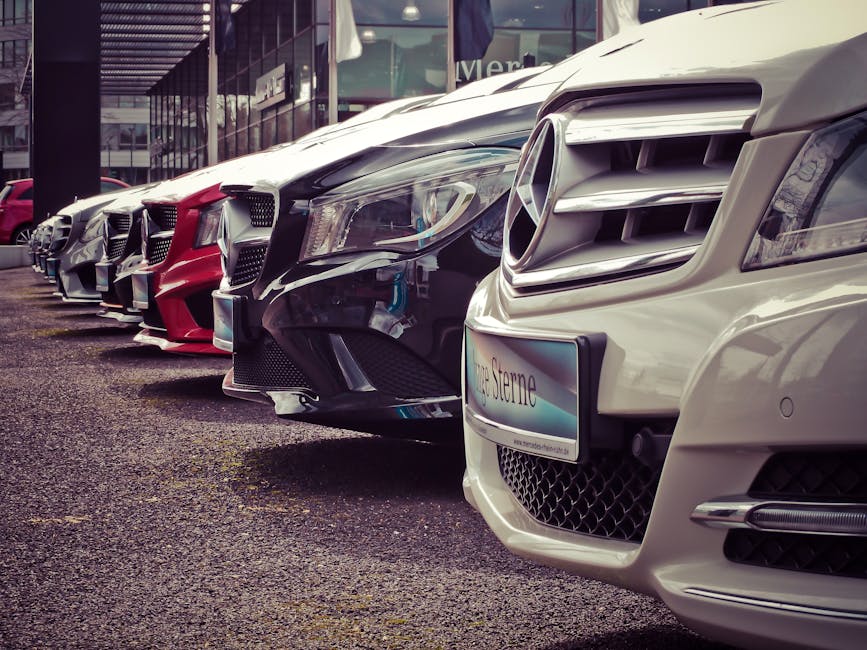
Use DesignLumo to input a plain‑English prompt like “2024 red SUV with snowy backdrop, holiday ribbon, and bold price tag”. In seconds Lumo returns a layered PSD with separate vehicle image, ribbon, and text layers that match your brand kit. Export three‑card variants, upload to Meta Business Suite, and schedule a carousel ad targeting “car enthusiasts” ages 25‑55. Set a $5‑daily budget, monitor CTR; aim for ≥2.5% as the benchmark for seasonal carousel performance. Refresh the carousel weekly to reflect new arrivals, keeping CPM low and engagement high.
Festive Video Teaser with Midjourney + Lumen5
Generate a 10‑second snowy background in Midjourney using the prompt “cinematic winter night dealership lot, soft lights, cinematic depth”. Import the image into Lumen5, add auto‑generated text overlays for "Holiday Savings" and a call‑to‑action button. Export the video, then open it in DesignLumo to replace placeholder fonts with your dealership’s typeface and embed a QR‑code layer linking to the holiday landing page. Publish on Instagram Reels and TikTok, allocate $300 ad spend, and target a view‑through rate (VTR) of ≥30% to drive traffic to inventory.
Localized Holiday Geo‑Targeted FB Ads
In Facebook Ads Manager, create three custom audiences: 25‑mi radius around each dealership, retargeted website visitors, and look‑alike of past service customers. Use DesignLumo to produce three ad variants—each with a city‑specific snowflake icon and localized headline (“Winter Deals in Dallas”). Upload the layered PNGs, set CBO with $15 / day per audience, and enable “Value Optimization”. Track CPA; aim for ≤$45 per lead. Rotate creatives every 5 days to avoid ad fatigue and keep relevance scores above 7.
2. Email & SMS Campaigns
Dynamic Holiday Service Reminder Email
In Mailchimp, set up an automated workflow that pulls each customer’s next service date via merge tags. Use DesignLumo to generate a festive header (red and gold color scheme, snow‑capped car silhouette) with editable text layers for personalization. Export as HTML, paste into Mailchimp’s code editor, and add a “Schedule Service” button linked to your booking portal. Test send to a 1% sample, then launch to the full list. Target an open rate ≥25% and a click‑through rate ≥4% by monitoring the campaign dashboard.
SMS Gift Card Promotion with TextMagic
Create a 600×600 px holiday graphic in DesignLumo: include a gift‑card icon, bold “$500 Holiday Credit”, and a QR code that points to a dedicated landing page. Export as PNG, then upload to TextMagic’s MMS campaign builder. Schedule the blast for Dec 20 9 AM local time, segmenting recent buyers and service customers. Include a short‑code “REDEEM500”. Track redemption via UTM parameters; aim for a 5% conversion rate, which historically lifts service appointments by 12% during the season.
New Year Financing Offer Landing Page
Build a high‑conversion landing page in Unbounce. Prompt DesignLumo: “New Year auto financing hero, bold 0% APR badge, confetti overlay, editable headline”. Export the layered design, import into Unbounce’s drag‑and‑drop editor, and replace the badge with a dynamic countdown timer. Connect a Google Optimize A/B test: Variant A shows “0% APR”, Variant B shows “$1,000 Cash Back”. Set the goal to form submissions; aim for ≥8% conversion. Use Google Analytics to attribute traffic sources and adjust spend accordingly.
3. In‑Store & Outdoor Collateral
Printed Holiday Dealership Banner
In DesignLumo, request a 6 × 3 ft banner with layered sections: background snow scene, central vehicle showcase, and bottom‑strip promo text. Apply your brand kit colors (red, white, metallic) and embed a QR code linking to the holiday inventory feed. Export as PDF/X‑1a, send to a local large‑format printer with a 300 dpi requirement. Install at the main lot entrance two weeks before Christmas. Use a Bluetooth beacon to track footfall; target a 15% increase in on‑site inquiries versus baseline.
Seasonal Service Window Decals
Design a 12 × 12 in window decal in DesignLumo: festive border, “Winter Service Special – 20% Off Oil Change”, and a scannable QR code to the service scheduler. Export as SVG for precision cutting, then feed into a Roland vinyl cutter. Apply the decals to service bay windows, ensuring visibility from the street. Track bookings through a UTM‑tagged URL; aim for a 10% lift in service appointments during December compared to the previous month.
Holiday Test‑Drive Invitation Cards
Prompt DesignLumo for a double‑sided 4 × 6 in card: front features a snowy road and “Test‑Drive the 2024 Holiday Edition”, back includes a QR code and short‑code “DRIVE2024”. Export as print‑ready PDF with bleed, order matte stock via an online printer (e.g., Vistaprint). Distribute cards with every sales interaction and at community events. Sync QR scans to your CRM to mark leads; set a goal of 5% of cards generating a scheduled test‑drive within two weeks. Measure conversion in your dealership’s pipeline report.
Before you go
- Batch‑generate all holiday graphics in DesignLumo at the start of November; store layered files in a shared drive for instant edits.
- Use UTM parameters on every QR code and link to attribute sales, service, and financing leads back to the specific creative that drove them.
- Leverage Facebook’s “Holiday Shopping” ad objective in early December to auto‑optimize for conversions, then switch to “Store Traffic” in the final week to drive showroom visits.















Ready to create your first design?
Join thousands creating professional designs in seconds.
Create with DesignLumo
Related Resources
Auto Dealership Creative Workflow Blueprint
Tactical step‑by‑step guide to fast, high‑ROI graphics for car dealers.
Auto Dealership Print Design Playbook
Tactical guide for flyers, brochures, and print promos that convert car shoppers.
2026 Auto Dealership Design & Marketing Playbook
Actionable design trends and tactics for car dealers in 2026.
Auto Dealership Marketing Success Stories
Tactical case studies showing how dealers boost sales with AI design tools.
Auto Dealership Event Poster Blueprint
Step-by-step guide to create high-converting event posters for car dealers.
Auto Dealership Product Graphics Playbook
Tactical guide for car dealers to create high‑ROI product graphics fast.