Black Friday Campaign Launch Checklist for DTC Brands
Scaling DTC brands need a repeatable process to crush holiday sales. This checklist removes guesswork and ensures every creative asset is ready on time.

1. Creative Production
Generate Bulk Holiday Hero Images with AI
Write a concise prompt for each top‑selling product (e.g., “Red velvet hoodie, snowy backdrop, bold ‘30% OFF’ badge”). Feed the list into DesignLumo’s batch API to output layered PSD files in seconds. Download the zip, rename with SKU, and store in a shared Google Drive folder. This eliminates manual Photoshop work and gives each hero image full editability for last‑minute copy tweaks.
Build Dynamic Product Carousels for Email & Site
Export product images from your Shopify CSV, then use DesignLumo’s “carousel template” to auto‑populate 5‑slide layouts. Set up placeholders for price, discount, and CTA. Export as layered PNGs for email and as WebP for site speed. Link the carousel JSON to Klaviyo’s dynamic block so the same asset updates automatically as inventory changes.
Design Exit‑Intent Pop‑up Graphics
Create a master pop‑up design in DesignLumo with editable text layers for offer, countdown, and coupon code. Duplicate the file for each segment (new‑customers, repeat‑buyers, cart‑abandoners) and adjust copy only. Export PNGs at 2× resolution for Retina screens and upload to your Shopify pop‑up app. This workflow lets you spin up 20+ variants in under an hour.
2. Email & SMS Asset Management
Create 100+ Email Header Variants with Layered Files
Combine the hero batch from Section 1 with Klaviyo’s email header placeholder. In DesignLumo, apply a macro that swaps the headline text layer based on a CSV of subject lines. Export each header as a layered PSD, then use Klaviyo’s bulk import to attach the correct header to each campaign. You’ll have unique visuals for every audience slice without manual copy‑pasting.
Automate SMS Banner Creation via API
Set up a webhook that sends each product’s discount code to DesignLumo’s API, which returns a 600×200 PNG banner with the code overlaid. Store the PNGs in an S3 bucket, then reference them in your SMS platform (e.g., Postscript) using a tokenized URL. This eliminates the need for a designer to craft each banner manually and ensures brand consistency across 200+ messages.
Sync Assets Directly into Klaviyo Campaign Builder
Use Klaviyo’s “File Upload” API to push the folder of PSD‑derived PNGs from DesignLumo into a dedicated asset library. Tag each file with campaign‑ID metadata. In the drag‑and‑drop editor, filter assets by tag to instantly locate the right visual. This reduces the time spent searching for files and prevents version‑control errors during the Black Friday rush.
3. Bundle & Promotion Setup
Assemble Holiday Bundle Mockups in Seconds
Upload product images to DesignLumo’s “bundle mockup” template. Input bundle SKU, pricing, and a “Limited‑Time” badge via CSV. The AI arranges items in a cohesive layout and outputs a layered PSD where you can tweak spacing or swap items. Export PNGs for Shopify product pages and email promotions, cutting bundle‑setup time from days to minutes.
Produce Countdown Timer Graphics
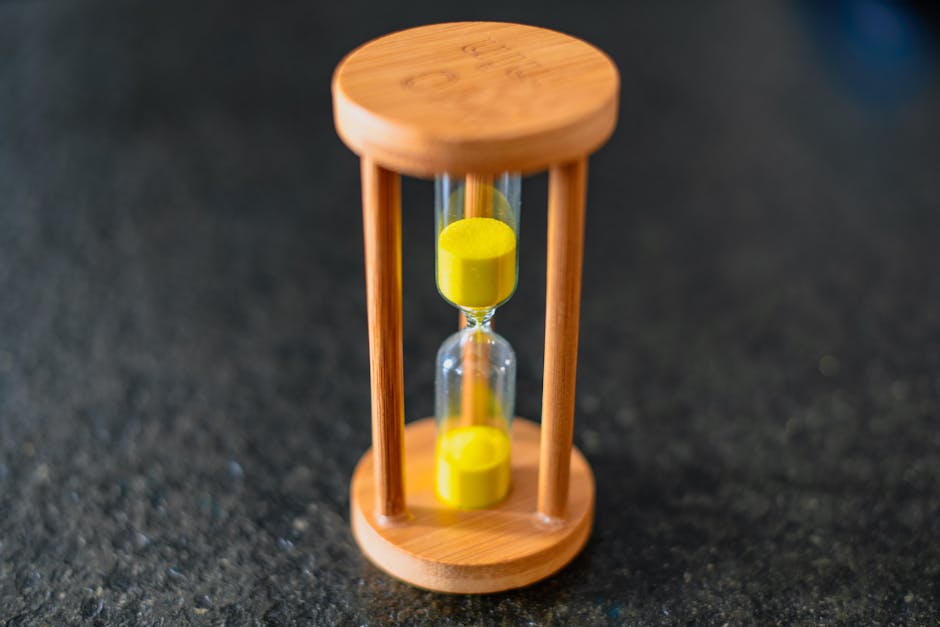
Create a master timer design with a transparent background in DesignLumo. Use the “text replace” macro to inject the remaining hours, minutes, and seconds from a Google Sheet that updates via Zapier every hour. Export WebP files for fast loading on landing pages and email footers. The live‑updating visual creates urgency without manual image swaps.
Generate Social Proof Badges for Trust
Pull your top‑review snippets from Yotpo, then feed each line into DesignLumo’s “badge generator”. The AI applies your brand colors, adds a star rating graphic, and outputs a set of PNG badges ready for product pages, ads, and email sidebars. Batch‑producing 30+ badges ensures every touchpoint showcases fresh proof during the sales surge.
4. Launch Execution & Tracking
Schedule Creative Uploads via Shopify Bulk API

Write a script (Python or Node) that reads the DesignLumo export folder, matches files to product IDs, and calls Shopify’s GraphQL “mediaCreate” mutation. Schedule the script to run nightly via a CI/CD pipeline so all new assets are live before the flash‑sale start. This automation eliminates manual uploads and guarantees consistency across 5,000+ SKUs.
A/B Test Hero Images with Google Optimize
Create two variants of each hero (e.g., “Red vs. Blue background”). Tag the variant URLs in Google Optimize and allocate 50/50 traffic. Set the primary objective to “Revenue per Visitor”. After 48 hours, pause the under‑performing variant and push the winner to all channels via the bulk upload script. This data‑driven loop lifts conversion rates by 5‑10 %.
Real‑time Performance Dashboard in Data Studio

Connect Shopify sales, Klaviyo email metrics, and Google Analytics to a Data Studio report. Use calculated fields to show “Creative‑Level ROAS” (revenue ÷ spend per hero image). Set alerts for any asset whose ROAS drops below 2×, triggering a quick swap via the bulk API. A single dashboard gives you instant visibility into which of the 100+ assets are driving profit.
Before you go
- Batch‑process prompts: write a master prompt template and use spreadsheet mail‑merge to generate 100+ AI requests in one API call.
- Name every file with SKU‑date‑variant to keep the asset library searchable for future campaigns.
- Lock in a 24‑hour review window with copywriters so creative production stays on schedule and doesn’t bottleneck the launch.















Ready to create your first design?
Join thousands creating professional designs in seconds.
Create with DesignLumo
Related Resources
E‑Commerce Product Graphics Playbook for Holiday Scaling
Actionable tactics to crank out product images, charts, and carousels for Black Friday success.
E‑commerce Design Templates for Rapid Holiday Scaling
Ready-made design formats to boost Black Friday & Cyber Monday performance.
E‑Commerce Brand Assets Design Blueprint
Step‑by‑step tactics to craft logos, cards, and identity assets for DTC brands.
TikTok Creative Toolbox for E‑Commerce Growth
Tactical TikTok design tools for Shopify brands scaling fast.
Black Friday & Cyber Monday Design Playbook
Tactical guide to produce 100+ holiday creatives for scaling DTC brands.
Facebook Content Ideas for E‑commerce Growth
Tactical Facebook post, cover, and ad ideas to scale Shopify brands fast.