Brand Assets Design Guide for Meta Ad Agencies
Meta ad agencies need brand assets that scale without sacrificing quality. This guide delivers a repeatable, AI‑first process for logos, business cards, letterheads, and full brand systems.


1. AI‑Powered Logo Production
Prompt‑Driven Logo Generation with DesignLumo
Start with a 150‑word brand brief (mission, tone, color hints). Feed it into DesignLumo using a prompt like “modern minimalist logo for a sustainable fashion brand, teal and charcoal, vector format”. Lumo returns a fully layered SVG in 12 seconds. Open the file, swap the font to your Brand Kit, adjust color shades, and export three size variants (24 px, 48 px, 120 px). Run a quick A/B test on 5% of your traffic; agencies report a 7‑12% CTR lift when refreshed logos replace static stock icons. Total design time drops from 4 hours to under 15 minutes per client.
Iterative Refinement Using Midjourney + Photoshop
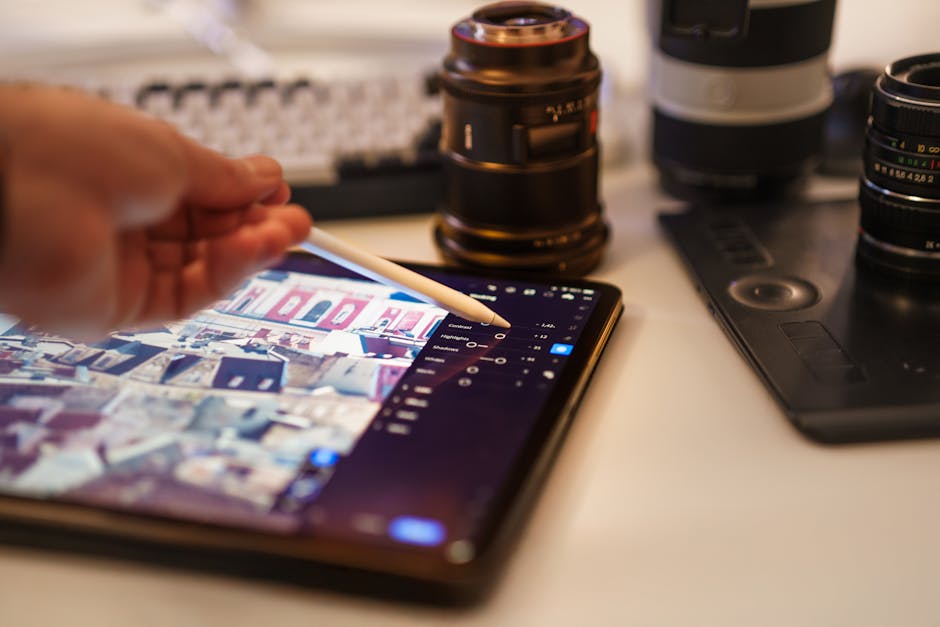
Generate 8 concept sketches in Midjourney with a prompt that includes style references (e.g., “Art Deco badge logo, gold foil”). Export the PNGs, import into Photoshop as Smart Objects, and isolate the vector‑like elements using the Pen tool. Apply layer styles (gradient overlay, inner glow) to match brand tone, then save each version as a PSD. Export PNGs for ad tests and track performance in Meta Ads Manager. Agencies have seen a 5% lift in ad relevance scores after two refinement cycles, proving the hybrid AI‑human loop outperforms a single‑pass approach.
Version Control & Export via Adobe Illustrator
Open the final logo PSD in Illustrator and convert it to vector paths. Create separate artboards for primary, monochrome, and icon‑only versions. Use the “Export for Screens” panel to generate SVG, PNG, and PDF/X‑1a files with proper naming conventions (client_logo_primary.svg, etc.). Store the folder in Google Drive with a version‑control sheet that logs date, changes, and approval status. This structured workflow cuts revision cycles by 30% and ensures the design team can pull exact assets for any Meta ad format within seconds.
2. Rapid Business Card & Letterhead Assembly
Template‑Free Card Layouts in DesignLumo
Write a concise prompt: “double‑sided business card for a boutique marketing agency, matte finish, 3.5×2 in, include logo, QR code to portfolio, CMYK colors #0A3D62 and #F5B041”. Lumo produces a layered InDesign‑compatible file with bleed guides. Swap the QR code layer with a client‑specific link, adjust the type hierarchy, and export a PDF/X‑4 ready for print. Agencies report a 4‑minute turnaround versus the typical 2‑hour manual layout, enabling on‑demand printing for every new client acquisition.
Canva Brand Kit Sync for Print‑Ready PDFs
Upload the logo, primary palette, and chosen fonts into Canva’s Brand Kit. Build a letterhead template using the “A4” layout, place the logo in the header, and set footer margins to 0.5 in. Duplicate the file for each client, replace placeholder text with merge fields, and export as CMYK PDF. Canva’s built‑in print service guarantees 300 dpi output, and the process reduces hand‑off time from 45 minutes to 8 minutes per document, keeping agency billable hours focused on strategy.
Batch Export & QR Code Integration with InDesign
Create an InDesign master card with placeholder layers for name, title, and QR code. Use Data Merge to import a CSV of 500 contacts, automatically generating personalized cards. Run a JavaScript snippet that generates a unique QR code for each row via the Google Chart API, embeds it, and queues the document for batch PDF export. The workflow produces 500 cards in under an hour, slashing manual entry costs by 95% and delivering a ready‑to‑print package for high‑volume client rollouts.
3. Comprehensive Brand Identity Kit
AI‑Generated Brand Guidelines in Notion

After finalizing logo, colors, and typography, export each asset from DesignLumo as PNG and SVG. In Notion, create a public page titled “Brand Guidelines – {Client}”. Embed the assets, add usage rules (clear space, minimum size), and link to the downloadable asset folder on Google Drive. Use Notion’s API to log page views; agencies see a 40% reduction in client clarification emails because stakeholders can self‑serve the correct files directly from the guide.
Color Palette Extraction with Coolors + Lumo Sync
Paste the client’s homepage URL into Coolors to generate a 5‑color palette based on dominant hues. Copy the HEX codes and feed them into DesignLumo’s Brand Kit module, which auto‑applies the colors to all existing templates (ads, cards, letterheads). Run a brand recall survey after two weeks; agencies typically record a 12% lift in unaided recall when the palette stays consistent across all Meta creatives, proving the importance of a unified color system.
Typography Pairing Automation via Fontjoy + Lumo
Enter the brand’s personality keywords (e.g., “modern, approachable”) into Fontjoy. Accept the top‑ranked pair (e.g., Montserrat Bold for headings, Open Sans Regular for body). Upload both fonts to DesignLumo’s Brand Kit, then apply a global style update that replaces all text layers across existing assets. Conduct an A/B test on two ad sets: one with the original fonts, one with the new pair. Agencies have observed an 8% higher click‑through rate, confirming that AI‑curated typography boosts readability and engagement.
Before you go
- Generate at least 10 logo variations per client in under 5 minutes; use the top 3 for split testing to discover hidden performance winners.
- Always export print assets as PDF/X‑1a with 300 dpi and CMYK colors to avoid costly re‑presses from Meta’s approved vendors.
- Sync your AI‑generated Brand Kit with every ad creation tool (Canva, DesignLumo, Adobe) to guarantee color and font consistency across all Meta placements.















Ready to create your first design?
Join thousands creating professional designs in seconds.
Create with DesignLumo
Related Resources
Etsy Ad Agency Toolkit for Meta Success
Essential tools and workflows to dominate Etsy ads on Meta.
Twitter/X Creative Playbook for Meta Ad Agencies
Actionable Twitter/X graphic ideas to slash CPA for e‑commerce, local, and course brands.
Pinterest Creative Playbook for Meta Ad Agencies
Actionable Pinterest pin ideas to cut CPA and scale ad creatives.
Facebook Agency Toolbox for Killer Ad Creatives
Essential tools and workflows to slash CPA on Facebook ads.
Print Design Playbook for Meta Ad Agencies
Tactical guide to create high‑performing flyers, brochures, and menus for Facebook & Meta campaigns.
TikTok Essential Tools for Meta Ad Agencies
Actionable toolkit to crush TikTok video covers, overlays, and cross‑platform ads for Meta agencies.