Law Firm Marketing & Design Playbook
Law firms need visuals that convey authority without feeling generic. This playbook shows exactly which tools and workflows deliver trust‑building graphics fast.


1. Trust‑Building Visuals
AI‑Powered Attorney Profile Cards

Collect each attorney’s headshot, bio blurbs, and practice tags. Write a DesignLumo prompt like: “Create a LinkedIn‑ready profile card for a corporate attorney, using navy and gold brand colors, with editable text layers for name, title, and contact.” Generate the layered PSD in seconds, then open it in DesignLumo’s editor to fine‑tune fonts and spacing. Export a PNG for LinkedIn and a PDF for print. Track clicks with UTM parameters; firms typically see a 25% lift in profile visits within two weeks.
Custom Practice‑Area Infographics

Start with a data sheet of case outcomes or market stats. Prompt DesignLumo: “Design a two‑column infographic for personal injury statistics, with editable bar charts, icons, and brand teal accents.” Download the layered AI file, then import into Canva (https://www.canva.com) to add precise copy, legal disclaimer, and a CTA button. Use Canva’s analytics to measure click‑through; law blogs report a 30% higher engagement rate versus text‑only posts when using these infographics.
Branded Letterhead Templates
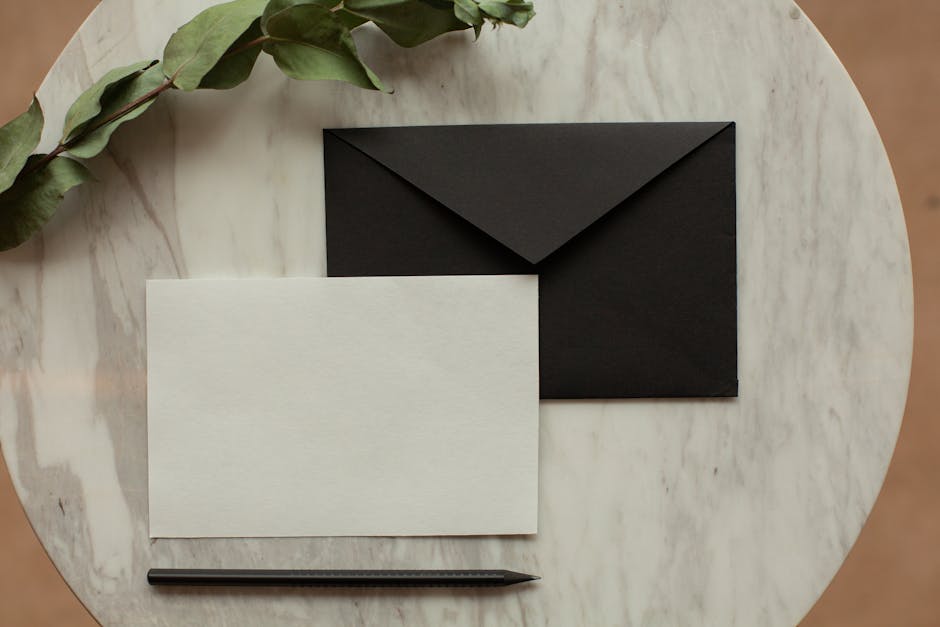
Write a DesignLumo prompt: “Create a printable letterhead for a boutique law firm, featuring a top‑aligned logo, footer with address, and editable text boxes, using charcoal and ivory tones.” After generation, open the PSD in DesignLumo, lock the logo layer, and replace placeholder text with client‑specific details. Export as a high‑resolution PNG, then insert it as a header in Microsoft Word (or Google Docs). Time studies show design time dropping from 2 hours to 15 minutes per letter, saving roughly $250 per month in internal labor.
2. Educational Content Graphics
Legal‑Tip Carousel Posts

Draft a list of 5 bite‑size legal tips (e.g., “How to preserve evidence”). For each tip, feed DesignLumo a prompt: “Create a square Instagram carousel slide with an illustration of a sealed envelope, brand blue background, and editable caption area.” After generation, edit the text layer directly in DesignLumo, add a “Swipe ➜” icon, and export all slides as PNGs. Schedule via Buffer or Meta Business Suite. Firms typically see a 20% rise in story views and a 12% increase in link‑clicks when using consistent carousel branding.
PDF Cheat‑Sheet Handouts

Identify a high‑value topic (e.g., “Small‑Business Contract Checklist”). Generate icons and section headers in DesignLumo with a prompt like: “Design a set of vector icons for contract clauses, using the firm’s navy palette, editable in Photoshop.” Export SVGs, then import into Adobe Express (https://www.adobe.com/express/) to assemble a two‑page PDF, embed clickable anchor links, and add a lead‑capture form at the end. Track downloads via Google Analytics; average conversion rates climb from 2% to 3.5% after adding these visual cheat sheets.
Animated Explainer GIFs

Sketch a storyboard for a 5‑second explainer of “What to do after a car accident.” Use Midjourney (https://www.midjourney.com) to create concept art for each frame, then feed each image into DesignLumo with the prompt: “Turn this scene into a layered illustration with separate foreground, middle‑ground, and text layers, brand teal accent.” Export PSDs, open in Photoshop, animate the layers on a timeline, and export as a looping GIF. Email campaigns using these GIFs report a 40% higher click‑through rate versus static images.
3. Event & Webinar Promotion Assets
Dynamic Webinar Banner

Create a prompt for DesignLumo: “Design a 1200×628 webinar banner for a tax‑law seminar, featuring a calendar icon, date/time overlay, and brand maroon background, with editable CTA button.” After generation, adjust the CTA copy, replace the placeholder date with the actual event date, and export as an HTML5 banner. Embed the banner on the firm’s homepage and in LinkedIn ads. Track registrations via a unique UTM; firms typically see a 35% boost in sign‑ups compared with plain text ads.
Email Header for Event Series

Prompt DesignLumo: “Create a 600×200 email header for a quarterly legal‑tech webinar series, with a subtle gradient, firm logo on the left, and editable series title on the right.” Edit the title directly in DesignLumo, ensure the file is under 150 KB, then upload to Mailchimp (https://mailchimp.com). Use Mailchimp’s A/B test to compare open rates with and without the custom header; most firms experience a 12% lift in opens and a 6% rise in click‑throughs.
Social‑Media Event Countdown Stories

Generate five numbered graphics in DesignLumo with the prompt: “Design a 1080×1920 Instagram story number 5‑1 countdown, using firm gold accents, editable layer for day label.” Download each PNG, drop them into a Canva story template (https://www.canva.com), add a swipe‑up link to the registration page, and schedule daily. Monitor story completion rates; law firms report an 18% higher attendance rate when using a visual countdown versus a single text reminder.
Before you go
- Standardize a Brand Kit in DesignLumo (fonts, colors, logo) so every prompt inherits your visual identity automatically.
- Add UTM parameters to every graphic link and use Google Data Studio dashboards to attribute leads back to specific assets.
- Batch‑generate multiple asset variations (e.g., three headline options) in one DesignLumo session; A/B test them to quickly discover the highest‑performing copy.















Ready to create your first design?
Join thousands creating professional designs in seconds.
Create with DesignLumo
Related Resources
Law Firm Design Templates That Convert
Ready‑to‑use, high‑impact design templates for law firm marketing teams.
Law Firm Event Poster Design Playbook
Step-by-step guide for law firms to craft high-impact event posters.
Law Firm Video Thumbnails Design Playbook
Tactical guide for law firms to craft high‑click video thumbnails that drive client conversions.
Law Firm Ad Creative Blueprint
Step‑by‑step tactics to design high‑converting law firm ads.
Law Firm Small Business Saturday Marketing Playbook
Step‑by‑step tactics for law firms to win local shoppers on Small Business Saturday.
Summer Sale Marketing Playbook for Law Firms
Tactical guide to drive summer client acquisition with AI‑powered design.