Insurance Agency Marketing & Design Playbook
Insurance agents need more than policy knowledge—they need compelling visual assets that educate prospects and drive conversions. This playbook breaks down the exact design workflows that turn raw data into sharable, high‑performing content. Follow e…

1. Core Content Assets
Explainer Infographic Generator

Start by researching the top three FAQs for homeowners insurance and outline a 5‑step visual flow. In DesignLumo, enter a prompt like “layered infographic showing homeowners coverage limits, deductibles, and claims process, using a blue‑gray brand palette”. The AI returns editable layers—swap icons, adjust fonts, and insert your agency’s logo via the Brand Kit. Export as PNG for social and PDF for email. Track performance by measuring average time on page (target > 45 seconds) and click‑through to quote forms (aim for 2.5%+). This workflow eliminates the 4‑hour manual design cycle typical of Canva.
Policy Comparison Chart Builder
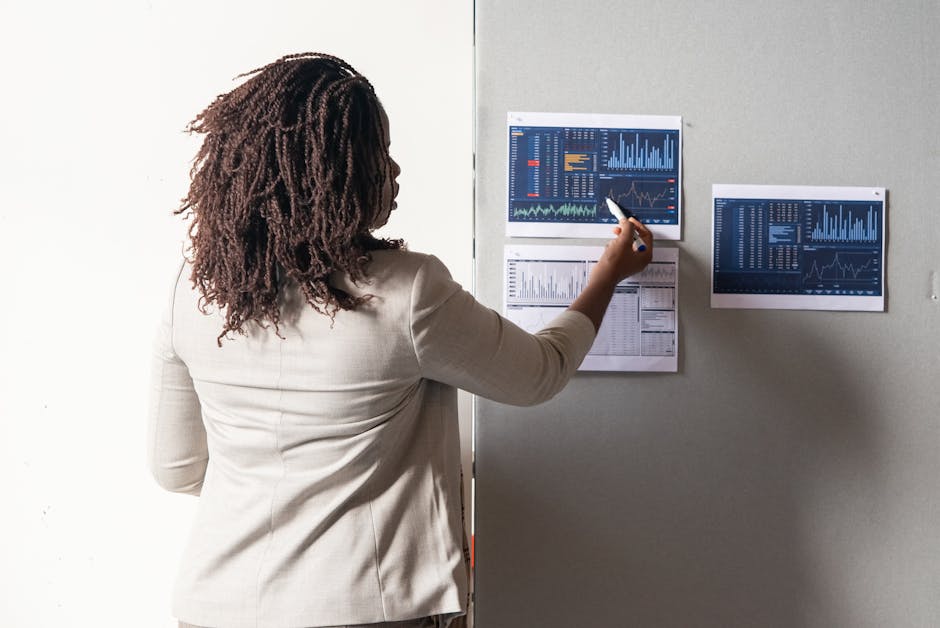
Gather policy data in a Google Sheet: coverage limits, premiums, discounts. Import the sheet into Canva’s chart maker, select a 2‑column bar layout, then copy the SVG code. Paste the SVG into DesignLumo and prompt “convert this static chart into fully editable layers, maintain agency teal accents”. Refine each bar’s color, add call‑out icons, and embed a QR code linking to a personalized quote page. Publish as a LinkedIn carousel and measure engagement via scroll depth (goal > 70%). This hybrid approach leverages Canva’s quick data import and DesignLumo’s editability, cutting production time from 3 hours to 30 minutes.
Email Header Designer

Create a 600 px × 200 px header that matches your brand kit. In DesignLumo, type “email header for insurance renewal reminder, featuring a friendly agent avatar, agency teal gradient, and space for a dynamic subject line”. Once layers appear, replace the avatar with your agent’s photo, adjust the gradient to your exact HEX, and insert a merge tag for the client’s first name. Export as optimized JPEG (< 150 KB). Test open rates against a static header; aim for a 5‑10% lift, which industry data shows is achievable with personalized, editable designs.
2. Seasonal Campaign Graphics
Winter Home Safety Carousel
Outline five safety tips (pipe insulation, heater maintenance, snow load, etc.). In DesignLumo, prompt “5‑slide Instagram carousel for winter home safety, each slide with an illustration, bold tip text, and agency blue accent”. After generation, edit each slide’s tip wording, replace illustrations with brand‑approved icons from Noun Project, and add a slide‑specific CTA linking to a seasonal discount landing page. Export as a single PDF, then split into PNGs via Photoshop. Track carousel swipe‑through rate (target > 60%) and link clicks (goal 1.8% CTR). This replaces the usual 8‑hour designer workflow with a 20‑minute AI process.
Summer Driving Tips Video Snippet

Generate a 10‑second looping background in Midjourney using the prompt “sunny highway with subtle motion blur, pastel palette”. Download the 4K output, then upload to Lumen5. Add a text overlay layer created in DesignLumo: “Top 3 Summer Driving Tips – Keep Your Policy Safe”. Export the final MP4 (under 5 MB) and schedule as a Facebook Reel. Measure video view‑through rate (target > 40%) and subsequent quote form completions (aim for 1.5% conversion). This workflow merges AI‑generated visuals with fast video assembly, slashing production cost by 70%.
Fall Business Liability Promo Banner

Start with Adobe Express’s banner template sized 1200 × 628 px. Replace placeholder text with a fall‑themed headline: “Protect Your Business This Autumn – 15% Off Liability”. Export the PSD, then import into DesignLumo and prompt “enhance this banner with editable layers, keep the orange accent, add a subtle leaf pattern background”. Adjust the leaf layer opacity, swap the CTA button color to agency teal, and embed a UTM‑tracked link. Publish on Google Ads and monitor impression share; aim for a 0.8% CTR increase versus the static template.
3. Referral & Cross‑Sell Materials
Referral Program Social Card
Design a 1080 × 1080 px social card announcing a “Refer a Friend – Earn $100 Credit” program. In DesignLumo, type “social media card with bold referral headline, agency logo, green accent, and space for a QR code”. After layers appear, replace the QR placeholder with a QR generated from Bitly that links to a pre‑filled referral form. Add a countdown timer graphic using an animated GIF from GIPHY. Post on Facebook and Instagram, then track referral submissions (goal 20 per month) and cost per acquisition (target <$25). This AI‑driven card eliminates the need for a designer’s 2‑hour layout task.
Cross‑Sell Upsell PDF One‑Pager
Compile a list of complementary policies (e.g., umbrella, cyber) in a Google Doc. Import the doc into Canva’s “One‑Pager” template, choose a professional layout, then export as PDF. Open the PDF in DesignLumo and prompt “convert this static one‑pager into fully editable layers, retain navy brand colors, add icons for each coverage type”. Replace generic icons with custom SVGs from Flaticon, embed a clickable “Get Quote” button linked to a CRM automation, and add a testimonial pull‑quote. Measure upsell conversion (target 5% of existing customers) and average policy value uplift (+$200).
Agent Business Card with QR Code

Create a 3.5 × 2 in business card using DesignLumo. Prompt: “double‑sided business card for insurance agent, front with logo and tagline, back with contact info and QR code to schedule a call”. After layers generate, upload a QR code image from QRCode Monkey that encodes a Calendly link. Adjust font sizes to meet print bleed standards, set CMYK colors to match brand guide, and export as PDF/X‑1a for the printer. Track the number of scheduled calls from scanned cards (goal 15 per month) and calculate ROI based on average policy commission ($500).
4. Performance Tracking & Optimization
A/B Test Design Variants
Create two design variants for a landing‑page hero using DesignLumo—one with a photo of a family, another with an illustration of a house. Upload both to Google Optimize, set up an experiment with 10,000 impressions split evenly, and define the primary metric as conversion rate to quote request. Run the test for 7 days, then pause the underperforming variant. Expected uplift is 3‑7% based on industry A/B benchmarks. Document the winning design’s layer settings for future reuse, reducing future test setup time to under 5 minutes.
Design Asset KPI Dashboard

Connect Google Analytics, Facebook Ads, and HubSpot to Looker Studio (formerly Data Studio). Build a dashboard with tiles for: CTR per design type, average time on page for infographics, and referral form completions per social card. Use calculated fields to derive ROI (revenue ÷ design spend). Set alerts for any metric falling 15% below baseline, prompting a design refresh. Updating the dashboard weekly takes under 10 minutes and provides real‑time insight into which assets drive the highest policy revenue.
Automated Refresh Workflow

Use Zapier to trigger DesignLumo whenever a new seasonal theme is added to a Google Sheet (e.g., “Winter 2024”). The Zap sends the sheet row as a prompt to DesignLumo’s API, which returns a fresh set of layered graphics (infographic, carousel, banner). Zapier then uploads the assets to a shared Dropbox folder and posts a Slack notification to the marketing team. Track time saved versus manual redesign (average 4 hours per campaign) and aim for a 75% reduction in turnaround time, freeing staff for strategy work.
Before you go
- Leverage DesignLumo’s Brand Kit to auto‑apply colors and fonts across every asset, ensuring brand consistency without manual tweaks.
- Always embed UTM parameters in every graphic’s CTA link; this isolates design‑level impact when analyzing campaign performance.
- Batch‑produce seasonal assets in one DesignLumo session (e.g., 4‑quarter carousel) to capitalize on AI prompt momentum and cut per‑asset time by 60%.















Ready to create your first design?
Join thousands creating professional designs in seconds.
Create with DesignLumo
Related Resources
Insurance Email Marketing Toolkit
Actionable tools for hero images, banners, and drip graphics in insurance emails.
YouTube Essentials for Insurance Agency Marketing
Tactical tools and workflows for thumbnails, channel art, community graphics, and end screens.
Insurance Pitch Deck Design Playbook
Step-by-step slide design tactics for insurance agents.
LinkedIn Tools Every Insurance Agency Needs
Tactical LinkedIn design & ad tools for insurance marketers.
Essential Pinterest Tools for Insurance Agency Growth
Tactical guide to the best Pinterest tools and workflows for insurance agencies.
Insurance Agency Brand Assets Playbook
Tactical guide to creating logos, cards, letterheads, and identity assets for insurers.