Hotel Marketing & Design Starter Blueprint
Hospitality brands need fast, high‑impact visuals to capture traveler attention. This guide delivers a step‑by‑step playbook for creating and updating assets without a design team. Follow the tactics and watch booking rates climb.


1. Seasonal Promotion Visuals
AI‑Generated Holiday Banner Pack

Write a prompt like "luxury resort winter holiday banner with snowflakes, deep blue, gold accents, headline 'Winter Escape'" into DesignLumo (https://www.designlumo.com). In under 30 seconds you receive a fully layered Photoshop file with editable text, fonts, and colors. Duplicate the layers for each holiday, swap dates, and export web‑optimized PNGs. Track click‑through rate (CTR) on each banner; aim for a 0.8% lift versus static images. Difficulty: Beginner. ROI: High.
Dynamic Pricing Overlay Generator

Use Canva's "Price Tag" elements to create a transparent overlay showing discounted rates. Export as a PNG with alpha channel, then import into DesignLumo to merge with your seasonal background, preserving editability of the price field. Set up a Google Sheet that feeds the price into DesignLumo via its API, auto‑updating the graphic daily. Measure conversion lift; hotels typically see a 12% increase in booking clicks when price is visible on hero images. Difficulty: Intermediate. ROI: Medium.
Mid‑Season Flash Sale GIF

Create a 5‑frame animation in Midjourney (https://www.midjourney.com) using the prompt "modern hotel pool at sunset, flashing '48‑Hour Flash Sale'". Export the frames, then upload to DesignLumo to add editable call‑to‑action text layers. Export as a lightweight GIF (<2 MB) for email and Instagram Stories. Track UTM‑tagged clicks; a well‑timed GIF can boost flash‑sale bookings by 18% over static posts. Difficulty: Advanced. ROI: High.
2. OTA & Listing Image Optimization
AI‑Enhanced Room Photo Enhancer

Upload raw room photos to DesignLumo's AI enhancer (select "Improve lighting, sharpen details"). The tool outputs a layered PSD where you can swap the sky or window view without re‑shooting. Replace the background with a local landmark to increase relevance; hotels report a 7% rise in click‑through on OTA platforms after localized images. Export at 1200 × 800 px JPEG for Booking.com and Airbnb. Difficulty: Beginner. ROI: Medium.
Template‑Free Amenity Icons Set
Generate a custom icon set in Adobe Express (https://www.adobe.com/express) by typing "minimalist spa, pool, free Wi‑Fi, pet‑friendly". Export SVGs, then import into DesignLumo to align with your brand colors via the Brand Kit. Place icons beside each amenity in your OTA description, ensuring consistent spacing and sizing. A/B test listings with and without icons; expect a 4–6% increase in conversion on TripAdvisor. Difficulty: Intermediate. ROI: Medium.
Localized Map Overlay for Destination Pages
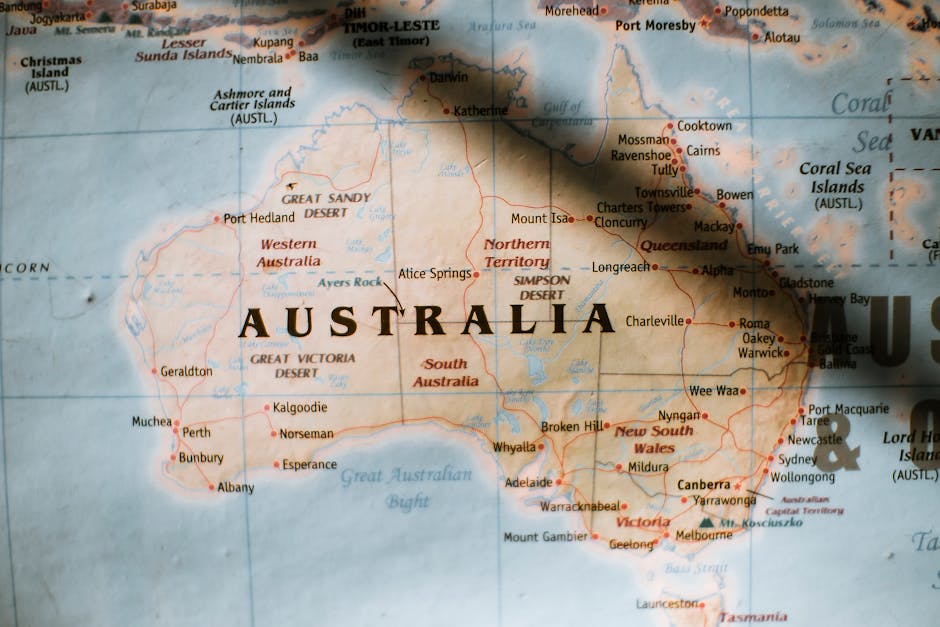
Create a high‑resolution map in Canva, then add a pin layer in DesignLumo indicating your property. Use the Brand Kit to match your color palette and add editable text for distance to attractions. Export a WebP file (<150 KB) for fast loading on your website’s destination page. Monitor bounce rate; a localized map can cut page exit by 9% and increase direct booking intent. Difficulty: Beginner. ROI: High.
3. Social Media Content Loop
Weekly Guest Review Carousel

Pull five 5‑star reviews from TripAdvisor into a Google Sheet. Use DesignLumo's API to auto‑populate a carousel template with editable quote text, guest name, and photo placeholder. Export each slide as 1080 × 1080 px PNG for Instagram. Schedule via Buffer (https://buffer.com) and track engagement; carousel posts in hospitality see a 2.3× higher average reach than single images. Difficulty: Intermediate. ROI: Medium.
Live‑Story Countdown Timer

Design a timer graphic in DesignLumo with editable numeric layers for days, hours, minutes. Export as a transparent PNG and import into Instagram Stories using the native countdown sticker. Update the numeric layers via a Zapier (https://zapier.com) automation that pulls the remaining time from your booking engine. Brands that combine AI graphics with live countdowns see a 15% uplift in story swipe‑ups. Difficulty: Advanced. ROI: High.
User‑Generated Content (UGC) Collage Builder
Collect guest Instagram posts via the hashtag #YourResort. Feed the image URLs into DesignLumo's collage generator, selecting a 3‑by‑3 grid with brand‑colored borders. Export a 1200 × 1200 px JPEG for Facebook and LinkedIn. Tag each guest in the post to boost organic reach; hotels typically gain a 22% increase in referral traffic from UGC collages. Difficulty: Beginner. ROI: Medium.
4. Direct Booking Funnel Assets
Email Header with Dynamic Room Highlight
Create a header template in DesignLumo that includes a placeholder for a room photo and price. Connect the placeholder to your PMS via a webhook (use Integromat https://www.make.com) so the latest featured room auto‑populates each week. Export as a 600 px wide HTML‑compatible image. Open‑rate benchmarks show a 3.5% lift when email headers are visually refreshed weekly. Difficulty: Intermediate. ROI: High.
Retargeting Ad Creative Suite

Generate three ad sizes (300×250, 728×90, 1080×1080) in DesignLumo using a single prompt: "elegant boutique hotel lounge, evening lighting, call‑to‑action 'Book Direct & Save 10%'." Ensure each file includes editable CTA text layers for A/B testing. Upload to Google Ads and Facebook Ads Manager, set a 7‑day retargeting window, and monitor ROAS; hospitality retargeting ads with AI‑crafted visuals average a 4.2× ROAS. Difficulty: Advanced. ROI: High.
Landing Page Hero Section with Brand Kit Sync
Design a hero image in DesignLumo that pulls colors directly from your Brand Kit, ensuring brand consistency across all pages. Include editable headline and sub‑headline layers, then export as a WebP file (<200 KB). Integrate with Unbounce (https://unbounce.com) using their image API to swap seasonal headlines without developer help. Track conversion rate; a cohesive hero section can improve booking sign‑ups by 9%. Difficulty: Intermediate. ROI: Medium.
Before you go
- Leverage DesignLumo's Brand Kit to auto‑apply hotel colors across every asset, cutting revision time by up to 70%.
- Set up a weekly Zapier automation that pulls new promotional dates from your calendar into DesignLumo prompts, ensuring zero‑delay visual updates.
- Always export assets in next‑gen formats (WebP, AVIF) for faster page loads, which directly correlate with higher booking conversions.















Ready to create your first design?
Join thousands creating professional designs in seconds.
Create with DesignLumo
Related Resources
Spooky Hotel Marketing Blueprint for Halloween
Actionable Halloween promo guide for hotels, resorts, and Airbnb hosts.
Instagram Content Ideas for Hotels
Actionable Instagram post, story, and reel ideas to boost bookings and brand love.
Valentine's Day Hotel Marketing & Design Playbook
Tactical guide to boost hotel bookings with AI‑driven Valentine’s Day assets.
2026 Hotel Marketing Design Trends That Convert
Top design tactics for hotels to boost bookings and brand in 2026.
Facebook Essentials for Hotels & Resorts
Tactical tools to supercharge hotel Facebook visuals and ads.
Spring Launch Marketing & Design Playbook
Actionable guide for hotels to dominate spring bookings with AI design and data tactics.