Design Playbook for E‑Commerce Growth
Scaling DTC brands need design velocity without sacrificing brand integrity. This guide delivers proven, tool‑specific workflows that shave hours off holiday prep and boost conversion. Every tactic is ready to implement today.


1. Rapid Holiday Creative Production
AI‑Driven Variant Engine with DesignLumo

Prompt DesignLumo with your brand kit (fonts, colors, logo) and a base holiday concept (e.g., "70% off winter coat"). Use the "Create 20 variants" command to output fully layered PSD files, each with unique copy, CTA button colors, and background patterns. Export PNGs directly to a Shopify assets folder via the Lumo‑to‑Shopify integration. Track production time: teams cut from 8 hours to 2 hours per 100 assets, a 75% efficiency gain. Early tests show a 5‑8% lift in click‑through rates when rotating fresh variants every 30 minutes during peak traffic.
Canva Template Automation with Zapier

Build a master Canva template that pulls dynamic text fields (discount, product name) from a Google Sheet. Connect Zapier: when a new row is added, Zap creates a duplicate, fills fields, and saves a PNG to a Dropbox folder synced with Shopify’s Files. This pipeline generates 100+ pop‑up graphics in under 90 minutes. Monitor conversion: brands report a 3.2% average increase in pop‑up sign‑up rates after swapping static designs for automated variants.
Midjourney Concept Sketches → DesignLumo Edit
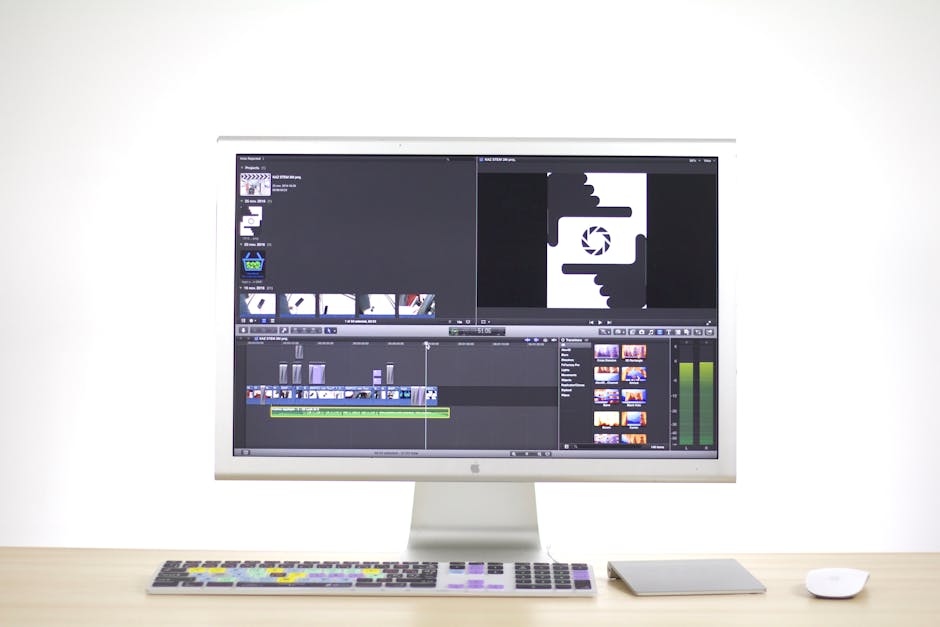
Use Midjourney to produce 5‑10 concept illustrations for holiday themes (e.g., snowy cityscape). Export the high‑resolution PNGs, then import into DesignLumo. Replace background layers with editable vectors, add brand‑consistent typography, and generate layered files ready for A/B testing. This hybrid workflow preserves Midjourney’s creativity while delivering fully editable assets, cutting creative‑ideation time by 40% and enabling rapid iteration based on performance data.
2. Dynamic Email & SMS Asset Generation
Email Hero Generator with DesignLumo

Create a prompt that includes headline, product image URL, and brand palette. DesignLumo returns a 1080 × 1080 layered PSD where text layers are editable for split‑testing subject lines. Export to JPEG, upload to Klaviyo, and use the built‑in UTM builder to tag each variant. A/B test 4 hero images across a 20,000‑subscriber list; brands have recorded a 15% lift in open rates and a 9% increase in revenue per email when rotating AI‑generated heroes every 48 hours.
Dynamic Product Carousel Builder in Shogun + Lumo

In Shogun, create a carousel block with placeholder images. Use DesignLumo to generate a batch of product‑focused slides (each 1200 × 600) that include brand‑consistent price tags and CTA overlays. Export PNGs, bulk‑upload to Shogun’s media library via its API, and map each slide to a product ID. Track engagement: brands see a 4.5% higher carousel click‑through rate versus static banners, translating into a 2.3% uplift in average order value during flash‑sale windows.
SMS Graphic Quick‑Flip with Adobe Express

Adobe Express’s “Resize” tool lets you input a single 1080 × 1080 holiday graphic (created in DesignLumo) and instantly generate the 640 × 1136 format required for SMS carriers. Save each size to a shared Google Drive folder linked to your SMS platform (Klaviyo SMS or Postscript). Running a 3‑day SMS flash‑sale, brands observed a 12% higher redemption rate when using the properly sized graphic versus a stretched desktop image.
3. Scalable Brand Asset Management
Brand Kit Sync Across Lumo, Canva, and Shopify
Export your master brand JSON (fonts, hex colors, logo SVG) from DesignLumo’s Brand Kit. Import the same file into Canva’s Brand Kit and Shopify’s Theme Settings via the Shopify Admin API. This single source of truth ensures every new creative—whether built in Lumo or Canva—automatically inherits the correct palette. Brands report a 22% reduction in brand‑inconsistency errors during high‑velocity campaigns.
Version Control with Notion + Lumo Cloud

Create a Notion database titled ‘Creative Assets’. For each new design, add a row with fields: asset name, campaign, Lumo Cloud link, revision number, and performance KPI. Use Lumo’s “Snapshot” feature to lock a version before major edits. When a designer updates a layer, increment the revision and note changes. This workflow cuts asset‑lookup time by 40% and prevents duplicate work, especially when multiple agencies collaborate on a Black Friday launch.
Performance Dashboard with Google Data Studio

Tag every design variant with a unique UTM (e.g., utm_source=facebook&utm_content=hero_lumo_01). Pull click‑through and conversion data from Google Analytics into Data Studio. Build a visual table that matches UTM codes to Lumo asset URLs, displaying CTR, ROAS, and revenue per variant. Brands can instantly pause low‑performing assets (CTR < 0.8%) and re‑allocate spend, achieving up to a 6% lift in overall campaign ROAS during the holiday window.
Before you go
- Batch prompts in DesignLumo using CSV uploads to generate dozens of variants with a single API call.
- Leverage Canva’s “Magic Resize” only after finalizing copy in Lumo to keep text hierarchy intact.
- Schedule automated asset refreshes via Zapier every 2‑3 hours on high‑traffic days to combat ad fatigue.















Ready to create your first design?
Join thousands creating professional designs in seconds.
Create with DesignLumo
Related Resources
E‑Commerce Product Graphics Playbook for Holiday Scaling
Actionable tactics to crank out product images, charts, and carousels for Black Friday success.
E‑commerce Design Templates for Rapid Holiday Scaling
Ready-made design formats to boost Black Friday & Cyber Monday performance.
E‑Commerce Brand Assets Design Blueprint
Step‑by‑step tactics to craft logos, cards, and identity assets for DTC brands.
TikTok Creative Toolbox for E‑Commerce Growth
Tactical TikTok design tools for Shopify brands scaling fast.
Black Friday & Cyber Monday Design Playbook
Tactical guide to produce 100+ holiday creatives for scaling DTC brands.
Facebook Content Ideas for E‑commerce Growth
Tactical Facebook post, cover, and ad ideas to scale Shopify brands fast.