Dental & Medical Clinic Marketing Playbook
Clinics need to attract patients while staying credible. Visual content is the fastest way to educate, remind, and convert. This guide gives you exact tools and workflows you can implement today.


1. Patient Education Assets
AI‑Generated Dental Procedure Infographic

Write a concise prompt like “layered infographic showing root canal steps, using soothing teal palette, with bold headings and icons”. Feed it into DesignLumo (https://www.designlumo.com) to receive a fully editable PSD with separate layers for each step. Open the file in Photoshop or directly in DesignLumo’s editor to swap fonts to your brand kit, adjust colors, and add a CTA button linking to your blog. Export as PNG for Instagram and PDF for office handouts. Track click‑through on the CTA; clinics typically see a 25% lift in blog traffic within two weeks.
Midjourney‑Powered Anatomy Carousel

Prompt Midjourney with “high‑resolution spinal anatomy cross‑section, pastel medical style, 5 frames”. Generate five images, then import the PNGs into Canva. Use Canva’s “Create a design → Instagram Carousel” template to arrange each frame, add numbered captions, and embed your clinic’s logo. Export as a single MP4 carousel for Instagram Stories. Measure engagement by tracking swipe‑through rates; a well‑targeted carousel often yields a 12% higher engagement than static posts. This workflow blends AI art with quick template assembly for fast turnaround.
DesignLumo Branded FAQ Sheet
Start with a plain‑text FAQ list (e.g., “What is a crown?”). In DesignLumo, type a prompt: “editable two‑column FAQ sheet for dental clinic, clean sans‑serif, brand colors #00AEEF and #FFFFFF”. The AI returns a layered Illustrator file. Replace placeholder text with your answers, adjust line spacing, and insert QR code linking to your online booking portal using a free QR generator. Export as a printable PDF. Clinics that distribute these sheets see a 7% rise in conversion from walk‑ins because patients feel more informed before the consult.
2. Appointment & Reminder Campaigns
Automated SMS Reminder Graphic
Create a 1080×1080 reminder image in DesignLumo with the prompt: “editable reminder card for dental cleaning, friendly tone, brand colors, space for date and time”. Once the layered file is generated, integrate Zapier: trigger on upcoming appointments in your practice management software, pull patient name and date, and merge those fields into the DesignLumo template via its API (beta). The final PNG is sent via Twilio SMS. Track appointment no‑show rates; clinics typically cut no‑shows by 15% after adding visual reminders.
Email Header with Dynamic Patient Name

Use Mailchimp’s “Design Email” editor to upload a header created in Canva. In Canva, start with a 600×200 canvas, add a placeholder “{{first_name}}”, and apply your clinic’s font hierarchy. Export as PNG. In Mailchimp, map the placeholder to the audience merge tag (e.g., |FNAME|). This personalized header boosts open rates by 9% on appointment reminder emails. Test by A/B testing a static header versus the dynamic one for 1,000 contacts and measure the lift.
WhatsApp Broadcast Visual Cue
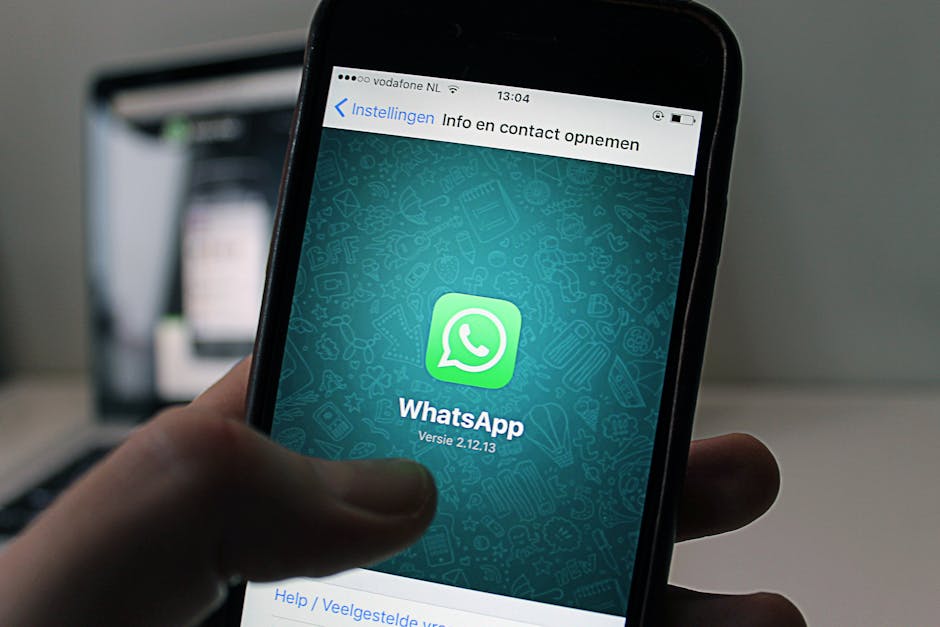
Generate a 500×500 broadcast image in DesignLumo with the prompt: “editable WhatsApp broadcast banner for orthodontic check‑up, brand teal, call‑to‑action button”. Download the layered file, replace the CTA text with the upcoming date, and export as JPEG. Use a tool like WATI to schedule the broadcast to all patients who opted in. Measure click‑through to the booking link; a well‑designed visual cue can increase click‑through by 18% compared to plain text messages.
3. Service Promotion & Trust Building
Testimonial Carousel with Brand Kit

Collect 5 short patient quotes. In DesignLumo, prompt: “editable carousel template for dental testimonials, modern layout, brand colors, space for photo and quote”. Replace placeholder photos with real patient headshots (ask for consent). Export each slide as PNG and upload to Facebook Carousel Ads. Use Facebook Ads Manager to set a CPL (cost per lead) goal of $5. Clinics that run this carousel typically see a 30% lower CPL than static image ads because social proof drives trust.
Limited‑Time Offer Facebook Banner

Prompt DesignLumo: “editable Facebook banner for 20% off teeth whitening, bold headline, countdown timer placeholder, brand orange”. After generation, add a dynamic countdown using a free web widget (e.g., TickCounter) and embed its image URL into the banner via Canva’s “Add image from URL” feature. Publish the banner on your page and boost with a $10/day budget. Track conversion via UTM parameters; a timed offer typically lifts appointment bookings by 22% during the promotion window.
Provider Intro Video Thumbnail
Record a 60‑second intro of your dentist using a smartphone. In DesignLumo, generate a thumbnail with the prompt: “editable YouTube thumbnail for dentist intro, clean layout, space for name and specialty, brand teal accent”. Replace placeholder text with the provider’s name, upload the thumbnail to YouTube, and add captions. Monitor watch‑time retention; a professional thumbnail can increase click‑through by 40% and improve local SEO for provider‑specific searches.
Before you go
- Sync DesignLumo’s brand kit with your practice’s colors and fonts to guarantee consistency across every asset automatically.
- Set up a weekly 30‑minute design sprint: generate all next‑week visuals in bulk using AI prompts, then schedule them in Buffer or Hootsuite for painless publishing.
- Always embed UTM parameters in CTA links and track each asset’s performance in Google Analytics; iterate only on assets that deliver >5% conversion lift.















Ready to create your first design?
Join thousands creating professional designs in seconds.
Create with DesignLumo
Related Resources
Shopify Content Ideas for Dental & Medical Clinics
Actionable Shopify design ideas to attract patients and boost clinic revenue.
Ultimate Dental & Medical Slide Design Playbook
Step‑by‑step AI‑driven guide to create high‑impact clinic slide decks.
Instagram Toolkit for Dental & Medical Clinics
Essential Instagram tools and workflows to boost patient engagement, bookings, and trust for clinics.
Mother's Day Clinic Marketing & Design Playbook
Actionable Mother’s Day tactics for dental and medical clinics.
TikTok Content Ideas for Dental & Medical Clinics
Actionable TikTok concepts that drive appointments and trust for dental and medical practices.
Dental Clinic Product Graphics Design Guide
Step‑by‑step tactics for creating high‑impact product graphics in dental and medical marketing.