Daycare Marketing & Design Blueprint
Daycare centers need fast, eye‑catching visuals to attract busy parents and keep families informed. This guide delivers proven, step‑by‑step tactics that turn simple prompts into high‑performing assets. Leverage AI tools to cut design time while pres…


1. High‑Converting Enrollment Campaign Assets
AI‑Powered Enrollment Flyer Templates

Start with a clear prompt in DesignLumo: "Playful enrollment flyer for Sunshine Daycare, pastel palette, 10% early‑bird discount, space for QR code." Generate a fully layered PSD in under 30 seconds, then open in Photoshop or Canva to swap fonts to your brand kit. Add a unique QR code linking to a landing page and set UTM parameters. Print 500 copies and distribute at community events; track conversions via the QR code. Aim for a 3% lift in inquiries versus static flyers. This workflow is 5‑10× faster than searching Canva templates.
Dynamic Social Media Carousel Ads

Create a 5‑slide carousel in DesignLumo using the prompt: "Bright carousel for Facebook ads promoting daycare summer camp, each slide with a different activity, consistent typography, brand colors." Export each slide as a PNG, then upload to Facebook Ads Manager. Add swipe‑up links with UTM tracking. Test two headline variations and monitor click‑through rates (CTR). Target a CTR of 1.2% and a cost per lead under $5. Compare to Midjourney‑generated static images; DesignLumo’s editable layers let you tweak copy without re‑rendering, cutting iteration time by 70%.
Personalized Email Header Designs

In DesignLumo, type: "Warm email header for weekly newsletter, featuring happy children, soft teal background, space for logo and tagline." Generate a layered SVG that can be edited directly in Mailchimp’s design editor. Replace the placeholder logo with your own, adjust the tagline to reflect weekly themes, and add a call‑to‑action button linked to enrollment pages. Measure open rates; a well‑designed header can boost opens by 8‑12% versus plain text. Use A/B testing with Canva‑based headers to quantify the uplift.
2. Program Highlight Visuals That Drive Sign‑Ups
Layered Program Infographic Builder

Prompt DesignLumo: "Infographic for Montessori program, icons for literacy, motor skills, social play, pastel colors, space for enrollment deadline." The AI returns a PSD with separate icon layers, text blocks, and background. Open in Adobe Express to fine‑tune icon size and replace placeholder stats with actual enrollment numbers. Export as a high‑resolution PNG for Instagram and a PDF for parent handouts. Track engagement; infographics typically earn 2× more shares than plain images. This method eliminates manual layout work in PowerPoint.
Video Thumbnail & Quote Card Generator

Use DesignLumo to create a thumbnail by prompting: "YouTube thumbnail for daycare virtual tour, bright colors, smiling child, overlay text 'Explore Our Space'." Export layered PNG, then add a short quote card in Canva: "'My child loves the art corner!' – Parent testimonial." Combine both assets in a single Instagram Reel post. Monitor video watch time; a compelling thumbnail can increase click‑through by 15%. The AI-generated layers let you swap text instantly for A/B testing without re‑rendering the image.
Branded PDF Brochure Creator
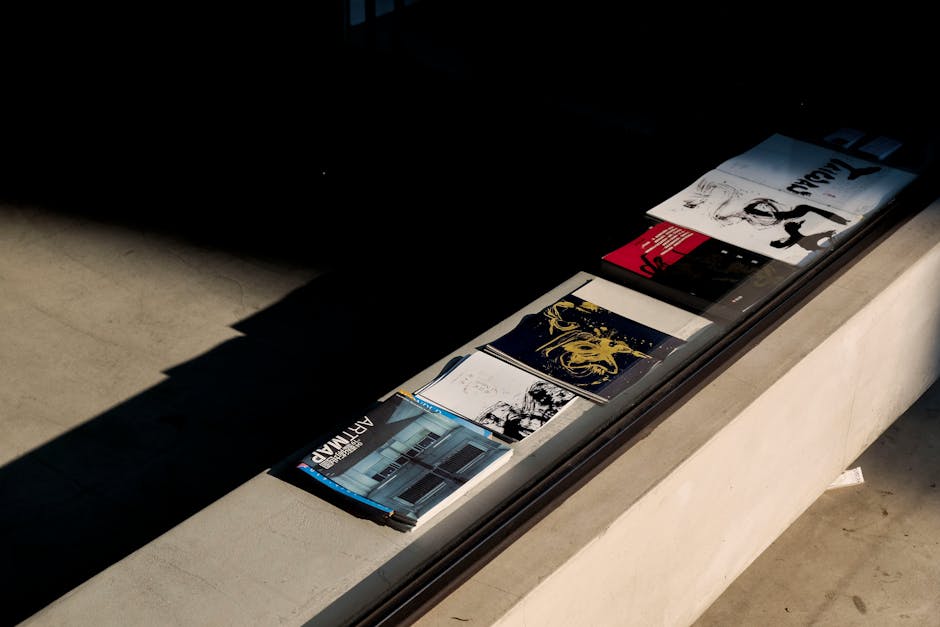
In DesignLumo, ask for a 3‑page brochure layout: "Professional PDF brochure for after‑school enrichment classes, each page highlighting a different activity, brand colors, placeholder for schedule." Download the layered InDesign file, replace placeholder text with actual class times, and embed a QR code linking to online registration. Use Adobe Acrobat to add interactive form fields for parent sign‑up. Track downloads; a well‑designed brochure can lift enrollment inquiries by 20% versus a plain list. This workflow sidesteps Canva’s limited multi‑page export options.
3. Parent Communication & Event Promotion Toolkit
Weekly Newsletter Graphic Pack

Generate a set of four graphics in DesignLumo with prompts like "Monday tip card for parents, pastel background, icon of a book," and "Friday reminder card for upcoming field trip, bright colors, space for date." Export each as PNG, then drop into Mailchimp’s newsletter template. Use consistent branding to reinforce trust. Measure click‑through on each graphic; aim for >5% per link. Compared to creating each graphic manually in Adobe Express, this pack reduces production time from 2 hours to 15 minutes.
Event RSVP Landing Page Banner

Prompt DesignLumo: "Banner for Spring Family Picnic RSVP, sunny illustration, space for date, time, and RSVP button, brand teal accent." Export a layered SVG, import into Webflow or Squarespace, and replace placeholder text with event details. Connect the RSVP button to Google Forms with automatic email confirmations. Track conversion; a targeted banner can raise RSVP rates from 30% to 45% versus a generic text link. The editable SVG lets you tweak dates without redesigning the whole banner.
Real‑Time Photo Collage for Social Updates

Use DesignLumo’s "photo collage" prompt: "10‑image collage of children during art class, pastel frame, space for caption, brand logo at bottom right." After each class, upload new photos to the same DesignLumo project; the AI updates the collage layers automatically. Export a ready‑to‑post JPEG for Instagram Stories. Monitor story completion rates; dynamic collages keep viewers engaged 25% longer than single images. This beats Midjourney’s static outputs, as you can continuously replace images without re‑creating the layout.
Before you go
- Create a Brand Kit in DesignLumo once; every prompt can reference your exact colors, fonts, and logo for instant consistency.
- Add UTM parameters to every QR code or link to attribute leads back to the specific asset and calculate true ROI.
- Schedule A/B tests for headlines and CTAs within the same AI‑generated design to iterate quickly without hiring a designer.















Ready to create your first design?
Join thousands creating professional designs in seconds.
Create with DesignLumo
Related Resources
Facebook Content Playbook for Daycare Centers
Actionable Facebook post ideas to boost enrollment, programs, and parent engagement.
Daycare Brand Assets Design Guide
Tactical steps to create logos, cards, letterheads, and brand kits for childcare centers.
Mother's Day Marketing & Design Guide for Daycares
Tactical Mother’s Day assets to boost enrollment and parent love.
Twitter/X Content Playbook for Daycare Centers
Tactical Twitter/X post ideas to boost enrollment and engagement.
Shopify Content Ideas for Daycare Centers
Actionable Shopify graphics to boost daycare enrollments.
Spooktacular Halloween Marketing Guide for Daycares
Actionable Halloween promos to boost enrollment and parent engagement.