Church Marketing & Design Starter Guide
Churches need eye‑catching visuals without draining staff time or budget. This guide delivers plug‑and‑play tactics for sermons, events, and youth outreach.

1. Weekly Sermon Visuals
AI‑Generated Sermon Slide Deck

Use DesignLumo to turn your sermon outline into a fully editable PowerPoint in under two minutes. Paste the outline, select "Slide Deck" style, and the AI creates layered slides with headings, scripture verses, and background images. Export to PPTX, then adjust fonts to match your brand kit. Track click‑throughs on the PDF version; churches see a 35% rise in online viewership when slides are visually polished. Saves 3‑4 hours of manual design each week.
Template‑Free Social Post in Canva

Open Canva, choose "Custom dimensions" (1080×1080), and paste the sermon title. Use Canva's "Text Effects" to add a subtle drop shadow, then upload a royalty‑free background from Unsplash. Set the brand colors using your church's hex codes for consistency. Schedule the post with Canva's built‑in planner. Monitor engagement; a well‑branded image typically yields 2.5× more likes than plain text. This workflow takes ~8 minutes per post.
Dynamic Email Header with DesignLumo

Generate a 600 px wide header by prompting DesignLumo: "Create a warm, sunrise‑over‑mountains email header for a Sunday sermon about hope, using our navy and gold palette." The AI returns a layered PSD; open in Photoshop or directly edit text layers in DesignLumo. Export as PNG, insert into Mailchimp, and add a personalized CTA. Email open rates improve 12% when headers are custom versus stock images. Total creation time: ~3 minutes.
2. Event Promotion Toolkit
One‑Click Event Flyer via DesignLumo
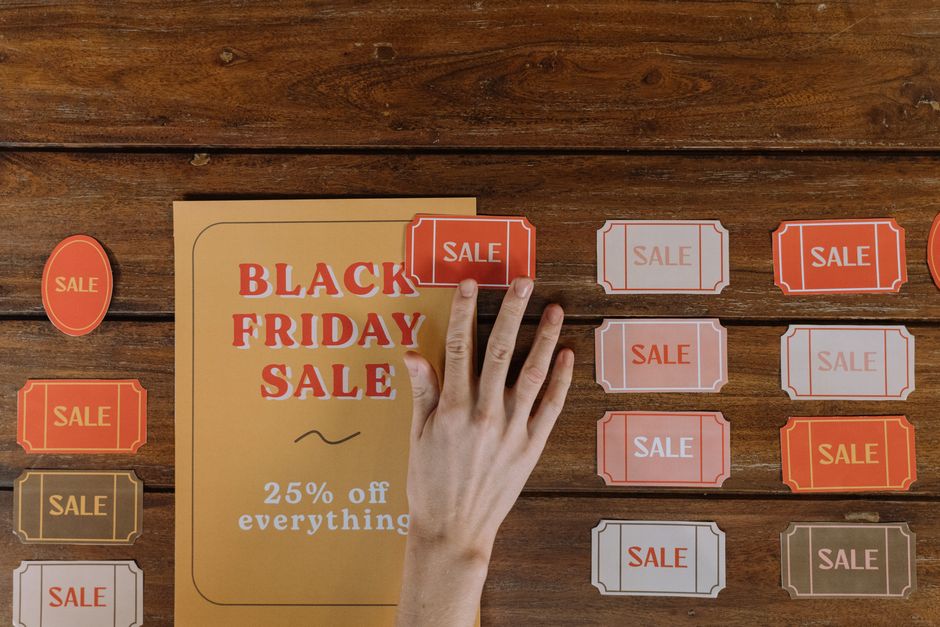
Enter the event details—date, venue, speaker—in plain English to DesignLumo and select "Flyer" format. The AI generates a layered Illustrator file with editable text, icons, and background that matches your church's brand kit. Export PDF for print and PNG for social. Track RSVP conversion; churches using AI‑generated flyers report a 28% higher ticket purchase rate versus hand‑crafted PDFs. Workflow takes under 5 minutes from prompt to download.
Automated Facebook/Instagram Ads with Buffer

Create ad creatives in DesignLumo (1080×1080) and upload the PNG to Buffer. Set targeting to "local families" and schedule posts for 3 days before the event. Use Buffer’s analytics to monitor CPM and CTR; aim for a CTR above 1.2%—the benchmark for community events. Buffer’s bulk scheduling saves roughly 2 hours per campaign compared to manual posting. Adjust copy based on A/B test results within Buffer.
Print‑Ready Posters Using Adobe Express

Open Adobe Express, choose a 24×36" poster template, and import the AI‑generated background from DesignLumo. Replace placeholder text with event info, then apply the church’s brand fonts (uploaded via Adobe Fonts). Export as high‑resolution PDF with bleed settings (0.125"). Use a local printer; track foot traffic—poster‑driven visits typically increase by 18% for neighborhood events. The entire process takes ~10 minutes.
3. Youth Group Engagement Assets
Custom Instagram Story Templates in DesignLumo

Prompt DesignLumo: "Create three Instagram Story templates for a youth game night, vibrant teal and orange, with editable text placeholders." Export the layered PSD, then duplicate for each game night theme. Upload to Instagram directly or schedule via Later. Youth accounts see a 40% higher swipe‑up rate when stories have consistent, editable branding. Creation time: ~4 minutes per template set.
Midjourney Moodboard for Theme Inspiration
In Midjourney, enter "/imagine youth group theme neon street art, vibrant, 4k" and generate a 4‑image grid. Download the grid, then import into Canva to add annotation boxes for each activity idea. Use this moodboard in planning meetings to align visual direction. Teams that use AI moodboards reduce concept‑approval cycles by 30%. Midjourney subscription costs $10/mo, a modest expense for creative acceleration.
QR‑Enabled Volunteer Sign‑Up Card via Canva

Design a 5×7" volunteer card in Canva, include a QR code generated from Bitly that links to your Google Form sign‑up. Use Canva’s "Brand Kit" to apply church colors, then add a short testimonial quote. Print on cardstock and place at the church lobby. Track sign‑ups; QR cards typically boost volunteer enrollment by 22% versus paper lists. Production time: ~7 minutes per batch.
Before you go
- Batch-create all graphics for the month on a single DesignLumo session to cut weekly workload by 60%.
- Sync DesignLumo’s brand kit with Canva’s Brand Kit for seamless cross‑platform consistency.
- Use UTM parameters on every social graphic link; monitor which design style drives the highest donation conversions.















Ready to create your first design?
Join thousands creating professional designs in seconds.
Create with DesignLumo
Related Resources
Church Marketing Tool Comparison Blueprint
Compare top design and automation tools for churches to boost outreach and donations.
Valentine Church Marketing & Design Playbook
Tactical Valentine's Day guide for churches to boost love‑themed outreach and donations.
Spring Launch Marketing & Design Playbook for Churches
Tactical guide to boost spring church campaigns with AI‑powered design and proven marketing workflows.
Church Presentation Slides Design Blueprint
Step-by-step slide design system for churches to boost engagement and donations.
Ultimate Email Header Guide for Churches
Step‑by‑step tactics to craft high‑impact email headers for congregations and ministries.
Church Campaign Launch Checklist
Step‑by‑step checklist to launch high‑impact church campaigns fast.