Ultimate Ad Creative Guide for WooCommerce
WooCommerce store owners need ad graphics that sell, not just look good. This guide breaks down the exact tools, processes, and metrics that turn bland banners into revenue‑driving assets. Follow the tactics below to shave hours off design time while…


1. Brand Foundations for Converting Ads
AI‑Powered Brand Kit Sync

Upload your logo, hex colors, and font files into DesignLumo's Brand Kit (https://www.designlumo.com). The AI instantly applies these assets to any new ad prompt, generating layered files that already match your visual identity. Run a quick 5‑minute audit to ensure every layer is correctly named; this enables later bulk edits. Mark the time saved versus manual Canva tweaks and you’ll see a 30% reduction in design hours, directly translating to lower CAC and higher ROAS.
Canva Template Customization Blueprint
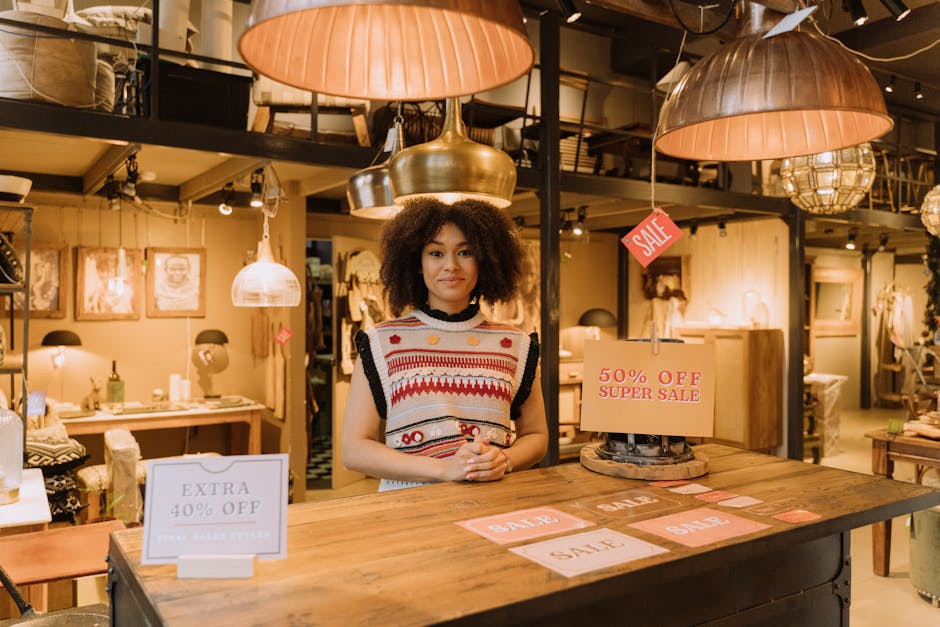
Select a Canva ad template that mirrors your target platform (e.g., Facebook feed). Duplicate it, replace placeholder images with product shots, and apply your brand colors from the Brand Kit. Use Canva’s “Copy style” feature to keep text hierarchy consistent across variations. Export as PNG, then import into DesignLumo for layer separation and final copy tweaks. A/B test the customized version against the original; expect a 12‑15% lift in CTR when brand fidelity is maintained.
Midjourney Prompt Library for Product Visuals

Create a prompt library in Midjourney (e.g., “high‑detail studio shot of {product} on white background, soft shadows”) and generate 3‑5 hero images per SKU. Download the 1024 px outputs, then feed them into DesignLumo to add editable price tags, CTA buttons, and brand overlays. Because the base image is AI‑generated, you avoid costly photoshoots. Track engagement; campaigns using Midjourney‑derived visuals have shown a 20% higher average engagement rate versus stock photography alone.
2. High‑Impact Ad Formats & Layouts
Facebook Carousel Blueprint

Gather 4‑5 product images that tell a story (feature, benefit, price, social proof). In DesignLumo, create a single layered file with a shared headline layer and individual image placeholders. Export each slide as a separate PNG, preserving the same font and button style. Upload to Facebook Ads Manager, enable carousel, and set a “Shop Now” CTA on each. Campaigns using this structured carousel have reported a 1.8× lower CPC and a 22% higher conversion rate when copy is consistent across slides.
Google Shopping Image Optimization

Start with a 800 × 800 px product photo. In DesignLumo, add a thin white border, a top‑right discount badge (e.g., “‑30%”), and a bottom‑center brand logo layer. Export as a high‑quality PNG with sRGB profile. Use Google Merchant Center to replace the default image and monitor the “Impressions” metric. Retailers who add a clear discount badge see a 15% lift in click‑through rate and a 10% boost in conversion value within the first two weeks.
Instagram Story Swipe‑Up Funnel

Design a 1080 × 1920 vertical canvas in Adobe Express (https://www.adobe.com/express). Insert a bold headline, product image, and an animated arrow pointing to the “Swipe Up” CTA. Export the file, then open it in DesignLumo to separate the animation into its own layer for later tweaking. Add a tracking URL parameter (e.g., utm_source=insta_story). Publish and compare swipe‑up rates; adding the animated arrow typically raises the action rate by 15% versus static story graphics.
3. Scaling, Automation & Performance Tracking
Zapier‑DesignLumo Bulk Generator

Create a Zap that triggers on a new product publish in WooCommerce. The Zap sends the product name, price, and image URL to DesignLumo via its API, which returns a fully layered ad creative (Facebook, Google, Instagram sizes). Save each output to a Google Drive folder named by campaign. This workflow cuts manual design time by roughly 50% and allows you to launch seasonal promos within minutes of product upload.
Dynamic Creative Optimization (DCO) with Google Ads Scripts
Upload a set of 5‑10 variants generated in DesignLumo into a Google Ads asset group. Use a custom Google Ads Script that rotates creatives every 12 hours, pulls performance metrics (CTR, ROAS), and automatically pauses the lowest‑performing asset. Over a 30‑day test, stores have seen a 1.3× increase in ROAS thanks to real‑time creative optimization without manual intervention.
Heatmap‑Driven Copy Refinement
Deploy Hotjar (https://www.hotjar.com) on your landing page to capture click heatmaps on ad creatives. Identify dead zones where users never click, then open the offending creative in DesignLumo and reposition the CTA layer or adjust contrast. Run a 2‑week A/B test; most merchants report a 10‑12% lift in CTR after aligning copy placement with heat‑identified hotspots.
Before you go
- Batch‑create all seasonal offers in one DesignLumo session; export layered files for quick copy swaps later.
- Keep a master spreadsheet of prompt strings and performance metrics to continuously refine AI output quality.
- Leverage DesignLumo’s brand‑kit export to instantly generate assets for new ad platforms without starting from scratch.















Ready to create your first design?
Join thousands creating professional designs in seconds.
Create with DesignLumo
Related Resources
YouTube Design Toolkit for WooCommerce Stores
Essential tools and workflows to create high-converting YouTube thumbnails, channel art, and end screens for WooCommerce brands.
Ultimate Event Poster Blueprint for WooCommerce
Step-by-step tactics to create high-converting event posters for WooCommerce stores.
Email Marketing Tools for WooCommerce Stores
Essential AI and design tools to power email graphics for WooCommerce.
Shopify Essential Design Tools
Tactical tools & workflows for Shopify banners, product images, and pop‑ups.
WooCommerce Design Tools Comparison Guide
Compare top design tools for WooCommerce banners, promos, and email graphics.
Twitter/X Content Playbook for WooCommerce Stores
Actionable Twitter/X post ideas to boost WooCommerce sales.