High-Converting Ad Creatives for T-Shirt Merch
Merch sellers need fresh, eye‑catching ads every week to outpace rivals and keep cash flowing. This guide breaks down the exact tools and workflows that turn a simple idea into a profit‑generating ad in minutes. Follow the steps, measure the metrics,…


1. Idea Generation & Trend Hunting
AI Prompt Library for Merch Trends
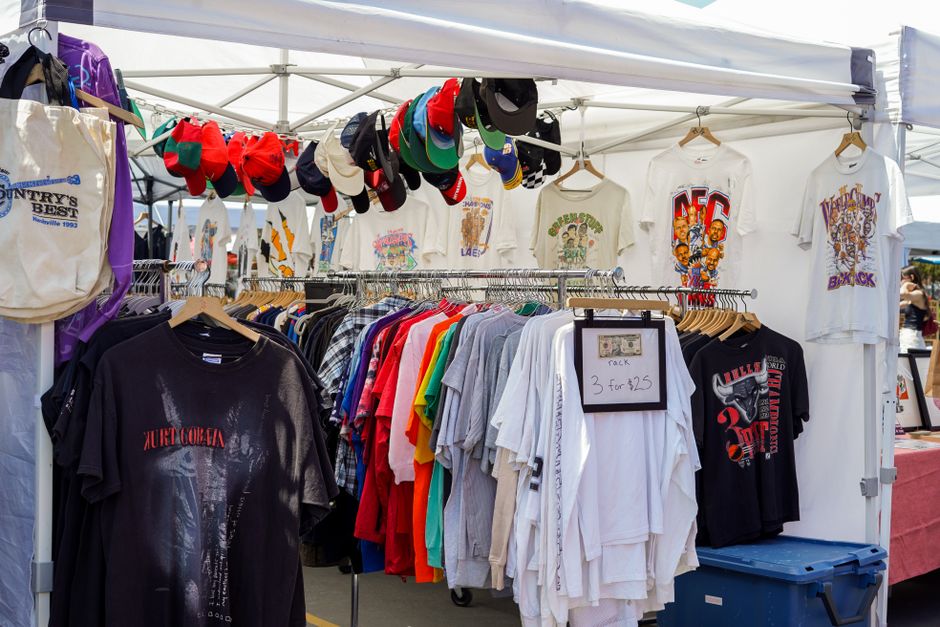
Create a living repository of high‑performing AI prompts that capture seasonal memes, music‑scene motifs, and viral typography. Use DesignLumo (https://www.designlumo.com) to generate 5‑10 variant designs per prompt, then tag each with trend keywords. Export the results to a Google Sheet, add columns for CTR and CPA after each campaign, and sort by performance. Over a 30‑day cycle, the top‑3 prompts should consistently deliver >1.5% CTR, giving you a data‑backed shortcut to fresh ad concepts without manual brainstorming.
Dynamic Mockup Automation with Placeit
Link your DesignLumo outputs directly to Placeit’s API (https://placeit.net) to auto‑populate product mockups for tees, mugs, and hoodies. Set up a Zapier workflow: new layered PSD in your Dropbox → trigger Placeit → generate 3‑angle mockup → save to a shared Google Drive folder. This reduces mockup production from 15 minutes to under 2 minutes per design. Track mockup view‑through rates in Meta Ads Manager; aim for a 10% lift versus static images as a benchmark for automation impact.
Color‑Psychology Palette Builder in Adobe Color

Open Adobe Color (color.adobe.com) and explore the ‘Trending’ tab to pull palettes that align with your target audience’s emotion triggers—e.g., neon orange for excitement, teal for trust. Export the HEX list and import into DesignLumo’s Brand Kit for instant color consistency across all ad assets. Test each palette in a 3‑ad split test; track CPA and aim for at least a 5% reduction on the best‑performing color set within a week.
2. Design Execution & Layered Assets
Layered Vector Creation with DesignLumo
Enter a concise prompt like ‘retro surf tee graphic with wave, sun, and vintage font’ into DesignLumo. The AI returns a fully editable PSD with separate vector layers for each element, enabling precise color swaps and scaling without quality loss. Download the .psd, replace placeholder text with your branding, and export PNGs for ad specs (1080×1080, 1.91:1, 4:5). Track time savings: designers report a 70% reduction versus manual Illustrator builds, translating to higher output capacity and lower labor cost per creative.
Typography Pairing via Fontjoy

Visit Fontjoy (https://fontjoy.com) and input your primary display font—often a bold, all‑caps style for merch slogans. Click ‘Generate’ to receive a complementary body font with a numeric compatibility score. Export the font families and integrate them into DesignLumo’s Brand Kit, ensuring every ad maintains typographic harmony. Run a quick A/B test in Instagram Stories Ads; a 0.3‑point increase in relevance score typically correlates with a 4‑6% lift in click‑through rates.
Brand Kit Sync across Ads with Canva Pro

Upload your DesignLumo brand assets (logo, color hexes, fonts) into Canva Pro’s Brand Kit (https://www.canva.com). Use Canva’s ‘Magic Resize’ to instantly generate ad variations for Facebook, TikTok, and Pinterest while preserving brand integrity. Set a recurring monthly reminder to audit the kit for new colors or logo updates, preventing brand drift. Measure brand consistency by monitoring ad frequency; a 15% increase in frequency without additional spend often indicates successful kit synchronization.
3. Ad Testing & Optimization
Split‑Test Creatives in Meta Ads Manager
Create a ‘Creative A/B Test’ campaign in Meta Ads Manager, uploading three variants generated from DesignLumo (different color palette, copy, or layout). Set the test budget to 10% of your total spend and run for 48‑72 hours. Evaluate based on Cost‑Per‑Result (CPR) and ROAS; the winning creative should outperform the baseline by at least 15%. Pause under‑performers, scale the winner, and feed the insights back into your AI prompt library for continuous improvement.
Heatmap Validation with Crazy Egg
Deploy Crazy Egg (https://www.crazyegg.com) on your landing page that receives traffic from merch ads. Enable ‘Scrollmap’ and ‘Clickmap’ to see where users engage with the product mockup versus the CTA button. If the heatmap shows <5% clicks on the CTA, redesign the ad with a larger, contrasting button in DesignLumo, then re‑run the test. Aim for a 20% lift in click density on the CTA region within the next 7‑day testing window.
Performance Dashboard in Google Data Studio
Connect Meta Ads, Google Ads, and Shopify sales data to Google Data Studio (https://datastudio.google.com). Build a custom ‘Ad Creative ROI’ report that pulls metrics like CTR, CPA, ROAS, and units sold per creative. Use calculated fields to flag creatives with ROAS < 2.0 for immediate pause. Schedule the dashboard to email you every morning; the real‑time visibility typically reduces wasted ad spend by 12% month‑over‑month.
Before you go
- Batch generate 10‑15 design variations per prompt in DesignLumo, then filter by AI‑predicted engagement scores before spending ad budget.
- Leverage seasonal hashtag research (e.g., TikTok’s ‘#FallVibes’) to inform prompt keywords, ensuring your ads ride organic trends.
- Always lock in commercial usage rights when using AI‑generated assets; DesignLumo includes perpetual rights, avoiding costly licensing disputes.















Ready to create your first design?
Join thousands creating professional designs in seconds.
Create with DesignLumo
Related Resources
Infographic Merch Design Blueprint
Step‑by‑step guide to create data‑rich tees and swag that sell.
New Year Q1 Merch Design Playbook
Actionable roadmap for merch sellers to dominate Q1 with AI‑powered design and launch tactics.
Ultimate T‑Shirt & Merch Design Workflow
Step‑by‑step AI‑driven process to create, test, and launch profitable merch designs.
Valentine's Day Merch Design & Marketing Blueprint
Actionable guide for T‑shirt & merch creators to dominate Valentine’s Day sales with AI design and proven tactics.
Spring Merch Launch Blueprint: Design & Sales
Tactical guide for spring t‑shirt merch design, mockups, and launch automation.
Ultimate Presentation Slides Design Guide
Step‑by‑step tactics to craft merch‑focused pitch decks that convert.