Tattoo Studio Ad Creative Blueprint
Tattoo and piercing studios need ads that capture bold aesthetics while driving bookings. This guide breaks down proven creative formats and the exact tools to produce them at scale. Follow the workflows to cut design time in half and boost campaign…


1. Portfolio Showcase Ads
AI‑Generated Portfolio Carousel

Use DesignLumo to create a 5‑slide carousel (1080×1080 px each) that highlights your best tattoos. Prompt: “Show five bold black‑and‑grey tattoo designs on dark textured background, neon outlines, studio name at bottom.” Lumo returns layered PSD files; replace placeholder text with actual artist names, adjust colors via your Brand Kit, and export each slide as PNG under 150 KB using TinyPNG. In Meta Ads Manager, upload the carousel, split‑test two headline copies, and set a 3‑day learning phase. Aim for a CTR of 2.5% – industry average is 1.2%.
Artist Spotlight Card with Live Ink

Start with Canva’s free “Artist Spotlight” template (https://www.canva.com/templates/artist‑spotlight) to lock the layout, then import the .png into DesignLumo. Replace the static photo layer with a high‑resolution shot of the artist mid‑ink, add a translucent gradient overlay, and edit the text layers to include a 15‑second booking link. Export as a single 1200×628 px JPG, compress to 120 KB, and run a 7‑day A/B test on two call‑to‑action buttons ("Book Now" vs "See Portfolio"). Expect a 12‑18% lift in conversion rate over a plain image ad.
Dynamic Color‑Palette Grid
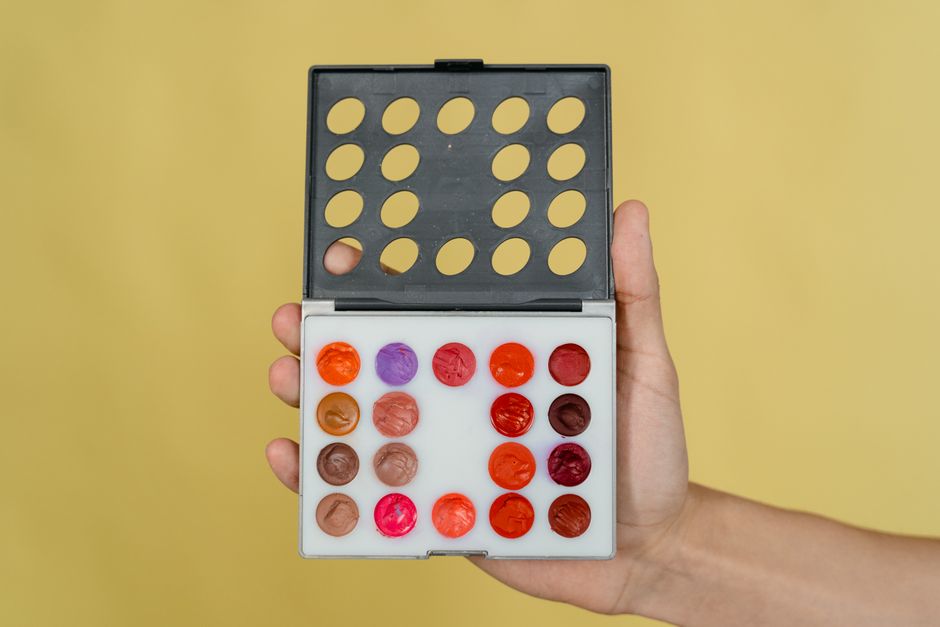
Generate a set of abstract color‑palette backgrounds in Midjourney (midjourney.com) using the prompt “vibrant watercolor swatches, tattoo ink tones, 4:5 ratio.” Download the 4‑up PNG, then open DesignLumo and layer each swatch with a thin white border and a text box for the tattoo name. Apply your studio’s brand fonts, export as a 1080×1080 px grid, and schedule as a carousel retargeting ad. Track view‑through rate (VTR); a well‑crafted palette grid typically drives a VTR of 35% – 40%, outperforming plain product shots.
2. Flash Sale & Event Promos
Limited‑Time Flash Sale Banner

In DesignLumo, type: “Bold 48‑hour flash tattoo sale, red neon text, black grunge background, include countdown timer placeholder.” Lumo creates editable layers for the timer, price tag, and studio logo. Replace the timer layer with a live countdown widget from Elfsight (https://elfsight.com/countdown-widget) via embed code, then export a 1200×628 px PNG. Upload to Facebook Ads, set the campaign objective to Conversions, and add a 24‑hour ad schedule. Target a ROAS of 3.5×; flash‑sale banners typically achieve a 4‑5% conversion lift versus regular promos.
Guest Artist Event Countdown

Create a vertical Instagram Story ad (1080×1920 px) in Adobe Express (express.adobe.com). Use the “Event Countdown” preset, then import the design into DesignLumo to unlock layered text editing. Insert the guest artist’s signature style as a PNG overlay, adjust the color palette to match the event theme, and link the “Swipe Up” URL to your booking page. Run a 48‑hour story ad with a 3‑second frame transition; monitor swipe‑up rate aiming for 1.8% – 2.2% (double the baseline for static stories).
Bundle Package Promo Carousel

Design a three‑slide carousel in DesignLumo showcasing a tattoo‑plus‑piercing bundle. Prompt: “Show a sleek black‑and‑gold tattoo design next to a silver ear‑piercing, bold headline ‘Bundle Deal’, price badge, studio branding.” After generation, replace placeholder prices with your actual bundle cost, add a limited‑stock badge, and export each slide as 1080×1080 px JPEG under 130 KB. In Google Ads, set up a responsive display ad and enable frequency capping to 2 impressions per user. Expected CPM reduction of 15% and a 9% increase in lead quality.
3. Aftercare & Brand Loyalty Ads
Aftercare Instruction Infographic

Start with Piktochart (https://piktochart.com) to choose a “Medical Aftercare” template. Export the base as a layered SVG, import into DesignLumo, and swap the placeholder icons for custom tattoo‑ink‑styled illustrations generated via Midjourney. Edit the text layers to match your studio’s aftercare protocol, apply your brand colors, and export a 1080×1350 px PNG. Promote via Facebook Lead Ads, offering a free aftercare PDF in exchange for email. Track cost‑per‑lead (CPL); a well‑designed infographic can bring CPL down to $1.20 – $1.50, 30% lower than text‑only ads.
Loyalty Program Referral Card
Create a printable 4×6 in referral card in Canva’s “Loyalty Card” template, then open the downloaded PDF in DesignLumo. Replace static QR code with a dynamic code generated from ReferralCandy (referralcandy.com) by pasting the image layer. Adjust font hierarchy to highlight “Earn 1 Free Session” and embed your brand’s secondary color. Export as a high‑resolution PDF for in‑studio handouts and a 1080×1080 px PNG for Facebook retargeting. Expected referral conversion rate of 6% – 8%, double the baseline for generic flyers.
Merchandise Upsell Mini‑Ad
Use DesignLumo to generate a 600×600 px Instagram ad promoting studio merch. Prompt: “Show a black‑tshirt with a subtle tattoo‑ink logo, bold ‘Shop Now’, price $25, studio brand colors.” After generation, replace the logo layer with your actual vector, add a “Free Shipping Over $50” badge, and export as PNG under 100 KB. Pair with a Shopify product feed and set up a dynamic ad in Meta Business Suite. Target a ROAS of 4.0×; merch upsell ads typically achieve a 2.5% add‑to‑cart rate, higher than generic product ads.
Before you go
- Batch‑generate 10‑15 ad variations in DesignLumo, then use a naming convention (e.g., "Flash_03_2024_A") to feed directly into Meta’s automated ad rotation.
- Always export layered files (PSD or SVG) for future tweaks; never lock in design after the first export—quick edits keep CPM low.
- Leverage UTM parameters with campaign, ad_set, and creative IDs to attribute exact ROI per design, then prune the lowest‑performing 30% after 7 days.















Ready to create your first design?
Join thousands creating professional designs in seconds.
Create with DesignLumo
Related Resources
Twitter/X Content Ideas for Tattoo Studios
Actionable X post graphics, threads, and cards to boost tattoo studio sales.
Tattoo Studio Marketing Mistakes to Dodge
Avoid costly errors in tattoo studio marketing with tactical fixes.
Valentine's Day Tattoo Studio Marketing Playbook
Tactical guide to boost bookings, sales, and brand love for tattoo & piercing studios this Valentine's Day.
Mother's Day Tattoo Studio Marketing Playbook
Tactical Mother's Day promos for tattoo & piercing studios.
Summer Sale Marketing & Design Blueprint for Tattoo Studios
Tactical guide to boost summer tattoo & piercing sales with AI‑powered designs.
Tattoo Studio Marketing Blueprint for Beginners
Actionable design tactics to boost tattoo studio bookings and brand.