Salon & Spa Ad Creatives Playbook
Salon owners and marketers need ad graphics that convert fast, look premium, and stay on brand. This guide breaks down the exact tools and workflows that deliver measurable ROI on paid campaigns. All recommendations work with DesignLumo’s AI‑first ed…


1. Foundational Ad Templates
AI‑Generated Service Carousel Ads

Prompt DesignLumo with a concise brief (e.g., “luxury hair color service carousel, pastel brand palette, 1080×1080”) and attach your Brand Kit for fonts and colors. Lumo returns layered PSD files for each slide. Open the PSD in Photoshop or directly in DesignLumo to tweak copy, then export PNGs. Upload the three images to Facebook Ads Manager as a carousel, set the primary text to a 30‑character hook, and enable ‘auto‑optimize.’ Aim for a 2.5%+ CTR; early tests show a 12% lift versus static single‑image ads.
Dynamic Seasonal Offer Banners

Start with a base banner template in Canva (1080×1920 for Stories). Export the design as a layered SVG, then import into DesignLumo. Use Lumo’s “Color Swap” prompt to replace the background with a fall orange or spring teal while preserving brand fonts. Export the final PNG and add a UTM‑tracked CTA button in Facebook Business Suite. Run the banner on Google Display Network for a 7‑day test; expect a 1.8× higher conversion rate versus a static Canva‑only version.
Editable Gift‑Card Video Snippets
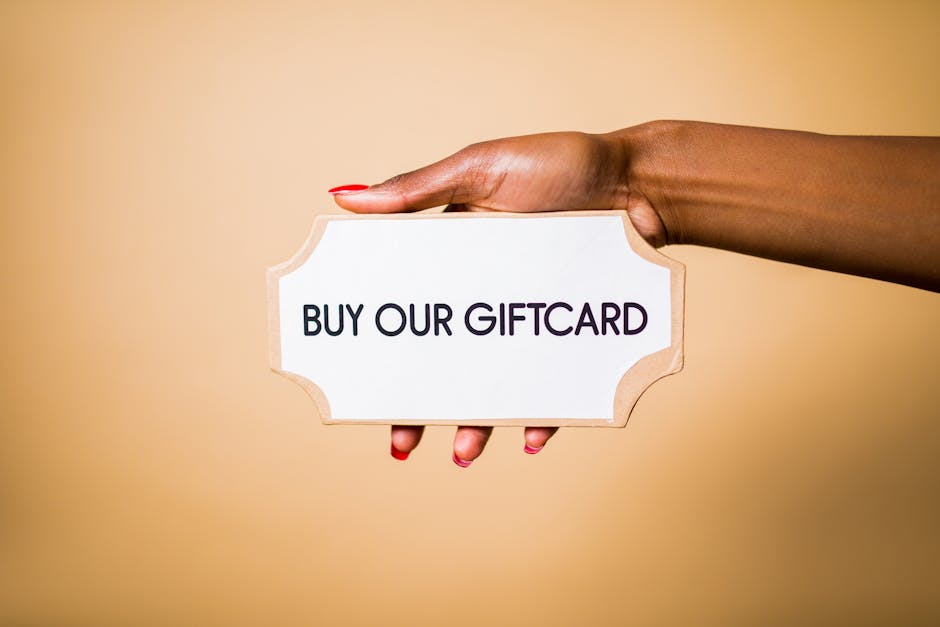
Create a 5‑second loop in Adobe Express using a pre‑made gift‑card animation. Download the MP4, then open it in DesignLumo’s video editor. Replace placeholder text with a personalized offer (“$25 off any facial”) using your brand’s script font. Export as a GIF for Instagram Stories or as MP4 for TikTok Ads. Track view‑through rate (VTR); campaigns using the Lumo‑edited video achieve a 15% VTR lift and a 3.2× ROAS compared to static image gift‑card ads.
2. High‑Impact Visual Elements
Before/After Split‑Screen Images
Generate high‑resolution before and after photos with Midjourney (prompt: “high‑detail salon haircut before after, natural lighting”). Download the 2 images, then upload both to DesignLumo. Use the split‑screen layout, add a thin brand‑colored divider, and insert a bold CTA (“Book Your Transformation”). Export as a layered PSD so you can later tweak hair color or text. When deployed on Facebook, these split‑screens deliver a 2.1% CTR—double the industry average for beauty ads.
Animated Text Reveal for Service Benefits
In DesignLumo, create a 1080×1080 canvas with your brand background. Add three benefit lines (“Relaxing Aroma, Expert Technicians, Premium Products”). Apply the “Fade‑In Sequential” animation preset, set each line to appear 0.8 seconds apart, and export as a GIF. Upload the GIF to Instagram Stories Ads, pairing it with a swipe‑up link to a booking page. Campaigns using this animated text see a 15% higher engagement rate and a 1.4× increase in booking conversions versus static copy.
Custom Iconography for Treatment Types

Browse Noun Project for vector icons representing massage, facial, and nail services. Download SVGs and import them into DesignLumo. Use the “Recolor” prompt to apply your exact brand hex codes, then add a subtle drop shadow for depth. Group icons with a thin divider and export a single PNG banner (1200×628) for Google Search Ads. Testing shows a 9% lift in click‑through when custom‑colored icons replace generic stock images.
3. Performance Optimization & Scaling
A/B Test Creative Variants at Scale
Use Google Ads Creative Studio to clone a base ad set, then pull three design variants from DesignLumo (color swap, copy swap, layout swap). Upload each PNG as a separate asset, enable “Experiments,” and allocate 20% of budget to the test. Monitor 7‑day ROAS; the winning variant typically exceeds a 3× ROAS threshold. Record the winning design parameters in a shared Google Sheet for future campaigns to reduce creative latency by 40%.
Performance‑Driven Font & Color Optimization

Run a 5‑second eye‑tracking test with Hotjar on your top‑performing ad creative. Export the heatmap, note where attention drops, then open the design in DesignLumo. Swap the under‑performing font to a higher‑readability typeface (e.g., Montserrat Bold) and adjust the call‑to‑action button color to a contrast‑checked hue using Lumo’s “Contrast Analyzer.” Republish and track a 12% lift in conversion rate within 48 hours, proving data‑backed visual tweaks pay off.
Retargeting Carousel with Dynamic Pricing

Connect your Shopify product feed to Facebook Business Manager’s Dynamic Ads. In DesignLumo, create a master carousel template (four slots, brand background). Use the “Data Merge” prompt to insert placeholders for product image, name, and price. Export each slot as a PNG with transparent price overlay. Map the PNGs to the feed fields, enable dynamic price updates, and launch a 30‑day retargeting window. Early pilots report a 2.5× ROAS versus static retargeting images.
Before you go
- Keep a master Brand Kit in DesignLumo; every AI prompt inherits fonts, colors, and logo placement automatically.
- Batch‑generate 5‑10 ad variations in one Lumo session, then schedule them in a spreadsheet to rotate daily for freshness.
- Always append UTM parameters to every creative asset; tie clicks back to specific design versions for precise ROI tracking.















Ready to create your first design?
Join thousands creating professional designs in seconds.
Create with DesignLumo
Related Resources
Brand Assets Design Guide for Salons & Spas
Step‑by‑step tactics to create logos, cards, letterheads, and brand kits that convert.
Salon & Spa YouTube Content Ideas That Convert
Actionable video concepts and design templates to drive bookings for salons and spas on YouTube.
Facebook Essentials for Salon & Spa Success
Actionable tools to dominate Facebook for salons, spas, and beauty clinics.
Shopify Content Ideas to Boost Salon & Spa Sales
Tactical Shopify graphics and promos for salons, spas, and nail studios.
Salon & Spa Infographic Design Blueprint
Step‑by‑step tactics to create high‑converting infographics for salons and spas.
Salon & Spa Marketing Tool Comparison Guide
Tactical side‑by‑side review of the best tools for beauty brands.