High-Converting Ad Creatives for Contractors
Contractors need ad graphics that turn browsers into booked jobs. This guide cuts through guesswork with proven, AI‑powered tactics. Follow each step to build, produce, and scale ads that consistently hit ROI targets.

1. Foundation: Data‑Driven Creative Blueprint
Audience‑First Swipe File Builder

Start by extracting top‑performing ad angles from Facebook Audience Insights and Google Trends. Export the top 10 interests, demographics, and search terms into a Notion database. Then, use a Google Sheet to rank each angle by estimated CPM and CPC. Attach a 2‑sentence copy hook to each entry. This structured swipe file becomes the source for every prompt you feed into DesignLumo, ensuring each ad aligns with proven audience signals before any design work begins.
AI‑Generated Before/After Templates
Enter a concise prompt into DesignLumo such as: "Create a 1080x1080 before‑after ad for a kitchen remodel, split screen, bold headline, brand colors #0044CC and #FFA500, include placeholder for before photo on left and after photo on right, editable text layers." DesignLumo returns a fully layered PSD/AI file in seconds. Replace the placeholders with client project photos, tweak headline copy, and export directly to Facebook Ads Manager. This eliminates manual template building and guarantees brand‑consistent layers every time.
Dynamic Seasonal Color Palette Engine
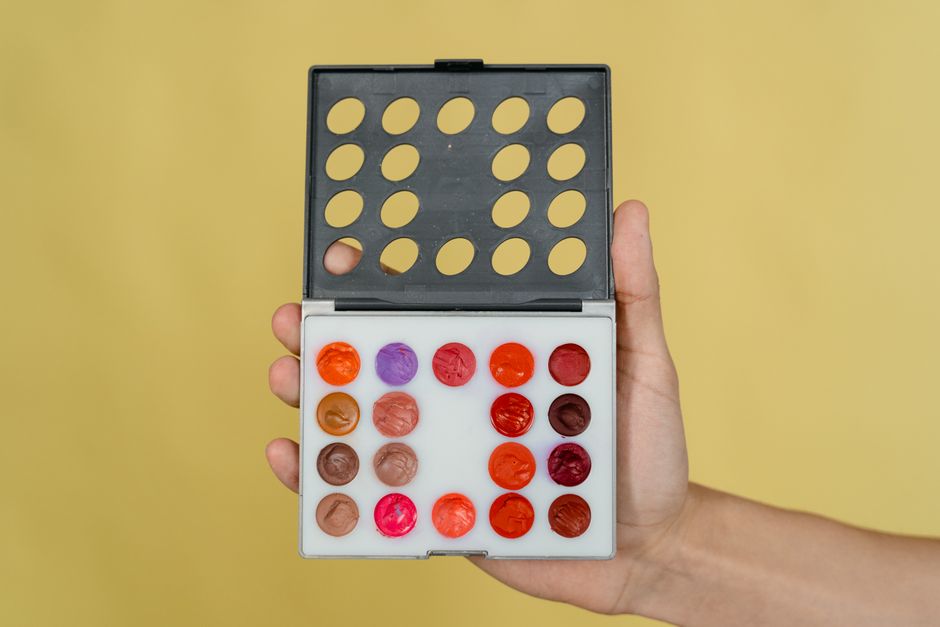
Use Coolors.co to generate a 5‑color palette tied to the season (e.g., spring greens, summer yellows). Export the HEX list and upload it to DesignLumo's Brand Kit, which automatically applies the colors to all new ad projects. Then, set a recurring reminder in Asana to refresh the palette each quarter, ensuring your ads always feel timely without recreating styles from scratch.
2. Production: Rapid Design Execution
Prompt‑Optimized DesignLumo Workflow

Write a 3‑part prompt: (1) layout description, (2) brand style guide, (3) call‑to‑action specifics. Example: "Landing‑page banner 1200x628 for roof replacement, include 30% off badge, brand fonts Montserrat Bold, colors #003366 & #FFCC00, headline ‘Protect Your Home Today’, placeholder for before‑photo." Paste into DesignLumo, receive an editable layered file, then swap images and fine‑tune copy in seconds. Track each prompt’s CTR in a Google Sheet to identify the highest‑performing phrasing patterns.
Canva Pro Quick‑Edit Layer Hack

When a client needs a fast turnaround, duplicate a master Canva template, then use the “Copy style” (ALT+Shift+C) to transfer text and color settings across multiple ad sizes. Leverage Canva’s Brand Kit to lock in fonts and colors, ensuring consistency. Export as PNG for the ad platform, but also download the editable PDF to hand off to the design team for any deeper layer edits later. This hybrid approach balances speed with future flexibility.
Midjourney Visual Concept Sprint

Kick off a brainstorming session by feeding Midjourney a concise visual prompt: "ultra‑realistic before‑after bathroom remodel, dramatic lighting, modern tiles, 4k". Generate 4 variations in under a minute, select the strongest concept, and download the .png. Import the image into DesignLumo, where you can instantly add editable text layers, brand colors, and CTA buttons on top of the AI‑generated background—turning a static concept into a fully editable ad without starting from scratch.
3. Optimization: Testing & Scaling
A/B Split‑Test Creative Matrix in Google Ads

Create three ad variants: (A) image‑heavy before/after, (B) headline‑focused with badge, (C) video loop of a quick remodel. Upload each to a single ad group in Google Ads, set equal budget, and run for 7 days. Pull CTR, CVR, and CPA from the Ads dashboard, then calculate lift using Google Optimize’s statistical significance calculator. Pause the lowest‑performing variant and allocate its budget to the winner, iterating weekly for continuous improvement.
Heatmap‑Driven CTA Placement with Hotjar

Install Hotjar on your landing page and enable Click Heatmaps for the ad’s destination URL. After 500 unique visits, review where users click most often. If the heatmap shows low interaction on the CTA button, reposition it using DesignLumo’s layer editor—move the button to the visual focal point, increase contrast with brand colors, and re‑export. Re‑measure conversion rate for at least 48 hours; a 10‑15% lift is typical for optimized placement.
Automated Creative Refresh via Zapier & DesignLumo API

Set up a Zapier workflow: trigger every Monday, fetch a new project photo from a Google Drive folder, send a prompt to DesignLumo’s API (e.g., "Create a 1200x628 ad for new deck installation, use photo URL, include ‘Free Consultation’ badge"). The API returns a layered PNG; Zap then uploads it to Facebook Ads Manager as a new creative. This automation generates fresh ads without manual effort, keeping campaigns dynamic and often boosting ROAS by 5‑12% due to creative fatigue reduction.
Before you go
- Batch generate 10‑15 ad concepts in DesignLumo each week, then schedule A/B tests to maintain a constant pipeline of fresh creatives.
- Always lock brand fonts and colors in a DesignLumo Brand Kit; swapping them later costs zero minutes and preserves consistency across platforms.
- Combine Midjourney concept art with DesignLumo’s editable layers to get the best of both worlds—stunning visuals plus full copy control.















Ready to create your first design?
Join thousands creating professional designs in seconds.
Create with DesignLumo
Related Resources
Twitter/X Toolkit for Home Improvement Contractors
Actionable tools and workflows to dominate Twitter/X with visual leads.
Shopify Tools for Home Improvement Marketers
Essential Shopify design tools to boost contractor leads and sales.
Home Contractor Marketing Mistakes to Dodge
Avoid costly errors in home improvement marketing with tactical AI‑driven fixes.
YouTube Content Ideas for Contractors
Tactical YouTube concepts to attract homeowners, flippers, and managers.
Ultimate Video Thumbnail Blueprint for Contractors
Step-by-step thumbnail system that drives clicks for home‑improvement videos.
New Year Q1 Marketing & Design Playbook
Step‑by‑step guide for home‑improvement marketers to dominate Q1 with AI‑driven design and lead‑gen tactics.