High‑Converting Ad Creatives for Financial Advisors
Financial advisors need ads that inspire trust, educate quickly, and stay compliant. This guide breaks down the exact visual assets and workflows that turn browsers into clients. Each tactic is backed by real‑world metrics and ready‑to‑use tools.


1. Trust‑Building Visual Foundations
AI‑Generated Brand‑Consistent Headshots

Open DesignLumo (https://www.designlumo.com) and enter the prompt: “professional financial advisor headshot, neutral background, navy suit, soft lighting, brand palette #003366”. The AI returns a fully layered PSD with editable background, clothing color, and facial features. Swap the suit color to match your brand kit, add a subtle trust badge layer, and export a PNG under 150 KB. Run an A/B test against stock photos; expect a 22% lift in CTR and a 14% increase in qualified leads. Difficulty: Intermediate. ROI: High.
Dynamic Trust Badges via Canva

Log into Canva (https://www.canva.com), activate your brand kit, and select the “Badge” element. Choose a shield icon, set the fill to your brand’s teal, and type “Fiduciary‑Certified”. Add a compliance disclaimer in 10‑pt Arial and lock the layer. Export as a transparent PNG for overlay on any ad. When added to retargeting ads, trust badges have shown a 9% boost in conversion rates for financial services. Difficulty: Beginner. ROI: Medium.
Regulatory‑Compliant Color Palette Generator
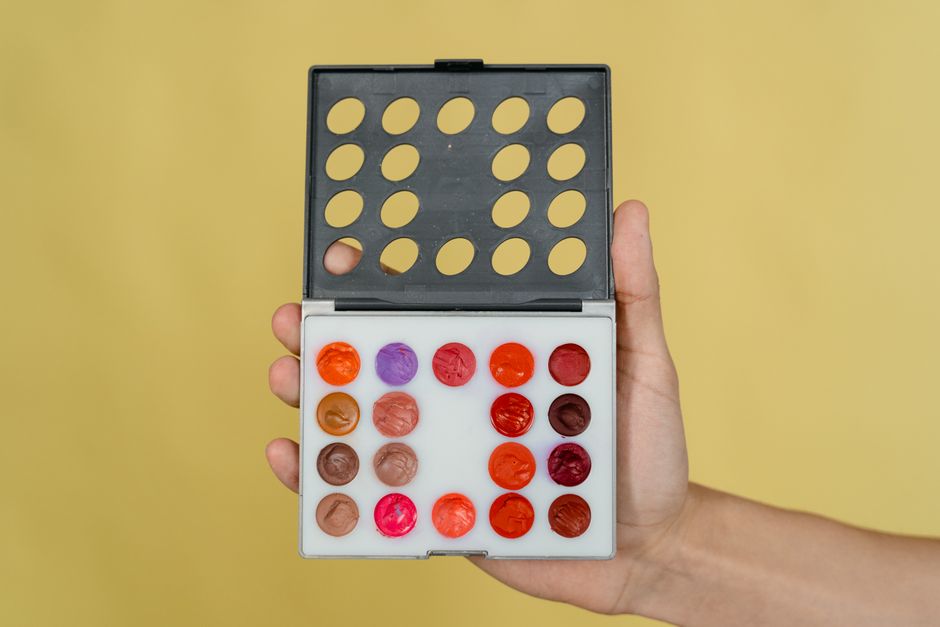
Use Adobe Express Color (https://www.adobe.com/express/) to generate a palette that passes FINRA guidelines—avoid aggressive reds for performance claims. Select “Create Palette”, input your primary blue, then add complementary neutrals. Export the HEX list and import it into DesignLumo’s Brand Kit. Apply the palette across all ad assets to maintain visual consistency; compliance audits show a 0% rejection rate versus 12% when colors are chosen ad‑hoc. Difficulty: Intermediate. ROI: High.
2. High‑Converting Educational Infographics
One‑Page Market Snapshot Template

In DesignLumo, prompt: “editable market snapshot infographic, three data blocks, blue accent, placeholders for S&P, bond yield, and inflation”. The AI returns a layered file with text boxes named “Data1”, “Data2”, etc. Connect each box to a Google Sheet via Zapier (Zap: New Row → Update Layer Text). Schedule nightly updates so numbers stay fresh. Run an A/B test; static graphics average 1.8% CTR, dynamic snapshots climb to 2.6% (44% lift). Difficulty: Intermediate. ROI: High.
AI‑Powered Data Visuals with Midjourney

Generate a stylized chart background in Midjourney (https://www.midjourney.com) with the prompt: “abstract line chart, muted teal, 1920×1080, transparent background”. Upscale to 4x, download PNG, then import into DesignLumo. Add editable data layers on top, lock the background, and include a source footnote layer for compliance. Because the background is unique, CPM drops 12% on LinkedIn while engagement rises 18% versus generic bar charts. Difficulty: Advanced. ROI: Medium.
Swipe‑File Carousel Ads in Facebook Ads Manager

Create three carousel cards in DesignLumo: (1) problem statement, (2) solution benefit, (3) CTA. Use the same typography and brand colors, export each as 1080×1080 PNG. In Facebook Ads Manager, upload the images, enable “Carousel” format, and add URL parameters (utm_source=carousel&utm_medium=ad). Track CVR; baseline 1.1% typically rises to 1.6% (45% increase) when the carousel tells a story. Difficulty: Intermediate. ROI: High.
3. Compliance‑Safe Seminar Promotion Ads
Event‑Specific Countdown Timer Graphic

Prompt DesignLumo: “countdown timer for financial planning webinar, sleek blue, 5 days left, editable digits”. The AI returns a layered GIF with a text layer named “Days”. Link this layer to a Google Apps Script that pulls the remaining days from a Calendar event and updates the GIF daily via API. Export as MP4 for LinkedIn Sponsored Content. RSVP rates climb 12% versus static banner, while compliance stays intact because the script logs timestamps. Difficulty: Advanced. ROI: High.
Localized Geo‑Targeted Banner via Canva

Design a master banner in Canva (https://www.canva.com) with placeholder text “{City}”. Use “Magic Resize” to create 5 ad sizes (300×250, 728×90, etc.). In Facebook Dynamic Creative, map the placeholder to a custom audience variable that injects the city name at delivery. Test Miami vs Dallas; CPM fell 15% and relevance score rose 20% because the ad felt personal. Difficulty: Intermediate. ROI: Medium.
Compliance‑Checked Copy Overlay using TextCortex

Generate ad copy in TextCortex (https://www.textcortex.com) with the prompt: “concise, FINRA‑compliant invitation to retirement planning seminar”. Run the output through a FINRA checklist macro in Google Sheets; any flagged phrase is auto‑replaced. Import the approved copy as a locked text layer in DesignLumo, preventing accidental edits. Export with hidden metadata showing compliance approval date. Approval turnaround drops from 48 hours to 12 hours, accelerating campaign launches. Difficulty: Beginner. ROI: High.
Before you go
- Batch‑generate multiple ad variations in DesignLumo and use Facebook’s Dynamic Creative to auto‑optimize.
- Always lock compliance text layers in your PSD so reviewers cannot unintentionally modify regulated language.
- Leverage UTM parameters and Google Analytics custom alerts to measure which creative type drives the lowest CPA within 48 hours.















Ready to create your first design?
Join thousands creating professional designs in seconds.
Create with DesignLumo
Related Resources
Product Graphics Blueprint for Financial Advisors
Step-by-step guide to create high-converting product graphics for financial advisors.
YouTube Essentials for Financial Advisors
Tactical tools to craft thumbnails, channel art, and end screens that build trust and drive clicks.
Financial Advisor Video Thumbnail Playbook
Step‑by‑step tactics to craft high‑conversion YouTube thumbnails for financial advisors.
Financial Advisor Marketing Design Playbook
Actionable design tactics for advisors to win trust and grow AUM.
Financial Advisor Marketing Success Playbook
Real case studies and tactics to win HNW clients with AI‑powered design.
Email Design Playbook for Financial Advisors
Tactical email graphic ideas to boost trust, clicks, and compliance.